Phone Number on iMessage and FaceTime

hi, I have a iPad Air 2 running 11.3 and my phone number is not there on iMessage and FaceTime, i add my phone number on apple id and my phone number is not there on iMessage and FaceTime, i see only my email address on iMessage and FaceTime. i have Optus SIM Card on my iPad.

Thanks

iPad Air Wi-Fi, iOS 11.3

Posted on Apr 21, 2018 2:13 AM

Reply
Question marked as Top-ranking reply

Posted on Apr 21, 2018 2:33 PM

Hello Gaming37,

Thank you for using Apple Support Communities. It's my understanding that your phone number doesn't appear in Messages and FaceTime on your iPad. I'm happy to help. In order to add a phone number to Messages and FaceTime, you must first set it up with your iPhone. Please review the steps and information below:

These steps work only with the phone number that belongs to your iPhone, not the phone number of a landline or other device. On your iPhone:

  1. Go to Settings > Messages and make sure that iMessage is on. You might need to wait a moment for it to activate.
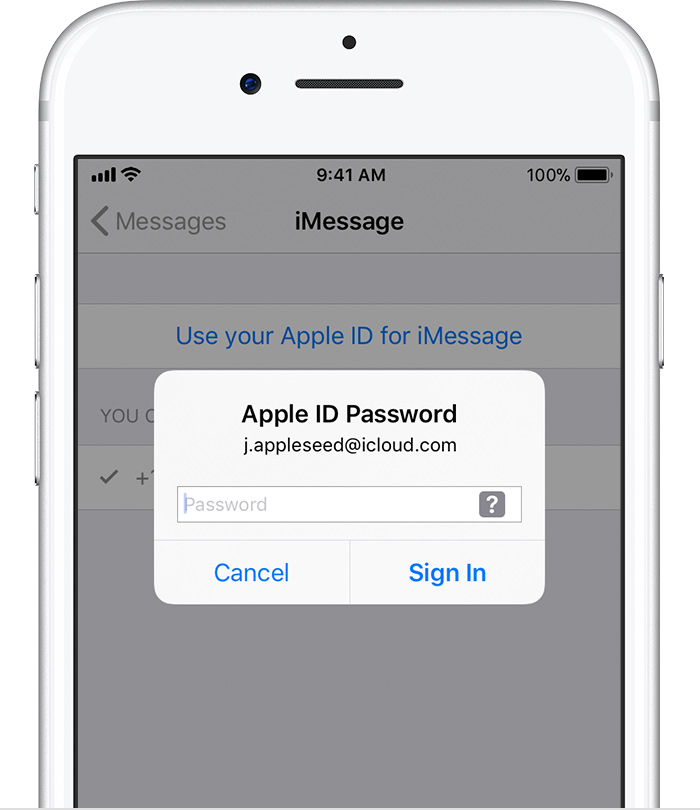
  2. Tap Send & Receive. If you see “Use your Apple ID for iMessage,” tap it and sign in with the same Apple ID that you use on your Mac, iPad, and iPod touch.
    User uploaded file
  3. In the “You can be reached” section, make sure that there are checkmarks beside your phone number and Apple ID.
  4. Go to Settings > FaceTime and follow the same steps.
Add or remove your phone number in Messages or FaceTime

Let us know if the issue persists.

Have a wonderful day!
1 reply
Question marked as Top-ranking reply

Apr 21, 2018 2:33 PM in response to Gaming37

Hello Gaming37,

Thank you for using Apple Support Communities. It's my understanding that your phone number doesn't appear in Messages and FaceTime on your iPad. I'm happy to help. In order to add a phone number to Messages and FaceTime, you must first set it up with your iPhone. Please review the steps and information below:

These steps work only with the phone number that belongs to your iPhone, not the phone number of a landline or other device. On your iPhone:

  1. Go to Settings > Messages and make sure that iMessage is on. You might need to wait a moment for it to activate.
  2. Tap Send & Receive. If you see “Use your Apple ID for iMessage,” tap it and sign in with the same Apple ID that you use on your Mac, iPad, and iPod touch.
    User uploaded file
  3. In the “You can be reached” section, make sure that there are checkmarks beside your phone number and Apple ID.
  4. Go to Settings > FaceTime and follow the same steps.
Add or remove your phone number in Messages or FaceTime

Let us know if the issue persists.

Have a wonderful day!

This thread has been closed by the system or the community team. You may vote for any posts you find helpful, or search the Community for additional answers.

Phone Number on iMessage and FaceTime

Welcome to Apple Support Community
A forum where Apple customers help each other with their products. Get started with your Apple Account.