Help iPhone 7 stuck in boot loop?
My iPhone 7 has been turning on and off and stuck in a boot loop(meaning Apple logo comes on and off for atleast 30 mins) can someone please help me
I'm tired of people having these issues so I'm going to tell you what the issue is. The problem is a board level issue. The problem is with the Audio Codec (U3103). It\s the same issue that Apple had with the Masen (U2402). The pad that the M1 jumper connected to on the iPhone 6 and 6 plus would disconnect from the board. The way to resolve that issue is to run a jumper from the via to the spot where that pad is at. After that you would never have any issues. I love apple devices but board defects is very common. So take your phone to the Genius bar and see if they will help. I always recommend that people see if Apple will help them first. If they won't help you then I would say that there is no harm in going to another repair shop that has a microsoldering department with knowledgable techs. I would say you should ask if their microsoldering tech is available and ask if they know what pads are replaced. If they can say at minimum that the c12 pad needs to have a jumper ran then you should be fine. If they also know that it's recommended that the F12, H12, and J12 pads should have a jumper ran. Then you are in paradise. The Audio Codec is directly under the Baseband CPU and the A10 CPU is a bit off to the side of that. So there is a risk to the repair. Any Microsolderer worth his weight will be able to do that repair without any issues, but it is a very sensitive repair. Again see if Apple will help you without any charge assuming you don't have any other damage. If they want to charge to 200-300 dollars tell them no thank you. Apple please stop making these mistakes and please take responsibility. I love my iPhones, Macbook, Watch, and Air Pods, but I don't have these issues on other companies products. Also it is 7/19/2018 at 9:16PM. If this message is still up then thank you Apple for not throwing out my advise. I don't foresee you doing this but maybe you will. I hope this information helps.
I'm tired of people having these issues so I'm going to tell you what the issue is. The problem is a board level issue. The problem is with the Audio Codec (U3103). It\s the same issue that Apple had with the Masen (U2402). The pad that the M1 jumper connected to on the iPhone 6 and 6 plus would disconnect from the board. The way to resolve that issue is to run a jumper from the via to the spot where that pad is at. After that you would never have any issues. I love apple devices but board defects is very common. So take your phone to the Genius bar and see if they will help. I always recommend that people see if Apple will help them first. If they won't help you then I would say that there is no harm in going to another repair shop that has a microsoldering department with knowledgable techs. I would say you should ask if their microsoldering tech is available and ask if they know what pads are replaced. If they can say at minimum that the c12 pad needs to have a jumper ran then you should be fine. If they also know that it's recommended that the F12, H12, and J12 pads should have a jumper ran. Then you are in paradise. The Audio Codec is directly under the Baseband CPU and the A10 CPU is a bit off to the side of that. So there is a risk to the repair. Any Microsolderer worth his weight will be able to do that repair without any issues, but it is a very sensitive repair. Again see if Apple will help you without any charge assuming you don't have any other damage. If they want to charge to 200-300 dollars tell them no thank you. Apple please stop making these mistakes and please take responsibility. I love my iPhones, Macbook, Watch, and Air Pods, but I don't have these issues on other companies products. Also it is 7/19/2018 at 9:16PM. If this message is still up then thank you Apple for not throwing out my advise. I don't foresee you doing this but maybe you will. I hope this information helps.
If your device turns on but gets stuck during start up
If you see the Apple logo or a red or blue screen during startup, try these steps:
- Connect your device to a computer and open iTunes. If you don't have a computer, try to borrow one, or go to an Apple Store or Apple Authorized Service Provider for help.
- While your device is connected, force it to restart.
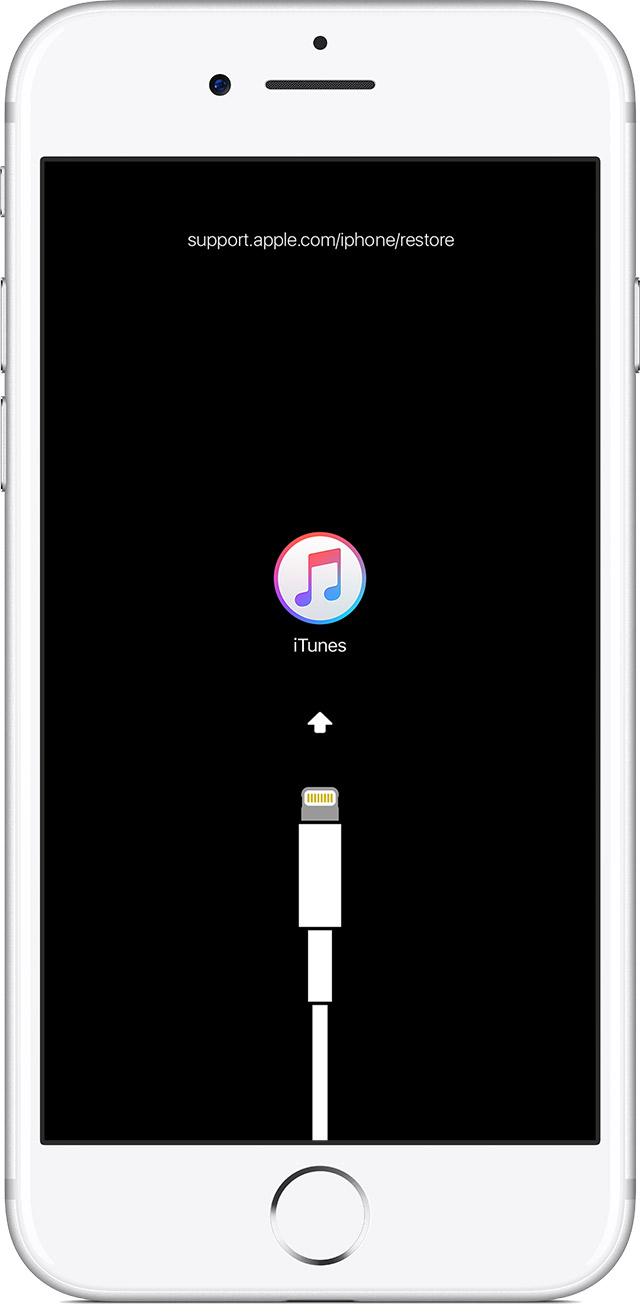
- On an iPhone X, iPhone 8, or iPhone 8 Plus: Press and quickly release the Volume Up button. Press and quickly release the Volume Down button. Then, press and hold the Side button until you see the recovery-mode screen.
- On an iPhone 7 or iPhone 7 Plus: Press and hold the Side and Volume Down buttons at the same time. Keep holding them until you see the recovery-mode screen.
- On an iPhone 6s and earlier, iPad, or iPod touch: Press and hold both the Home and the Top (or Side) buttons at the same time. Keep holding them until you see the recovery-mode screen.
- Don't release the buttons when you see the Apple logo. Keep holding until you see the recovery mode screen.
- When you get the option to restore or update, choose Update. iTunes will try to reinstall iOS without erasing your data.
iTunes will download the software for your device. If it takes more than 15 minutes, your device will exit recovery mode and you'll need to repeat steps 2 and 3.
If your iPhone, iPad, or iPod touch won't turn on or is frozen
Help iPhone 7 stuck in boot loop?