Phone stuck in zoom

My iPhone X is stuck on zoom mode and the three finger tap isn't working and I'm unable to reset it via iTunes as it's asking for approval from the phone before iTunes can access the phone!


Any ideas?

iPhone X

Posted on Jul 3, 2018 11:53 AM

Reply
Question marked as Top-ranking reply

Posted on Jul 4, 2018 8:50 AM

Hello and welcome to Apple Support Communities, Ippon540!

I understand your iPhone X is stuck with the screen zoomed in, and trying the three finger tap option isn't working. I'd be happy to provide information that may help you resolve this issue.

Here's the article that indicates how to turn off this zoom: If your Home screen icons are magnified on your iPhone, iPad, or iPod touch

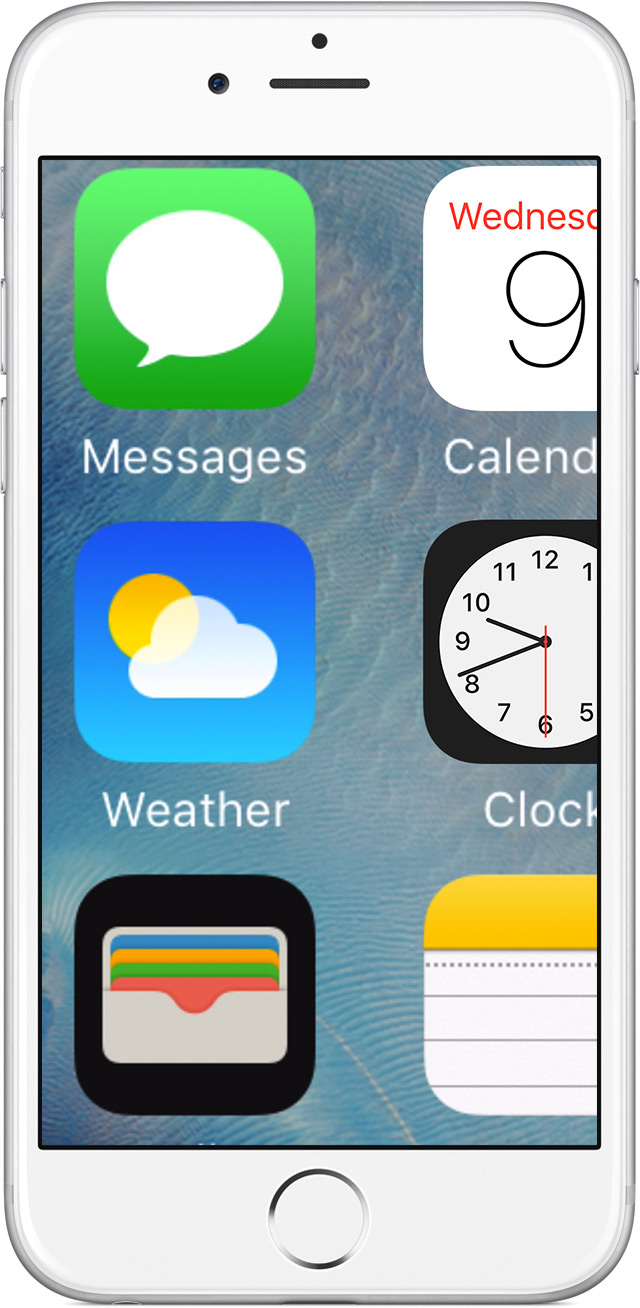
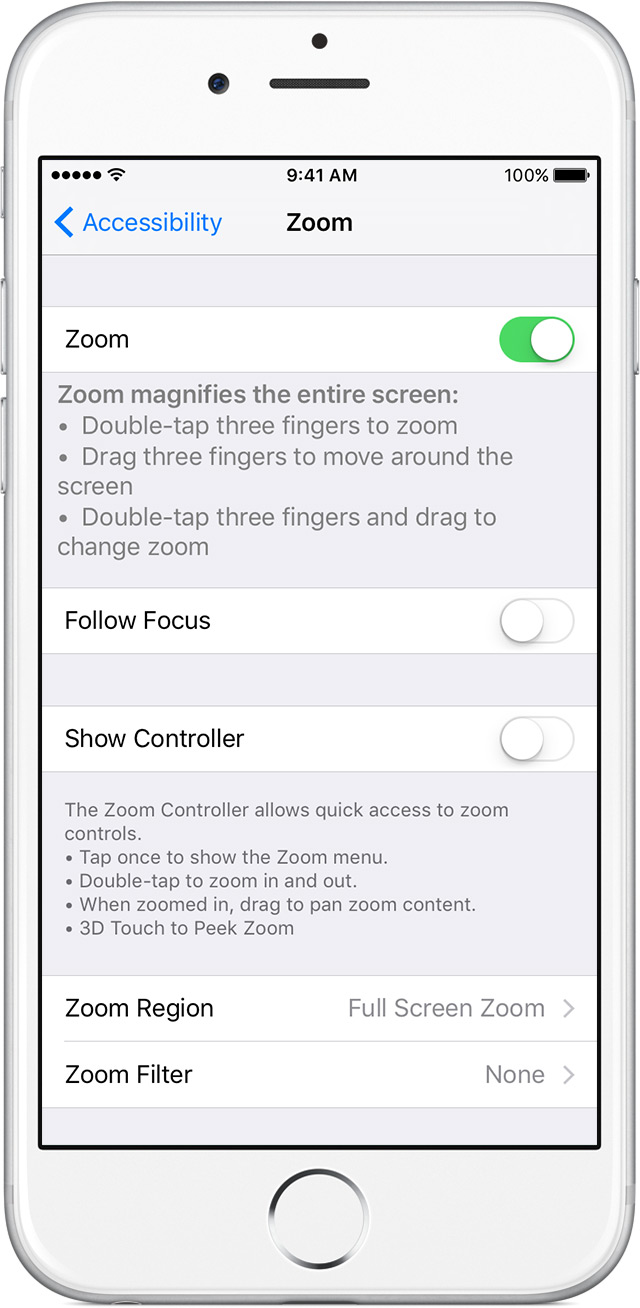
Turn off Zoom in Settings on your device

User uploaded file

If you can't access Settings because your Home screen icons are magnified, double tap with three fingers on the display to zoom out.

User uploaded file

To turn off Zoom, go to Settings > General > Accessibility > Zoom > tap the slider to turn off.


You can also try disabling it via iTunes. I see you've already tried to reset it there, but perhaps having a look at the article will help.

Turn off Zoom in iTunes

You can also use iTunes to turn off Zoom:

  1. Connect your iPhone, iPad, or iPod Touch to a computer and open iTunes.
  2. Select your device when it appears in iTunes.
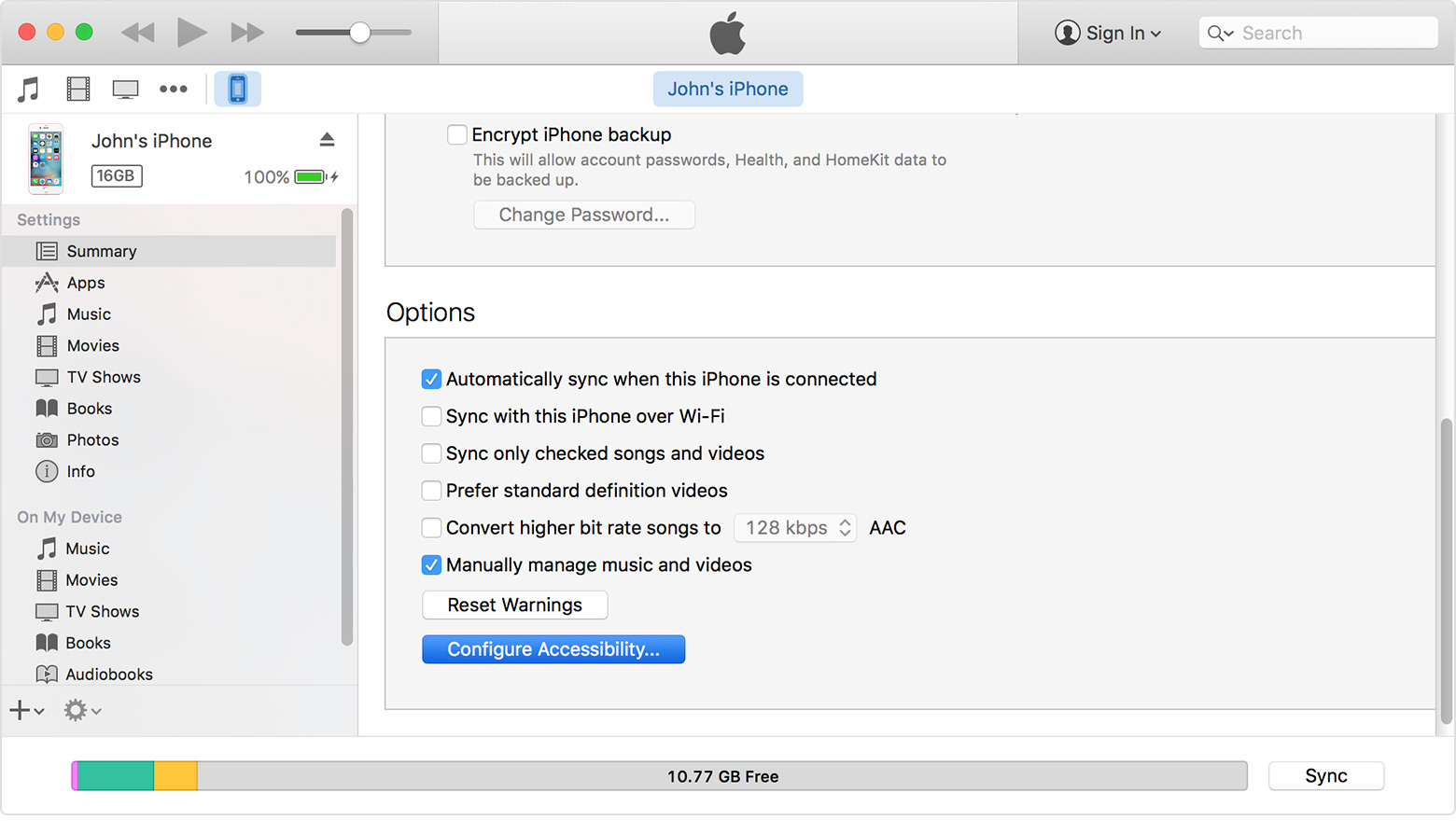
  3. Select Configure Accessibility on the device summary page.
    User uploaded file
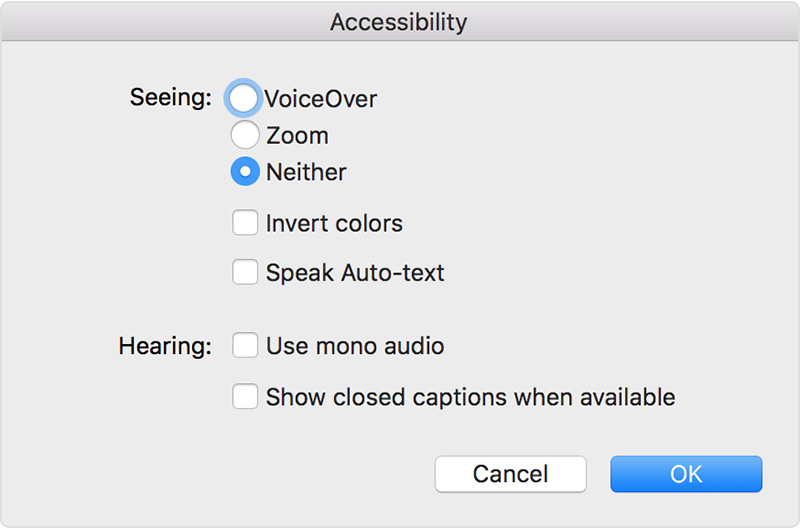
  4. Select Neither to turn off Zoom.
    User uploaded file
  5. Click OK.
If you still experience this situation, please respond to the following:
1. Do you have a backup of your iPhone?
2. Do you recall anything that may have enabled zoom?

Thank you for using Apple Support Communities.
Have a great day!
2 replies
Question marked as Top-ranking reply

Jul 4, 2018 8:50 AM in response to Ippon540

Hello and welcome to Apple Support Communities, Ippon540!

I understand your iPhone X is stuck with the screen zoomed in, and trying the three finger tap option isn't working. I'd be happy to provide information that may help you resolve this issue.

Here's the article that indicates how to turn off this zoom: If your Home screen icons are magnified on your iPhone, iPad, or iPod touch

Turn off Zoom in Settings on your device

User uploaded file

If you can't access Settings because your Home screen icons are magnified, double tap with three fingers on the display to zoom out.

User uploaded file

To turn off Zoom, go to Settings > General > Accessibility > Zoom > tap the slider to turn off.


You can also try disabling it via iTunes. I see you've already tried to reset it there, but perhaps having a look at the article will help.

Turn off Zoom in iTunes

You can also use iTunes to turn off Zoom:

  1. Connect your iPhone, iPad, or iPod Touch to a computer and open iTunes.
  2. Select your device when it appears in iTunes.
  3. Select Configure Accessibility on the device summary page.
    User uploaded file
  4. Select Neither to turn off Zoom.
    User uploaded file
  5. Click OK.
If you still experience this situation, please respond to the following:
1. Do you have a backup of your iPhone?
2. Do you recall anything that may have enabled zoom?

Thank you for using Apple Support Communities.
Have a great day!

This thread has been closed by the system or the community team. You may vote for any posts you find helpful, or search the Community for additional answers.

Phone stuck in zoom

Welcome to Apple Support Community
A forum where Apple customers help each other with their products. Get started with your Apple Account.