Why is my music skipping?
Just recently while I’m listening to Apple Music, literally every song will skip and distort at some point. Why? How can this be fixed. I have the lasted update
Just recently while I’m listening to Apple Music, literally every song will skip and distort at some point. Why? How can this be fixed. I have the lasted update
Let's start with the basics: Restart your iPhone, iPad, or iPod touch
Test to see if the issue persists after this.Restart your iPhone X
- Press and hold the Side button and either volume button until the slider appears.
- Drag the slider to turn your iPhone X completely off.*
- After your iPhone X turns off, press and hold the Side button again until you see the Apple logo.
Restart your iPhone 8 or earlier, iPad, or iPod touch
- Press and hold the Top (or Side) button until the slider appears.
- Drag the slider to turn your device completely off.*
- After the device turns off, press and hold the Top (or Side) button again until you see the Apple logo.
If it does, try turning off and re-enabling iCloud Music Library. Keep in mind, this will remove any downloaded music: Turn on iCloud Music Library
Turn on iCloud Music Library
Make sure that you're signed in to all of your devices with the Apple ID that you use for your Apple Music subscription. Then follow these steps to turn on iCloud Music Library.
On your iPhone, iPad, or iPod touch
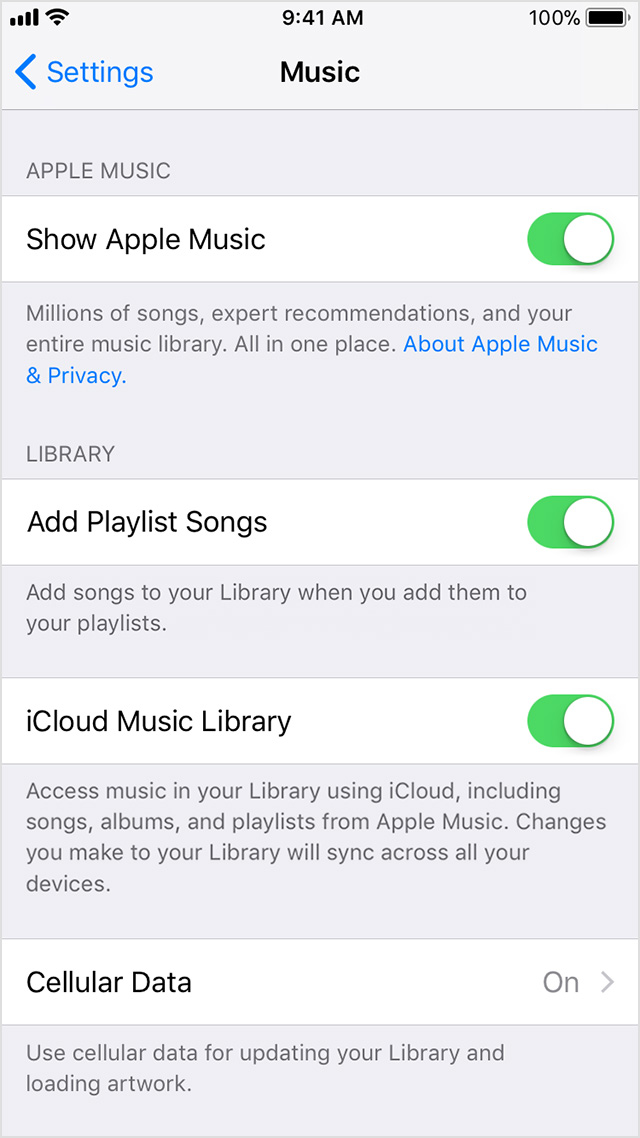
- Go to Settings > Music, and tap iCloud Music Library to turn it on.
- If you already have music on your device, you're asked if you want to keep the music that's on your device.
If you choose Keep Music*, the music from your device adds to your iCloud Music Library.
If you choose Delete & Replace, the music on your device is replaced with the content from your iCloud Music Library.
Let's start with the basics: Restart your iPhone, iPad, or iPod touch
Test to see if the issue persists after this.Restart your iPhone X
- Press and hold the Side button and either volume button until the slider appears.
- Drag the slider to turn your iPhone X completely off.*
- After your iPhone X turns off, press and hold the Side button again until you see the Apple logo.
Restart your iPhone 8 or earlier, iPad, or iPod touch
- Press and hold the Top (or Side) button until the slider appears.
- Drag the slider to turn your device completely off.*
- After the device turns off, press and hold the Top (or Side) button again until you see the Apple logo.
If it does, try turning off and re-enabling iCloud Music Library. Keep in mind, this will remove any downloaded music: Turn on iCloud Music Library
Turn on iCloud Music Library
Make sure that you're signed in to all of your devices with the Apple ID that you use for your Apple Music subscription. Then follow these steps to turn on iCloud Music Library.
On your iPhone, iPad, or iPod touch
- Go to Settings > Music, and tap iCloud Music Library to turn it on.
- If you already have music on your device, you're asked if you want to keep the music that's on your device.
If you choose Keep Music*, the music from your device adds to your iCloud Music Library.
If you choose Delete & Replace, the music on your device is replaced with the content from your iCloud Music Library.
Hey I tried this and my music continues to skip. Right around the 1 minute mark of the song it tends to skip.
Why is my music skipping?