I can not unlock my Apple Watch series 2?

My watch is unpaired from my iphone and has been locked for about 6 months now. I recently tried pairing it and received a “too many password attempts - reset watch and repair”. I read many articles saying to “hold down power button and force touch screen to clear and erase all data” But here is the issue; my force touch Isn’t responding so how would I go about unlocking it?

Posted on Jul 4, 2018 10:05 PM

Reply
2 replies

Jul 6, 2018 8:19 AM in response to tabb_roman

Hi tabb_roman,

It sounds like you're having some trouble unlocking your Apple Watch. I want to help you get your Apple Watch working again.

First, the only way you'll be able to erase your Apple Watch is by following the steps and you described. Make sure you're following the steps here exactly:

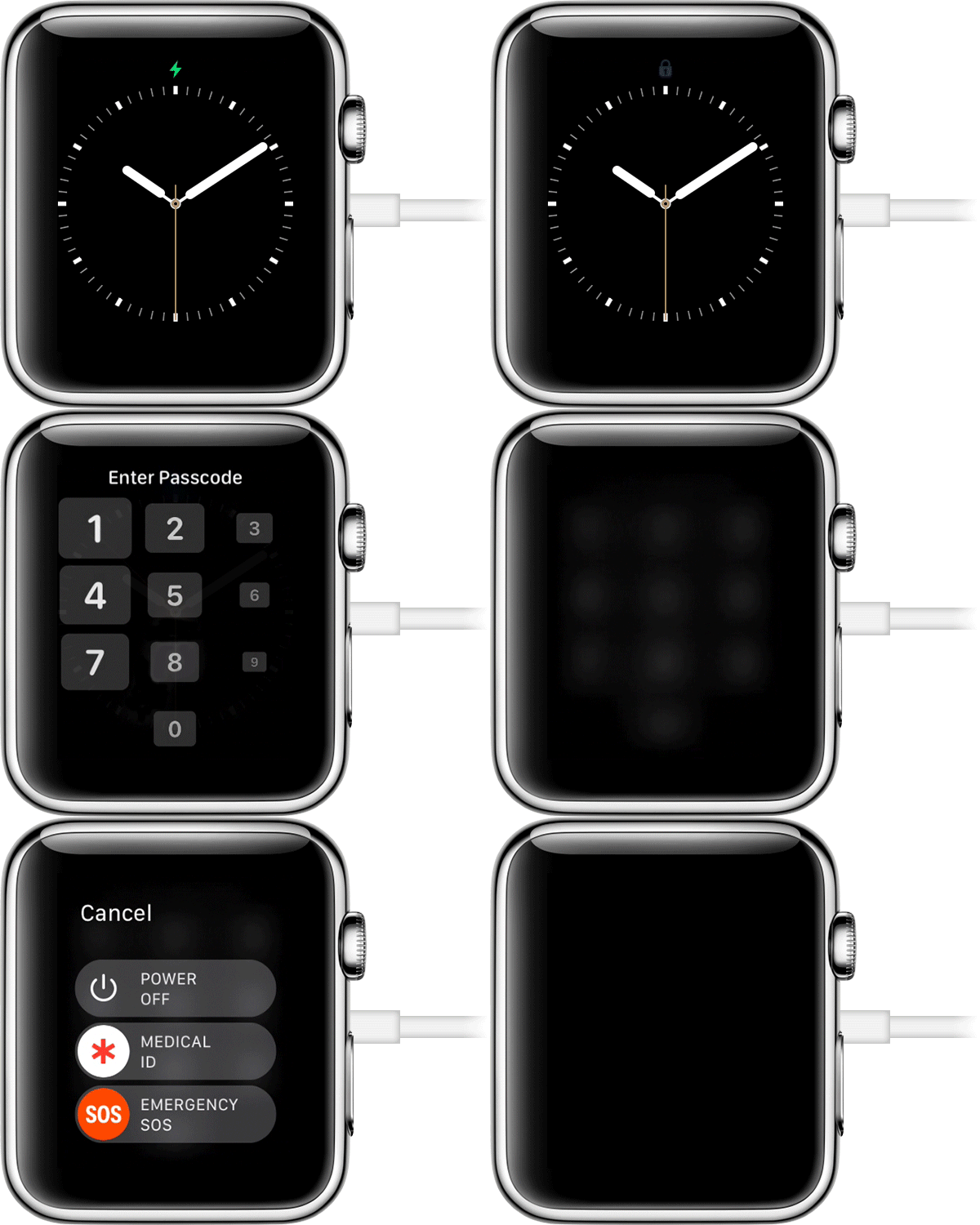
User uploaded file

Use your Apple Watch

If you don't have your paired iPhone, you can still remove the passcode from your Apple Watch.

  1. Keep your watch on its charger until you complete these steps.
  2. Press and hold the side button until you see Power Off.
  3. Firmly press the Power Off slider, then lift your finger.
  4. Tap Erase all content and settings.
  5. Wait for the process to finish, then set up your Apple Watch again. When asked, restore from a backup.
If you forgot your Apple Watch passcode - Apple Support


If you're not able to reset your Apple Watch that way, you'll want to visit the nearest Apple Authorized Service Provider or Apple Store to seek assistance servicing your Apple Watch. Locate the nearest one here:
Apple - Find Locations - Location Selector

I hope that's able to help.

Thanks for using the Apple Support Communities.

This thread has been closed by the system or the community team. You may vote for any posts you find helpful, or search the Community for additional answers.

I can not unlock my Apple Watch series 2?

Welcome to Apple Support Community
A forum where Apple customers help each other with their products. Get started with your Apple Account.