Hello and welcome to Apple Support Communities, Dangermouse101!
I understand that after some time of not using your iPod Touch, it's stuck on the Apple logo, and won't continue to power on. Also, you're trying to find a way to restore it in recovery mode, without using the Home button. I'd be happy to provide you with some useful information.
Check out this article: If your iPhone, iPad, or iPod touch won't turn on or is frozen
If you see the Apple logo or a red or blue screen during startup, try these steps:
- Connect your device to a computer and open iTunes. If you don't have a computer, try to borrow one, or go to an Apple Store or Apple Authorized Service Provider for help.
- While your device is connected, force it to restart.
- On an iPhone X, iPhone 8, or iPhone 8 Plus: Press and quickly release the Volume Up button. Press and quickly release the Volume Down button. Then, press and hold the Side button until you see the recovery-mode screen.
- On an iPhone 7 or iPhone 7 Plus: Press and hold the Side and Volume Down buttons at the same time. Keep holding them until you see the recovery-mode screen.
- On an iPhone 6s and earlier, iPad, or iPod touch: Press and hold both the Home and the Top (or Side) buttons at the same time. Keep holding them until you see the recovery-mode screen.
- Don't release the buttons when you see the Apple logo. Keep holding until you see the recovery mode screen.
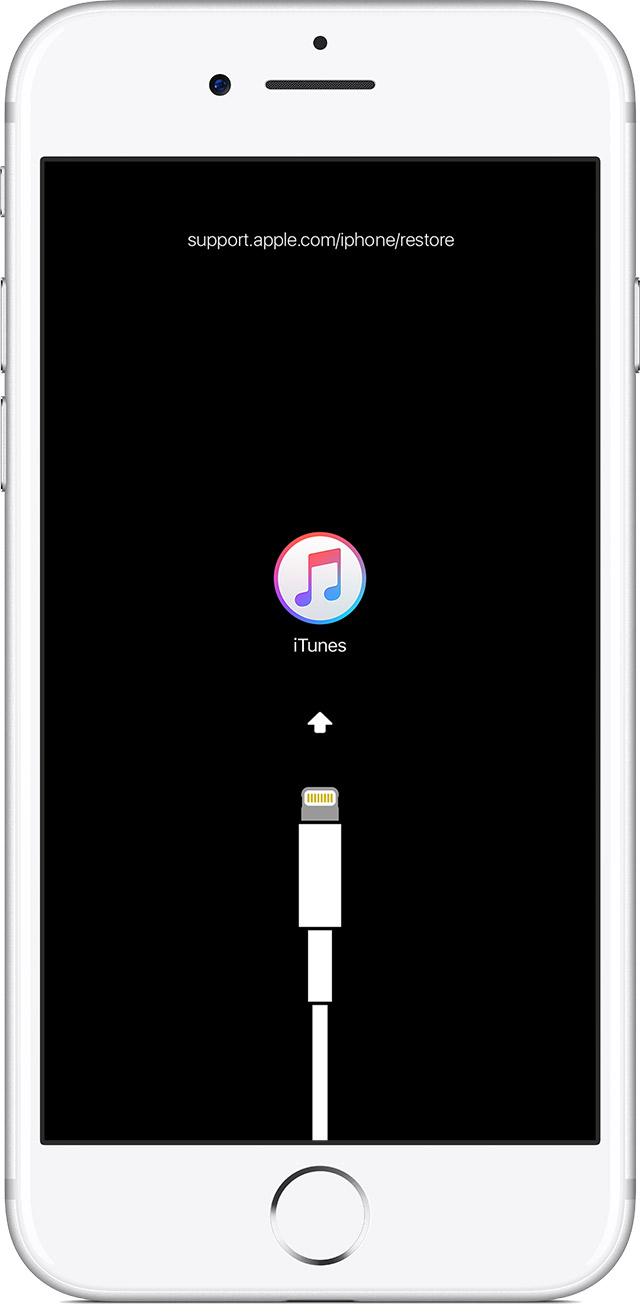
- When you get the option to restore or update, choose Update. iTunes will try to reinstall iOS without erasing your data.

iTunes will download the software for your device. If it takes more than 15 minutes, your device will exit recovery mode and you'll need to repeat steps 2 and 3.
Contact Apple Support to set up service if you have any of these issues:
- You still see a black screen after charging, force restarting, or following the steps in this article.
- You see a black screen, but you can hear alerts, sounds, and vibrations.
- The screen remains black, but the device chirps when you unmute it and connect it to power.
- Your screen is on, but it doesn't respond when you tap, slide, or try other gestures.
- You can't force your device to restart because a button is broken or stuck.
- Your device is stuck on the Apple logo, displays a solid color, or isn't recognized in iTunes.
In order to get the iPod into recovery mode, the Home button is necessary.
I hope this information is useful to you.
Thank you for using Apple Support Communities.
Have a great week ahead!


