Good morning hwalter2001us,
Welcome to the Apple Support Communities!
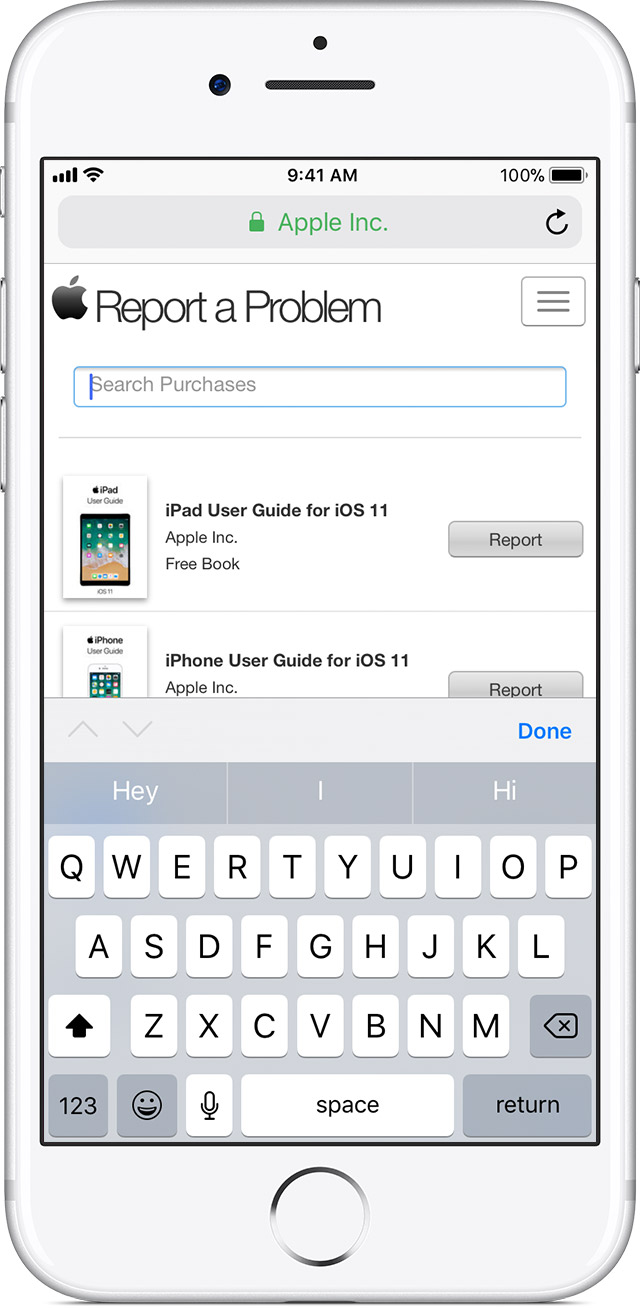
I see you have reached this website from the Get help with an item purchased from the App Store, iTunes Store, or iBooks Store resource and you want to know where you are supposed to "Tap or click the search purchases field."
I've highlighted the reference below for you. It is showing that you can go to the reportaproblem.apple.com website from your iPhone or your computer to look for a recent purchase. So, you are using the Safari app on whichever device you choose to go to that website.
Use reportaproblem.apple.com to review your purchases, receipts, and report a problem with an item that you bought.
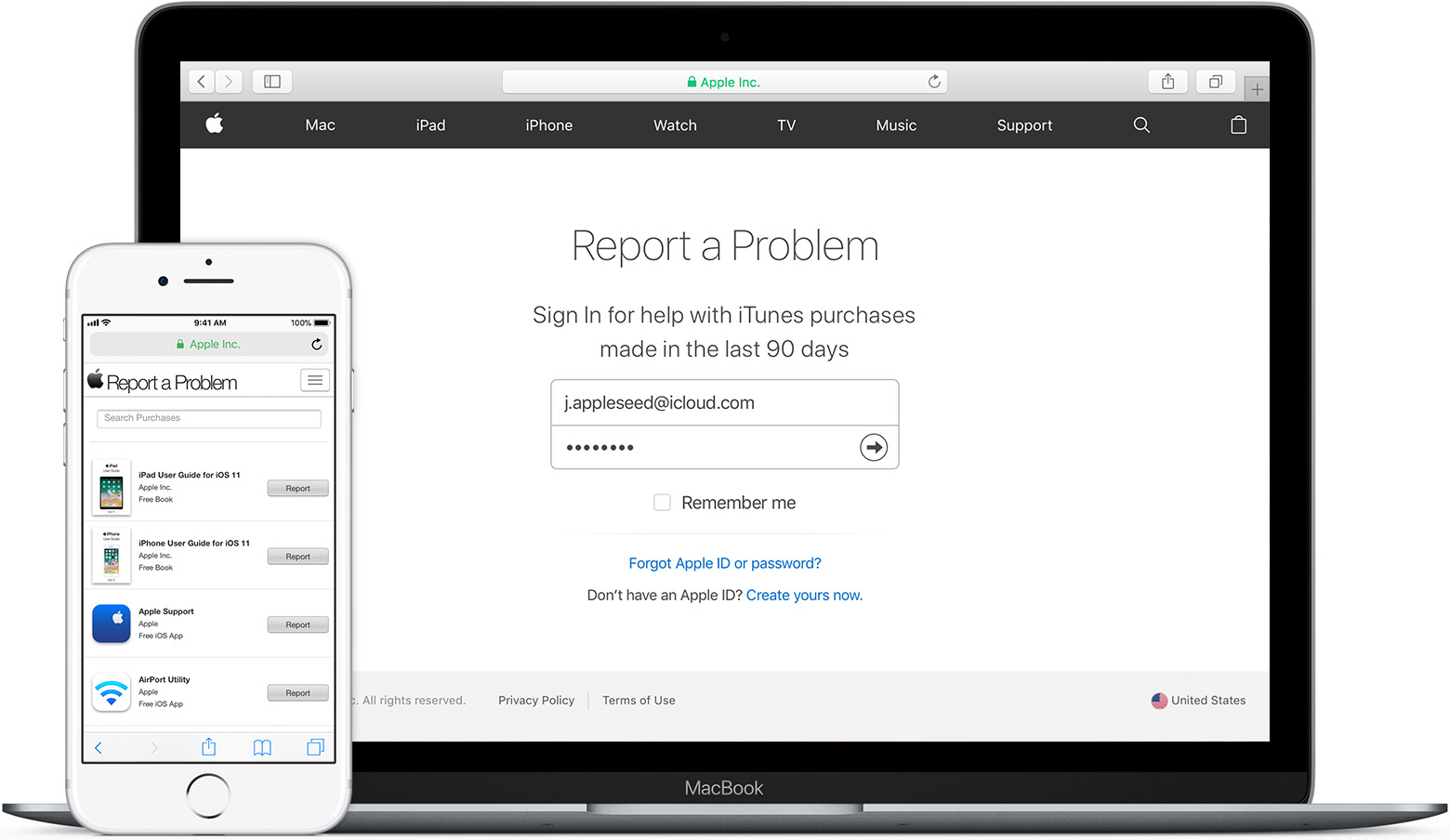
You can use reportaproblem.apple.com to view your purchases, receipts, and contact Apple Support with any problems with your past purchases. When you open the page, enter the Apple ID and password that you used to buy the item, then choose Sign In.
If you're looking for a specific purchase, tap or click the Search Purchases field and enter the name of the purchase. To browse purchases, tap  , then choose Purchases, or, if you're using a Mac or PC, click Purchases.
You can also review your entire iTunes Store purchase history using the iTunes application on your computer:
See your purchase history in the App Store or iTunes Store
- Open iTunes. If you're not signed in, sign in with your Apple ID.
- If you use Family Sharing, you'll see in your purchase history what you bought using your Apple ID, but you won't see what other family members bought. To see what other family members bought, sign in with their Apple ID.
- From the menu bar at the top of your computer screen or at the top of the iTunes window, choose Account > View My Account.

- Sign in with your Apple ID, then click View Account.
- On the Account Information page, scroll down to Purchase History. To the right of Most Recent Purchase, click See All. It might take a moment for your Purchase History to appear.

Purchases are grouped by the date that they were charged to the payment method that you have on file. You might see a Pending section at the top of your history; these items haven't yet charged to your account. By default, only the last 90 days show up in your purchase history. To change the range, click Last 90 Days at the top of the screen, then select the range that you want to view.
Click the Order ID number to the right of the order date to see the details of an invoice, including the billing date. If the total charge was more than zero, you can tap Resend at the bottom of the invoice details section to get a new email receipt.
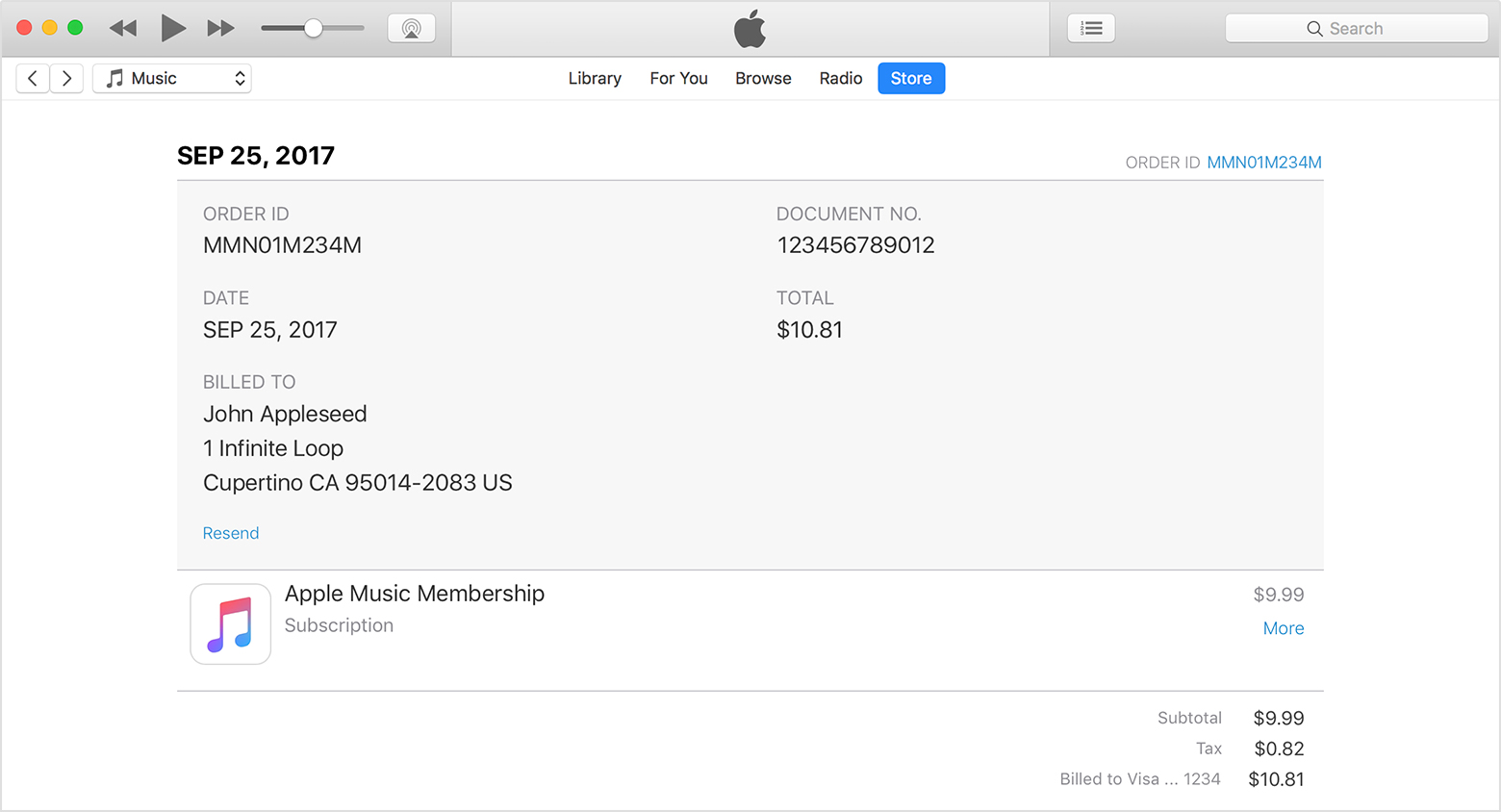
Click More under the price of the item to see the date that you purchased or downloaded the item, which might be different than the date that you were charged, and the name of the device that you used to purchase it. If you need help with billing for a single item in your purchase history, such as an accidental or duplicate purchase, click "Report a Problem."
If you have recurring charges, learn how to change or cancel subscriptions.
Take care.