Hello and welcome to Apple Support Communities, victoriainhsv!
I understand you're missing achievements and activity from your Activity app after receiving a replacement iPhone from your carrier. I'd be happy to provide information that may help you out.
Start by unpairing your Apple Watch: Unpair your Apple Watch and iPhone
- Keep your Apple Watch and iPhone close together as you unpair them.
- Open the Apple Watch app on your iPhone.
- Go to the My Watch tab and tap your watch at the top of the screen.
- Tap
 next to the watch that you want to unpair.
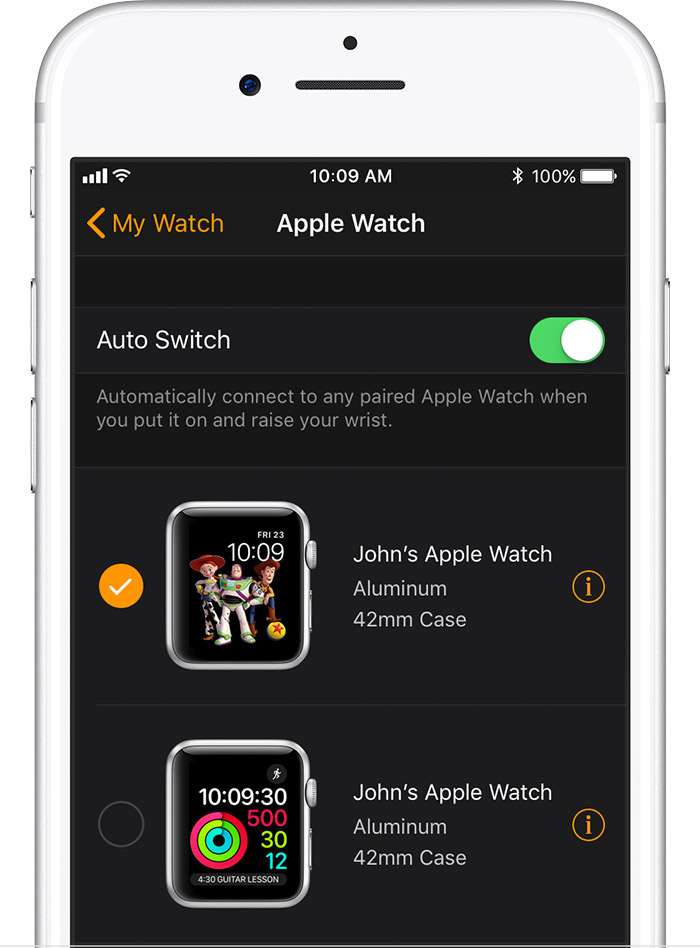
- Tap Unpair Apple Watch.
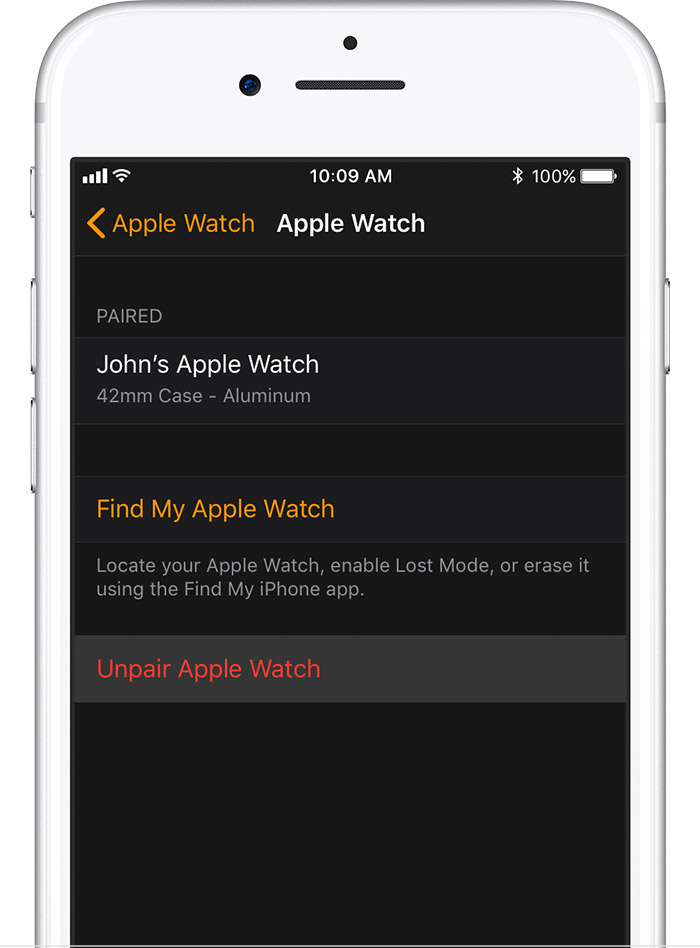
- For Apple Watch Series 3 (GPS + Cellular), choose to keep or remove your cellular plan.
- If you want to pair your Apple Watch and iPhone again, keep your plan.
- If you don't want to pair your Apple Watch and iPhone again, remove your plan. If you aren't going to pair with a different watch or iPhone, you might need to contact your carrier to cancel your cellular subscription.
- Tap again to confirm. You might need to enter your Apple ID password to disable Activation Lock. Before erasing all content and settings on your Apple Watch, your iPhone creates a new backup of your Apple Watch. You can use the backup to restore a new Apple Watch. After your Apple Watch unpairs, you'll see the Start Pairing message.
- Use these steps to set up your Apple Watch again.
Then, once you've unpaired, pair again. You should be given an option to setup from the last backup from when your Watch was paired to your previous iPhone: Set up your Apple Watch
To use Apple Watch Series 3 (GPS + Cellular), you need an iPhone 6 or later with the latest version of iOS. (To use Apple Watch Series 3 (GPS) or earlier models of Apple Watch, you need an iPhone 5s or later with the latest version of iOS.)
You also need to complete these steps:
- On your iPhone, go to Settings > Bluetooth and make sure that Bluetooth is on.
- Make sure that your iPhone is connected to Wi-Fi or a cellular network.
Thank you for using Apple Support Communities.
Have a great weekend!


