Setting google chrome as search engine

https://www.weknow.ac/search/?asse is my default search engine after trying to install new flash player. Obviously bad decision. Under settings it won't let me delete this one or assign another. It says Google is my default browser. How do I get google back to my search engine?

MacBook Pro (13-inch Mid 2012), macOS High Sierra (10.13.5)

Posted on Aug 6, 2018 7:06 AM

Reply
Question marked as Top-ranking reply

Posted on Aug 6, 2018 7:33 AM

Google Chrome is not a search Engine, its a browser. You cannot use a browser as a search engine.


If you are using Safari as your browser the search engine choices are DuckDuckGo, Bing, Google ( the website, not Chrome the browser) and Yahoo.
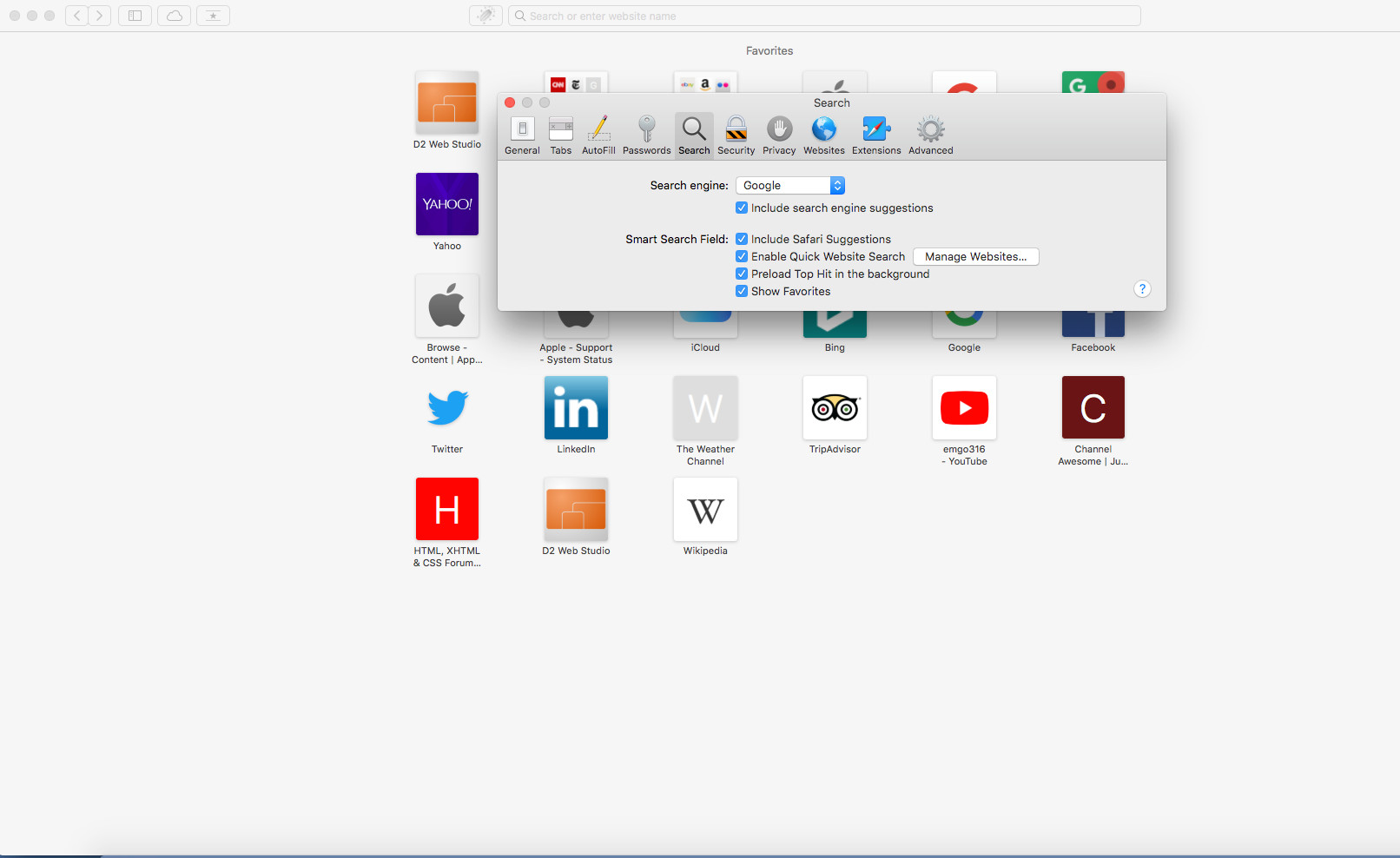

User uploaded file


Sounds like whatever Browser you are using, is now set to the weknow.ac website as its home, or start page when you open it.


In Safari, if you go to Preferences->General, you have the option of setting what new windows, and new tabs open to, as well as setting a start page. The Start Page is generally set to Apple.com, but the New Windows Open and New Tabs Option open is normally set to your Favorites, and not a specific search engine.


If you are actually using Google Chrome as your browser, you can click on the 3 vertical dots at the top right corner of the Google Chrome browser, and Click on Settings, then look for the section titled Search Engine. You can select what Search Engine Google Chrome uses as its search engine for the address bar there:



User uploaded file

4 replies
Question marked as Top-ranking reply

Aug 6, 2018 7:33 AM in response to Annstruve

Google Chrome is not a search Engine, its a browser. You cannot use a browser as a search engine.


If you are using Safari as your browser the search engine choices are DuckDuckGo, Bing, Google ( the website, not Chrome the browser) and Yahoo.


User uploaded file


Sounds like whatever Browser you are using, is now set to the weknow.ac website as its home, or start page when you open it.


In Safari, if you go to Preferences->General, you have the option of setting what new windows, and new tabs open to, as well as setting a start page. The Start Page is generally set to Apple.com, but the New Windows Open and New Tabs Option open is normally set to your Favorites, and not a specific search engine.


If you are actually using Google Chrome as your browser, you can click on the 3 vertical dots at the top right corner of the Google Chrome browser, and Click on Settings, then look for the section titled Search Engine. You can select what Search Engine Google Chrome uses as its search engine for the address bar there:


User uploaded file

Aug 6, 2018 8:17 AM in response to Annstruve

Sounds like you fell for a fake Adobe Flash Update alert, which has probably now injected your Mac with malware, run Malwarebytes as suggested by MacJack. Only ever install Adobe Flash and its updates via the Adobe website. If you have Adobe Flash installed there is a preference pane in System Preferences, you use that to check for any future updates.

This thread has been closed by the system or the community team. You may vote for any posts you find helpful, or search the Community for additional answers.

Setting google chrome as search engine

Welcome to Apple Support Community
A forum where Apple customers help each other with their products. Get started with your Apple Account.
