Good afternoon ilias-prague,
Welcome to the Apple Support Communities!
From your description, it sounds like you are having issues with several apps crashing after requesting your Apple ID password. Which apps are you trying to use?
The first thing I would suggest is to check your Apple ID settings to confirm your account details, billing information, and password are all updated. Next, I would make sure your iOS software is up to date, and refresh the software if needed. Then, depending on what apps you are using, I'd check to see if any app-specific passwords are required for them. I'll include some resources below to help you with these steps:
Apple ID - Manage
Change or remove your Apple ID payment information
How to back up your iPhone, iPad, and iPod touch
Update your iPhone, iPad, or iPod touch
If you are already running iOS 11.4.1, then try the steps below to update the software in Recovery mode:
If you can't update or restore your iPhone, iPad, or iPod touch
Put your device in recovery mode and set it up again
- Make sure that you're using the latest version of iTunes.
- If iTunes is already open, close it. Connect your device to your computer and open iTunes. If you don't have a computer, borrow one from a friend or go to an Apple Retail Store or Apple Authorized Service Provider for help.
- While your device is connected, force restart it with these steps, but don't release the buttons when you see the Apple logo, wait until the connect to iTunes screen appears:
On an iPhone 7 or iPhone 7 Plus: Press and hold the Side and Volume Down buttons at the same time. Keep holding them until you see connect to iTunes screen.
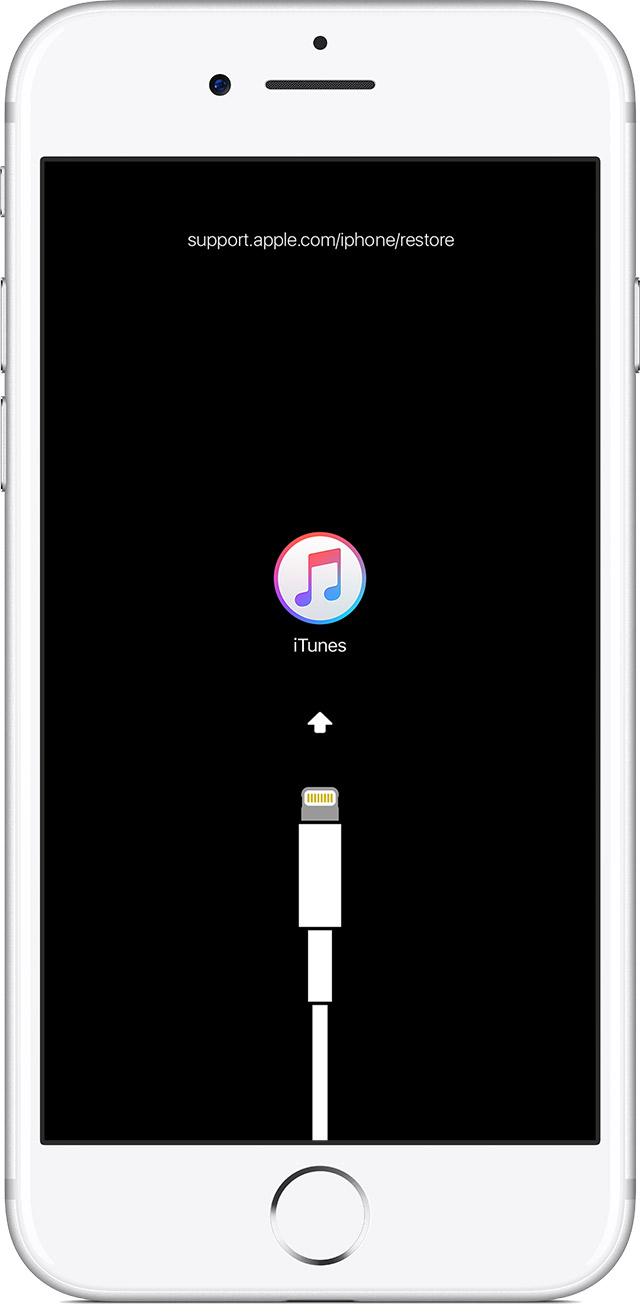
When you see the option to Restore or Update, choose Update. iTunes will try to reinstall iOS without erasing your data. Wait while iTunes downloads the software for your device. If the download takes more than 15 minutes and your device exits the connect to iTunes screen, let the download finish, then repeat step 3.

Using app-specific passwords
Ilias, please reply back to this thread if the issue persists after trying these steps, and I'll do my best to help you.
Take care.


