Paying an unpaid balance with a iTunes gift card
How can I Pay an unpaid balance with a iTunes gift card
If your payment method is declined, or you have a billing issue in the App Store or iTunes Store
Pay an unpaid bill
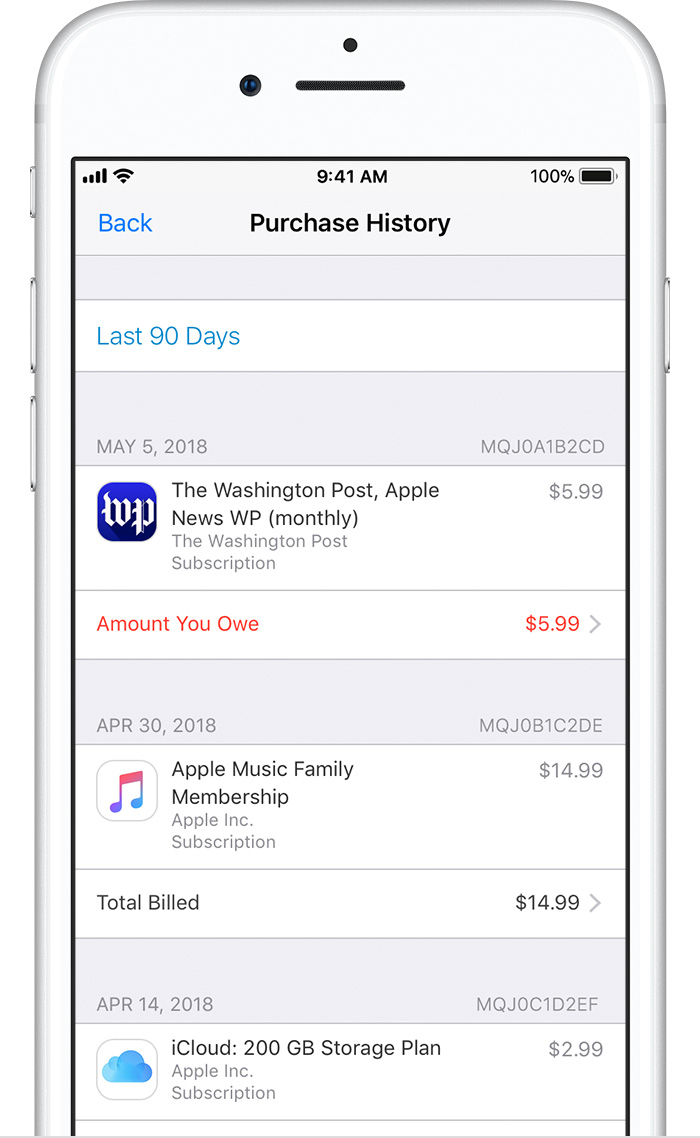
On your iOS device: Go to Settings > [your name] > iTunes & App Store, then tap your Apple ID. Tap View Apple ID and sign in with your Apple ID, then tap Purchase History. (You can also view your purchase history in iTunes on a Mac or PC.)
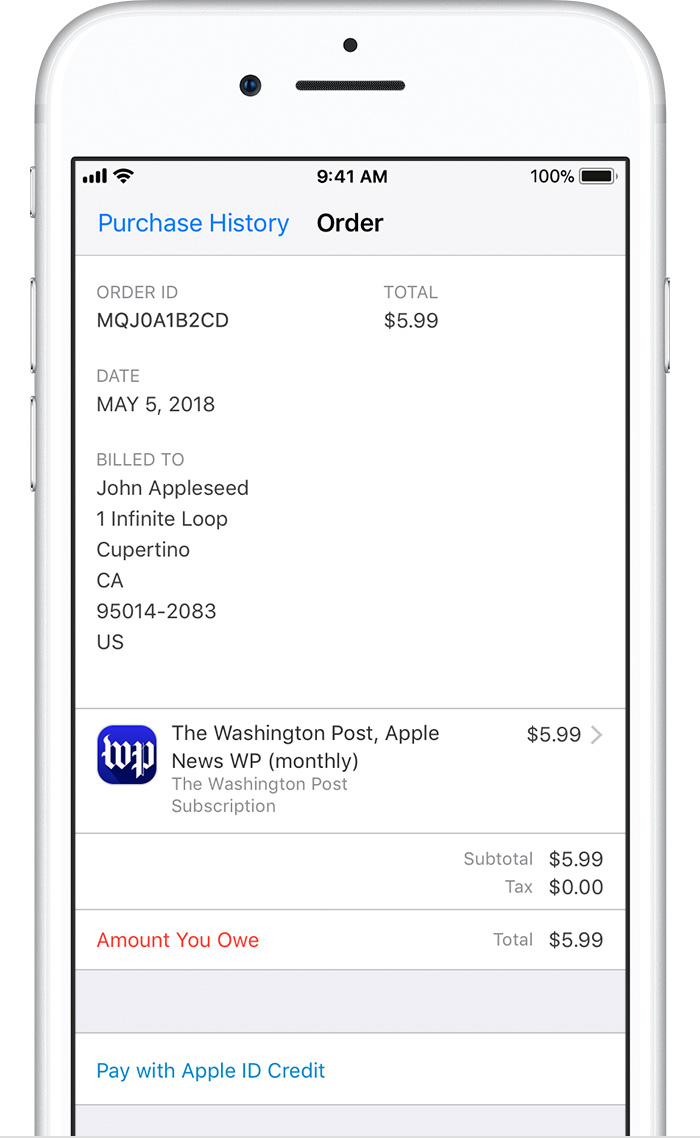
Find the unpaid purchase, which is likely at the top of the list, and tap it, then change your payment method.
Add funds to your Apple ID
When you try to pay an unpaid bill, you might see the option to pay with Apple ID credit if you have a credit balance.
If you don’t have a credit balance, you can redeem App Store & iTunes Gift Cards or add funds to your Apple ID2, then use the credit to pay an unpaid bill.
If your payment method is declined, or you have a billing issue in the App Store or iTunes Store
Pay an unpaid bill
On your iOS device: Go to Settings > [your name] > iTunes & App Store, then tap your Apple ID. Tap View Apple ID and sign in with your Apple ID, then tap Purchase History. (You can also view your purchase history in iTunes on a Mac or PC.)
Find the unpaid purchase, which is likely at the top of the list, and tap it, then change your payment method.
Add funds to your Apple ID
When you try to pay an unpaid bill, you might see the option to pay with Apple ID credit if you have a credit balance.
If you don’t have a credit balance, you can redeem App Store & iTunes Gift Cards or add funds to your Apple ID2, then use the credit to pay an unpaid bill.
Paying an unpaid balance with a iTunes gift card