
My language just changed on my iPhone SE
My iPhone SE just switched langues and regions on me. How can I change it, as I can’t understand what is being said and not all of the icons are being displayed.
My iPhone SE just switched langues and regions on me. How can I change it, as I can’t understand what is being said and not all of the icons are being displayed.
Have a look at this article: Change the language on your iPhone, iPad, or iPod touch
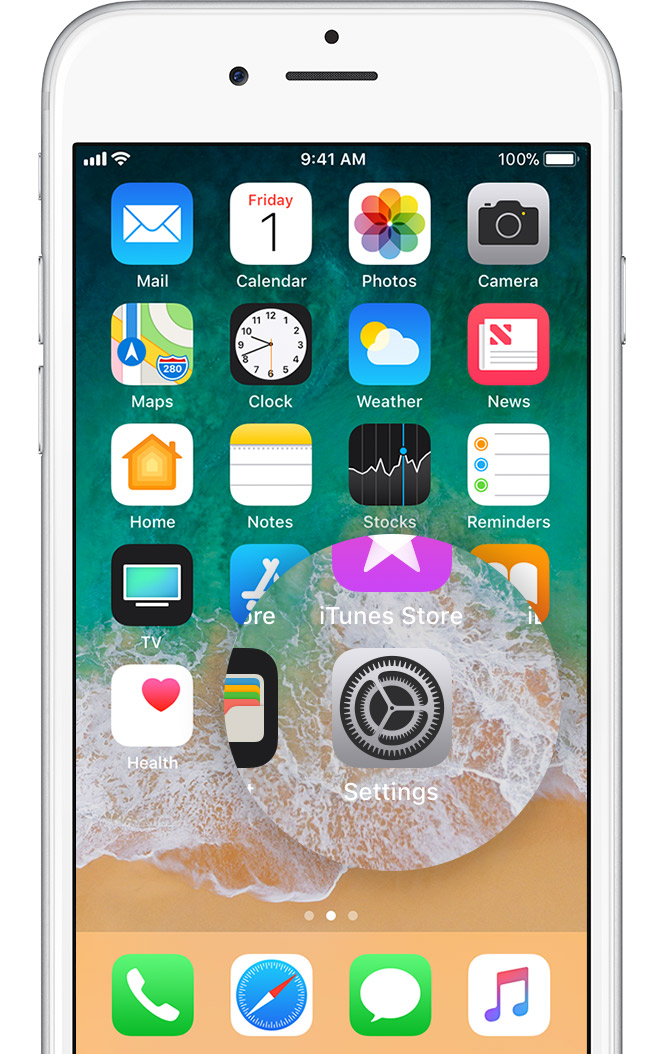
Open Settings
On the Home screen, tap Settings.
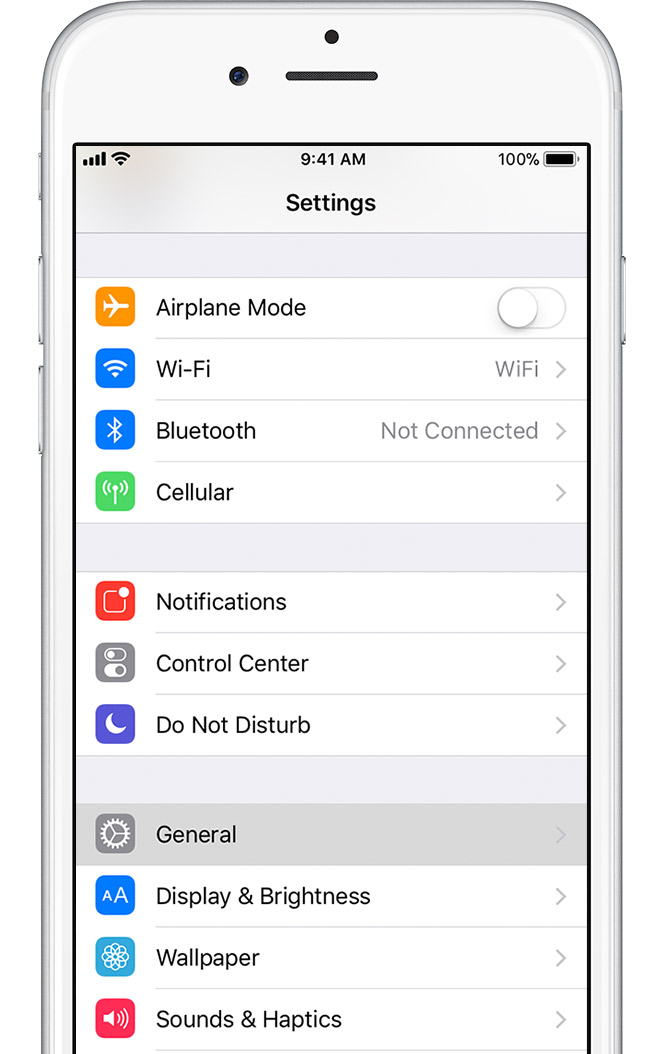
Tap General
On the next screen, tap General.
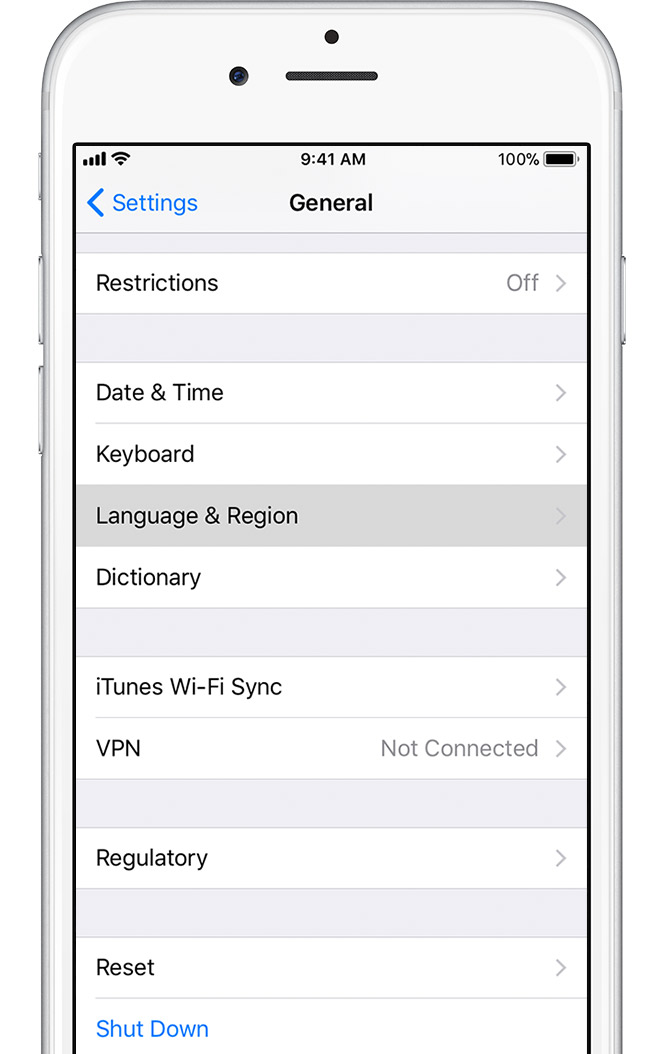
Select Language & Region
If you're using iOS 8 or later, scroll down and tap Language & Region.
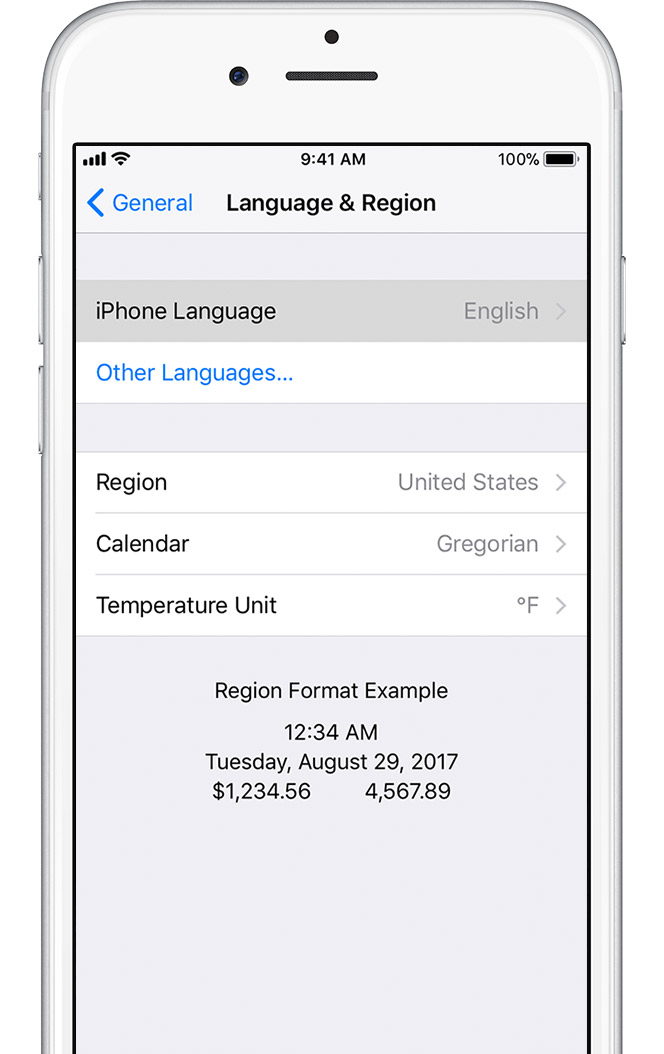
Tap Device language
On the next screen, tap "[Device] Language".
Select your language
Pick your language from the list. Then tap Done.
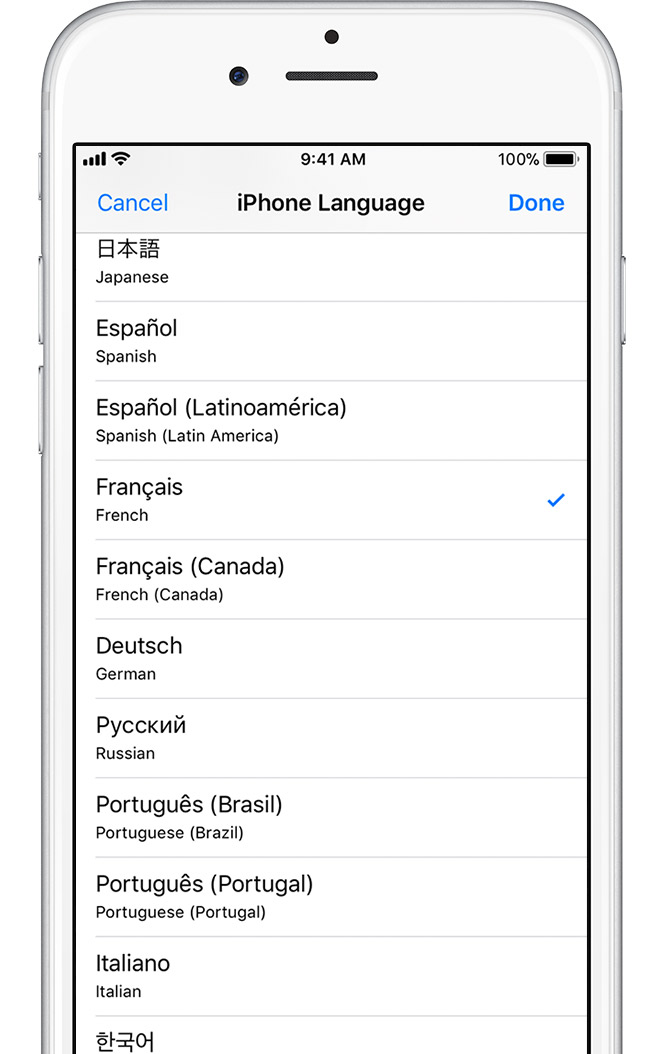
Confirm your selection
An alert will ask you to confirm the new language. Tap the first option.
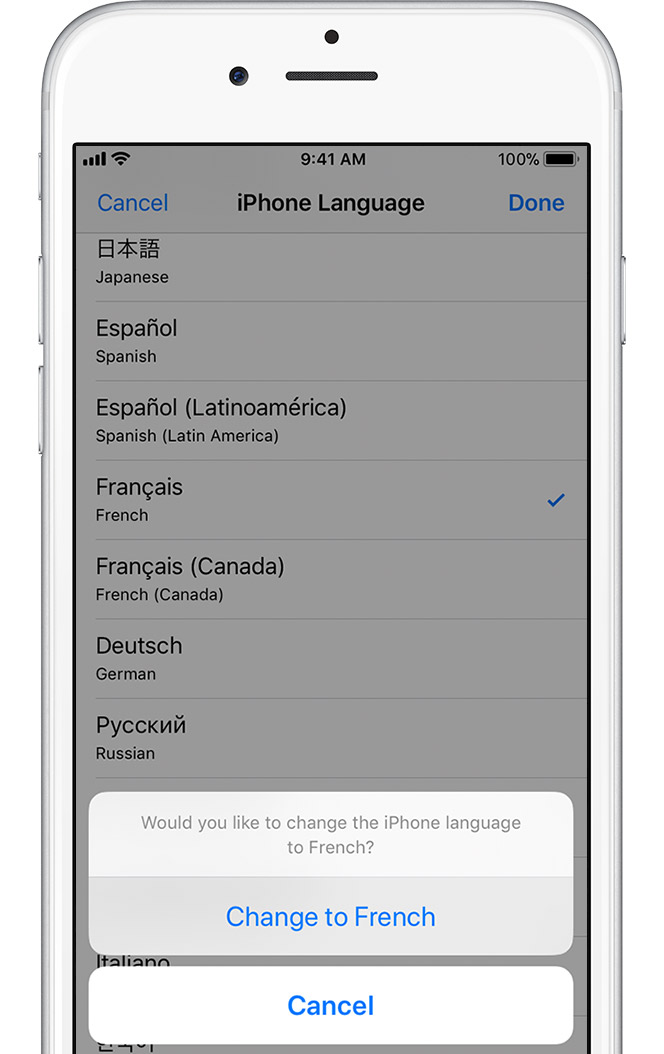
After your device updates the language, it should return to the Home screen and display the language you selected.
Have a look at this article: Change the language on your iPhone, iPad, or iPod touch
Open Settings
On the Home screen, tap Settings.
Tap General
On the next screen, tap General.
Select Language & Region
If you're using iOS 8 or later, scroll down and tap Language & Region.
Tap Device language
On the next screen, tap "[Device] Language".
Select your language
Pick your language from the list. Then tap Done.
Confirm your selection
An alert will ask you to confirm the new language. Tap the first option.
After your device updates the language, it should return to the Home screen and display the language you selected.
iOS devices don't switch language and region on their own. Someone had to do it. So this might be a good time to change your screen passcode so whoever pulled this stunt can't do it again.
My language just changed on my iPhone SE


