Backup of exFAT to Time Machine

I know that this question has been asked before but I haven't seen a clear answer.

I am trying to find a nice way to backup an external drive that is formatted exFAT. When I connect my Time Machine backup disk and start Time Machine, my exFAT drive has been automatically added to the list of drives to not backup and has been greyed out so I can't remove it. Is that the final word on this? Can I really not backup my exFAT drive to Time Machine? If not, are there any ways to backup an exFAT drive using my Mac?


Thanks.

MacBook Air (13-inch, Early 2014), macOS High Sierra (10.13.1)

Posted on Sep 17, 2018 5:09 AM

Reply
Question marked as Top-ranking reply

Posted on Sep 17, 2018 3:54 PM

TimeMachine is not the only backup program for Macs and frankly, a single backup isn't sufficient. I use TimeMachine as one tool in my arsenal. A second is CarbonCopyCloner which can be used to make an archived clone. A clone is an exact duplicate - an archived clone keeps files that changed since the last backup - the best of both worlds. CCC also can make a bootable clone of the Mac internal drive. Using CCC I back up my boot drive and my media drive (an external) regularly. CCC will back up an exfat drive

Similar questions

8 replies
Question marked as Top-ranking reply

Sep 17, 2018 3:54 PM in response to Polgs

TimeMachine is not the only backup program for Macs and frankly, a single backup isn't sufficient. I use TimeMachine as one tool in my arsenal. A second is CarbonCopyCloner which can be used to make an archived clone. A clone is an exact duplicate - an archived clone keeps files that changed since the last backup - the best of both worlds. CCC also can make a bootable clone of the Mac internal drive. Using CCC I back up my boot drive and my media drive (an external) regularly. CCC will back up an exfat drive

Sep 17, 2018 11:51 AM in response to Polgs

Time Machine cannot back up to an exFAT formatted drive.


How to format a disk for Time Machine

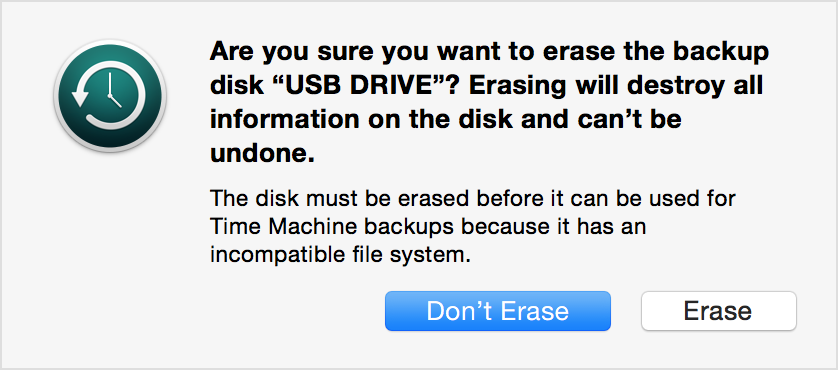
Time Machine supports all Mac OS Extended (Journaled) formats and Xsan formats. If the disk isn't using the correct format, Time Machine prompts you to erase it when you connect it to your Mac.

User uploaded file

Time Machine can't back up to an iOS device or disk formatted for Windows. And if your disk uses the Master Boot Record (MBR) partition scheme, some of its partitions might not be available for use with Time Machine.

This thread has been closed by the system or the community team. You may vote for any posts you find helpful, or search the Community for additional answers.

Backup of exFAT to Time Machine

Welcome to Apple Support Community
A forum where Apple customers help each other with their products. Get started with your Apple Account.