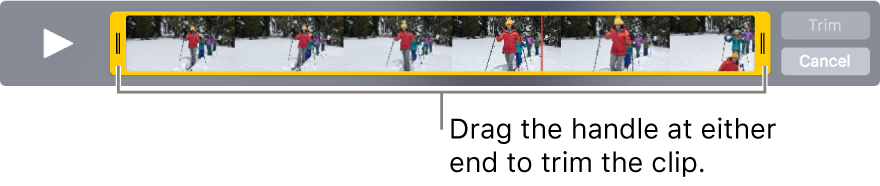
For a video the trim options are in the video tools.
When you view a video enlarged, click the gears icon in the video controls. Then click "Trim".

You cannot use the adjustement tools for photos on a video, unless it is a live photo.
To adjust the contrast or color of a video, open it in iMovie.
See: Play video clips in Photos on Mac - Apple Support
You can trim a video clip so only a certain part of it plays. Trimming a video clip doesn’t actually delete footage; you can recover any trimmed footage later.
- In the Photos app
 on your Mac, double-click the video clip to open it.
- Position the pointer over the clip to display the player controls, then click the Action pop-up menu
 and choose Trim.
- Drag the yellow trim handle at either end to shorten the clip, then click Trim.