Hello Javaman64,
Thanks for that info and choosing the Apple Support Communities. If I understand correctly, you are unable to add Messages as a complication on your Apple Watch face. To do this, make sure you're using an Apple Watch face that supports Messages as a complication and then follow these steps:
- Press the Digital Crown to go to the watch face.
- Firmly press the display.
- Swipe left or right to choose a face, then tap Customize.
- Swipe left or right to select a feature, then turn the Digital Crown to change it. For example, you might change the color of the second hand or the markings on the face.
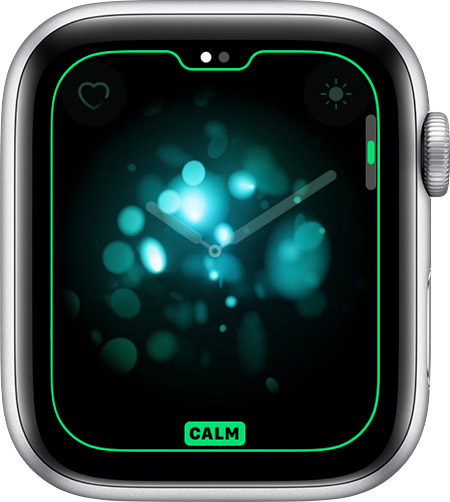
- Swipe all the way to the left to edit complications. Tap a complication to select it, then turn the Digital Crown to change it. You can also add complications from other apps.
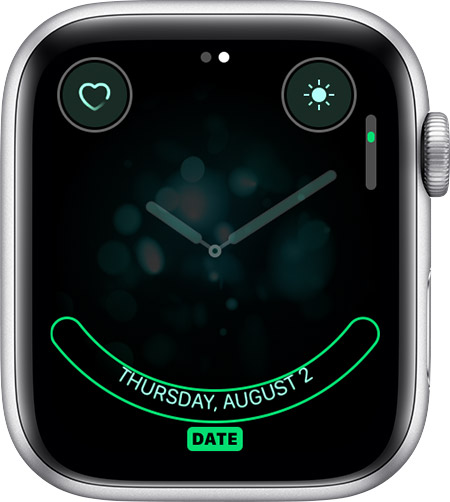
- When you’re finished, press the Digital Crown to save your changes.
- Tap the watch face to set it as your current face.
You can also change the watch face from your iPhone. Open the Apple Watch app, then tap the Face Gallery tab.

You can add complications, or information from apps, to some watch faces. Your Apple Watch has complications that show your battery life, the date, and more. You can also add complications from some third-party apps. To see which apps have complications:
- Open the Apple Watch app on your iPhone.
- Tap the My Watch tab, then tap Complications.
To choose the ones that you want, tap Edit, then use these steps:
- To add a complication, tap
 . After you add the complication in the Apple Watch app on your iPhone, you can add it to your watch. Go back to your watch face, firmly press the display, and tap Customize. Then tap a complication and turn the Digital Crown to choose the information that you want to appear.
- To remove a complication, tap
 . Then tap Remove.
Faces and features - Apple Support
Change your Apple Watch face
Cheers!


