Apple Watch Series 3 - Laps are not counted during lap swim

Hi,


i have been using my watch 3 since 2 months for lap swim. It always counts laps during swim workout. Since the recent update of OS, it has not been counting the laps during the workout. It stays 0 throughout the workout. But the laps do show up after the workout is complete both in the watch and in the iPhone as well.


is there a setting change with the new OS? Or is it a bug?


thanks,

Kiran

Apple Watch Series 3, watchOS 5.0.1

Posted on Oct 17, 2018 10:29 PM

Reply
2 replies

Oct 18, 2018 6:04 PM in response to kiran287

Hi Kiran,

Thanks for reaching out in Apple Support Communities. I understand that since updating the OS on your Apple Watch it hasn't been displaying the number of laps you've completed during your workout, but you're able to see this information when the workout is complete. I know how important it is to track your progress during your workout; I'd like to help. First, if you haven't already, use the steps below to close the Workout app on your watch, then restart both your Apple Watch and iPhone:

Apple Watch: With the app open, press and hold the side button to show the power options. Then press and hold the Digital Crown to quit the app.

If an app unexpectedly quits, stops responding, or won’t open

If the behavior persists after you've closed the app and restarted your devices, use these steps to un-pair your watch from your iPhone and set it up again; please note that a backup of the data from your watch will be created during the unpairing process:

Disconnect your devices

  1. Keep your Apple Watch and iPhone close together as you unpair them.
  2. Open the Apple Watch app on your iPhone.
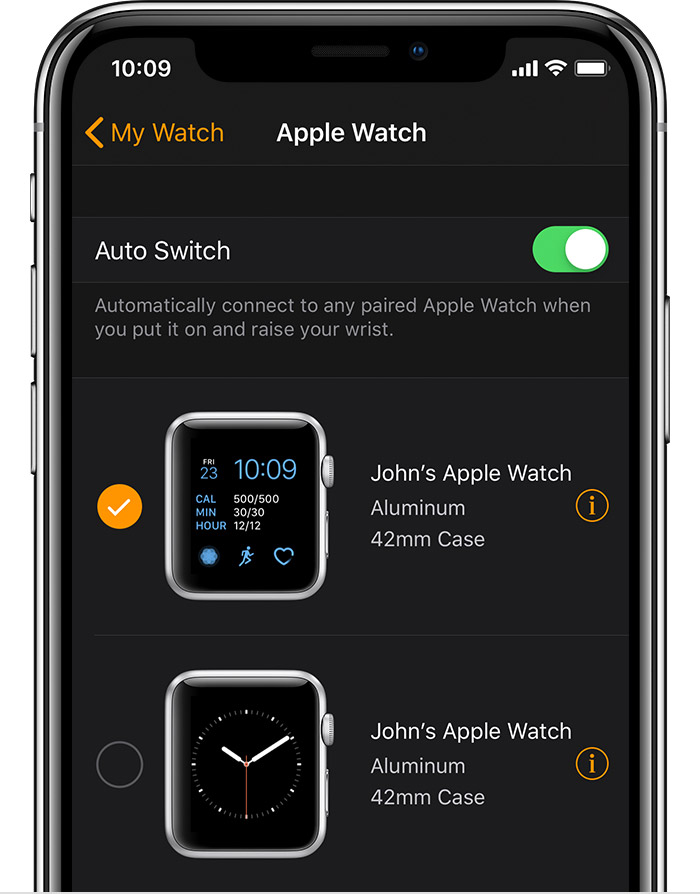
  3. Go to the My Watch tab and tap your watch at the top of the screen.
  4. Tap User uploaded file next to the watch that you want to unpair.
    User uploaded file
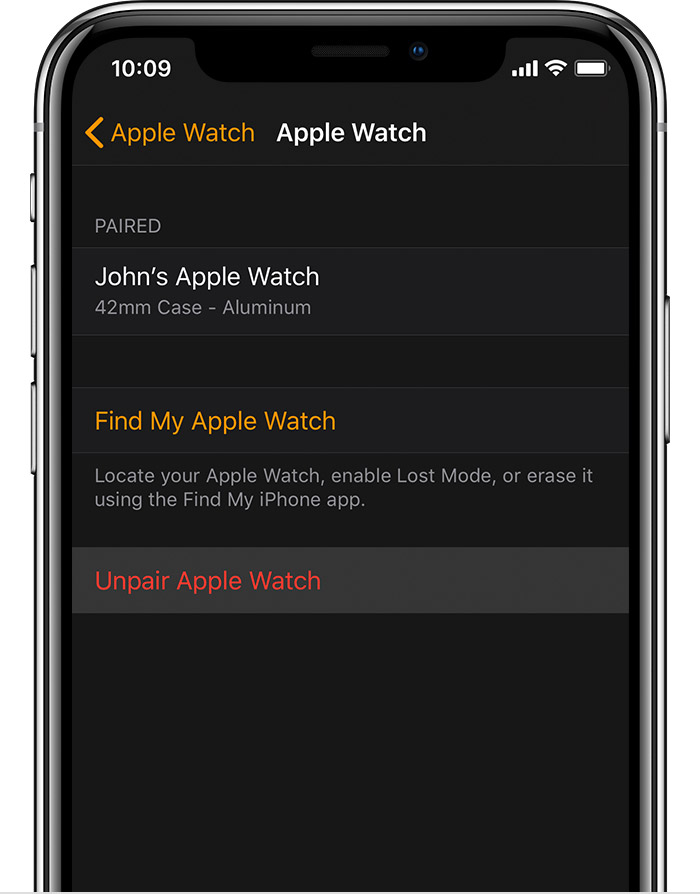
  5. Tap Unpair Apple Watch.
    User uploaded file
  6. For Apple Watch Series 4 (GPS + Cellular) or Apple Watch Series 3 (GPS + Cellular), choose to keep or remove your cellular plan.
    • If you want to pair your Apple Watch and iPhone again, keep your plan.
    • If you don't want to pair your Apple Watch and iPhone again, remove your plan. If you aren't going to pair with a different watch or iPhone, you might need to contact your carrier to cancel your cellular subscription.
  7. Tap again to confirm. You might need to enter your Apple ID password to disable Activation Lock. Before erasing all content and settings on your Apple Watch, your iPhone creates a new backup of your Apple Watch. You can use the backup to restore a new Apple Watch. After your Apple Watch unpairs, you'll see the Start Pairing message.
  8. Use these steps to set up your Apple Watch again.
Unpair and erase your Apple Watch

Let me know what you find.


Best Regards.

This thread has been closed by the system or the community team. You may vote for any posts you find helpful, or search the Community for additional answers.

Apple Watch Series 3 - Laps are not counted during lap swim

Welcome to Apple Support Community
A forum where Apple customers help each other with their products. Get started with your Apple Account.