
How to reactivate Apple Music family membership
How to reactivate Apple Music family membership
How to reactivate Apple Music family membership
Follow the steps here: Manage your Apple Music subscription - Apple Support
If the subscription was cancelled, expired or was unable to be charged and remain so for an extended period of time, yes, all the playlists, and downloaded songs would have been removed and would need to be recreated.
You need pay for the subscription again and recreate the playlists and song selections manually.
Also for a Family Membership you need to be part of a Family Group that has it.
Then you may need to contact iTunes and see of they can sort it out. Fill in the form here: iTunes Store - Contact Us - Apple Support
If you follow the steps in the support document I linked to, it should show you the Apple Music subscription that you had, from there you can choose to renew the plan by selecting one of the plan options there:
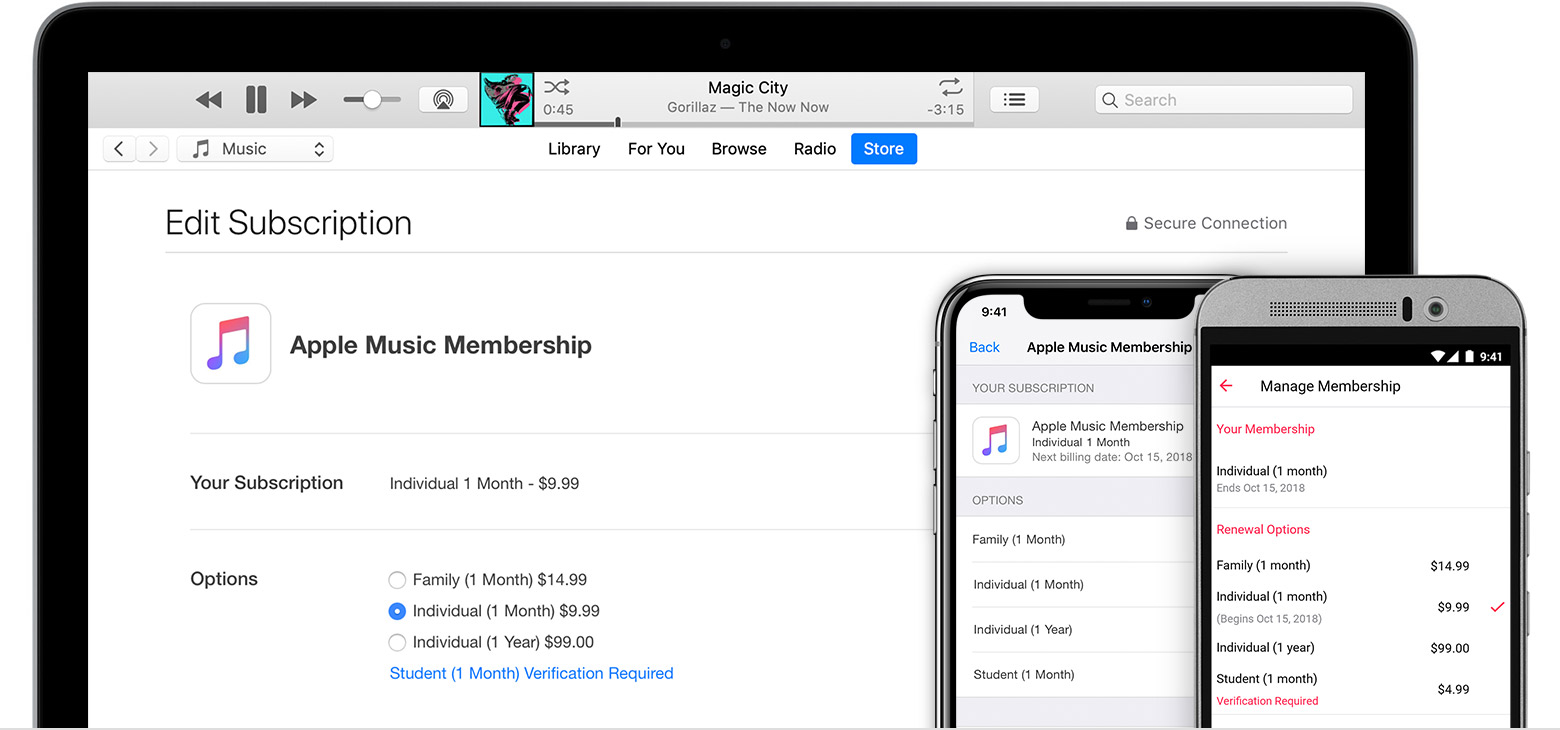
Can you not select one of the plan options there?
If the Apple Music subscription service is no longer available there, then you need to start the plan as a first time by following the steps here: Join Apple Music on your iPhone, iPad, iPod touch, Mac, or PC - Apple Support
The membership, is still enabled even though its expired.
Try the steps here: Pop up stating I'm already an Apple Music user when I try and listen to a Curated Playlist
My mobile service provider claims they have terminated my 6 subscription (the promotion for recontracting). This is verified with all my playlist gone.
I would love to pay for the family share subscription package but the phenomenon I described earlier deterred me from doing so.
Pls advice.
There is no attachment anywhere. If you are replying directly from the email notification, any attachments are discarded before the answer is posted to the forum.
Please add the picture directly in a post on the forum website and not via email.
Thank you for the prompt response. My AppleMusic is gone (playlists removed) and followed the suggested steps.
No joy. :(
Hi. I reached the stage you recommended and the options were there. However, I chose family sharing and the pop up mentioned earlier still persist.
Many thanks for the advises so far.
What popup? You mentioned no popup, or any phenomenon. Just stated that you had, but there's no description of any popup in this conversation.
Pls see attached.
Pls see attachment.
Hi Phil.
I tried the steps but sadly, still unable to subscribe to Music Family Share.
How to reactivate Apple Music family membership
