How to recover a deleted TV show file?

Hi there,


I made a big mistake unfortunately. I was trying to remove a download of two Doctor Who episodes, "Rosa" and "Closer Look, The Ghost Monument". I couldn't find the remove download button so I located the file using the finder. I then deleted the files and then emptied the trash can. I thought this removed the download and that's it. It did do that, however now if I try to redownload it iTunes tells me "The TV show "Rosa" could not be used because the original file could not be found. Would you like to locate it?" I of course can't locate it as I was not very smart and deleted it from existence.


Is there any way to get iTunes to allow me to redownload it?


Thanks!

Posted on Oct 29, 2018 6:01 PM

Reply
Question marked as Top-ranking reply

Posted on Oct 30, 2018 11:14 AM

Hello Ganucci,

Thank you for reaching out in Apple Support Communities. Having access to your purchases is important. I can help with this. You might be able to redownload your purchase from the iTunes Store. If this doesn't work, reach out to iTunes Store support.


Redownload apps, music, movies, TV shows, and books from the App Store, iTunes Store, and Apple Books - Apple Support

Redownload movies, TV shows, or music

You can redownload movies, TV shows, and music on your iPhone, iPad, iPod touch, Mac, or PC.

Learn more about redownloading in the iTunes Store:

On a Mac or PC

  1. Open iTunes. If you're not signed in, sign in with your Apple ID.
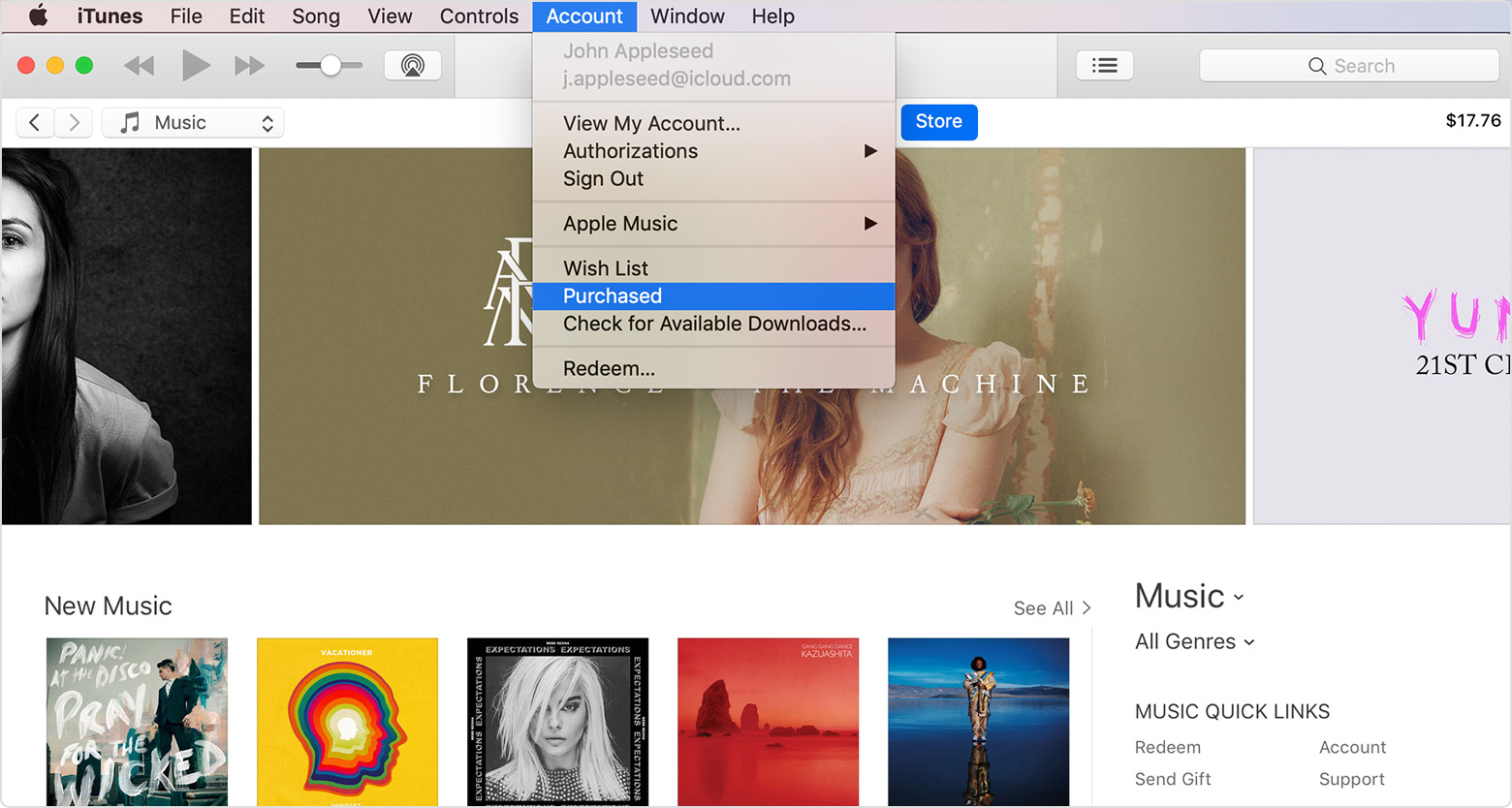
  2. From the menu bar at the top of your computer screen or at the top of the iTunes window, choose Account > Purchased. If you use Family Sharing, you'll see Family Purchases instead of Purchased.
    User uploaded file
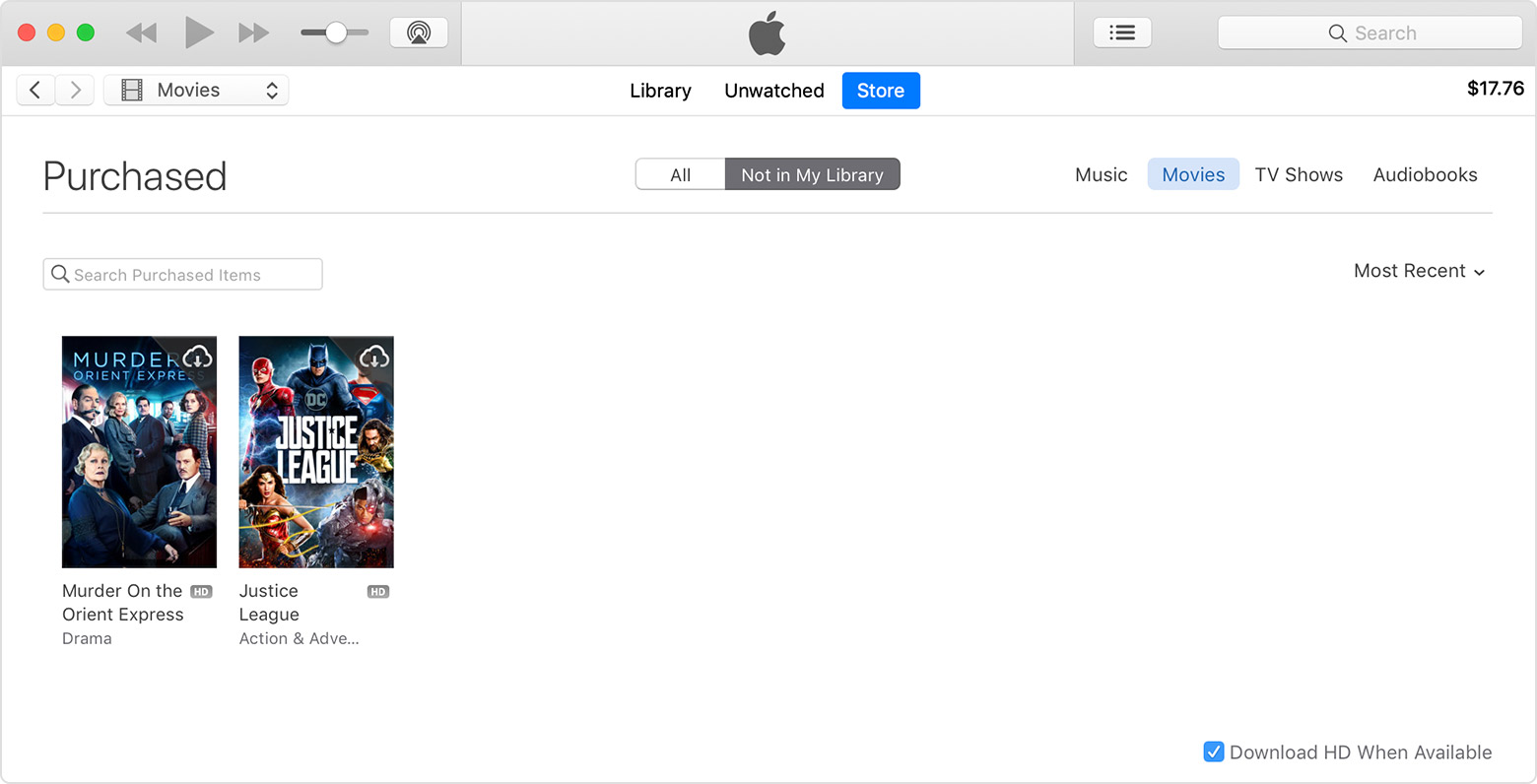
  3. Depending on what you want to redownload, click Movies, TV Shows, or Music in the upper-right corner of the iTunes window.
    User uploaded file
  4. Find the movie, TV show, or music that you want to redownload, then click User uploaded file in the upper-right corner. The movie, TV show, or music downloads to your iTunes library. Don't see the item that you purchased?


Take care.

Similar questions

1 reply
Question marked as Top-ranking reply

Oct 30, 2018 11:14 AM in response to Ganucci

Hello Ganucci,

Thank you for reaching out in Apple Support Communities. Having access to your purchases is important. I can help with this. You might be able to redownload your purchase from the iTunes Store. If this doesn't work, reach out to iTunes Store support.


Redownload apps, music, movies, TV shows, and books from the App Store, iTunes Store, and Apple Books - Apple Support

Redownload movies, TV shows, or music

You can redownload movies, TV shows, and music on your iPhone, iPad, iPod touch, Mac, or PC.

Learn more about redownloading in the iTunes Store:

On a Mac or PC

  1. Open iTunes. If you're not signed in, sign in with your Apple ID.
  2. From the menu bar at the top of your computer screen or at the top of the iTunes window, choose Account > Purchased. If you use Family Sharing, you'll see Family Purchases instead of Purchased.
    User uploaded file
  3. Depending on what you want to redownload, click Movies, TV Shows, or Music in the upper-right corner of the iTunes window.
    User uploaded file
  4. Find the movie, TV show, or music that you want to redownload, then click User uploaded file in the upper-right corner. The movie, TV show, or music downloads to your iTunes library. Don't see the item that you purchased?


Take care.

This thread has been closed by the system or the community team. You may vote for any posts you find helpful, or search the Community for additional answers.

How to recover a deleted TV show file?

Welcome to Apple Support Community
A forum where Apple customers help each other with their products. Get started with your Apple Account.