Photos crashes while trying to export

I use a MacBook Pro 15, 2015 version with Photos Version 4.0 (3411.5.190).

Whenever I try to drag the selected photos to an external HDD or use the command File Export, the software crashes immediately.


Please help

MacBook Pro (Retina, 15-inch, Mid 2015), macOS Mojave (10.14.1)

Posted on Nov 8, 2018 12:21 AM

Reply
Question marked as Top-ranking reply

Posted on Nov 8, 2018 7:15 AM

Do you still have plenty of free storage on your system drive? If not, you may need to free storage.

What is the format of the photos you are trying to export? are you trying to export to an external drive or to a folder on your Mac?


As a test, create a new, empty Photos Library. Import a few photos, then try to export from this library. Does that work? To create a new library for testing, quit Photos, if it is open.

Then hold down the options key ⌥ while launching Photos. In the library chooser panel click the button to create a new library.

10 replies
Question marked as Top-ranking reply

Nov 8, 2018 7:15 AM in response to girish7388

Do you still have plenty of free storage on your system drive? If not, you may need to free storage.

What is the format of the photos you are trying to export? are you trying to export to an external drive or to a folder on your Mac?


As a test, create a new, empty Photos Library. Import a few photos, then try to export from this library. Does that work? To create a new library for testing, quit Photos, if it is open.

Then hold down the options key ⌥ while launching Photos. In the library chooser panel click the button to create a new library.

Nov 8, 2018 12:34 PM in response to girish7388

I created a new library and it works.

That means, that Photos seems to be installed correctly.

Perhaps the external drive, where you are trying to export the photos to, is not compatible.

Try this: While viewing your main Photos Library try to export photos to a folder on yor Desktop. Does that work? If yes, the file system format of your external drive may be problematic.

It is unlikely, that your main library is too large. One possible reason for problems after migrating to Phots might be incompatible file formats. You may have imported videos and image files to iPhoto that are now in Photos, but Photos cannot process them.

Try to export your photos and videos with from Photos with "File > Export > Export unmodified original" and nor with "Export > Export ... photos". This way, Photos does not need to process the photos and you may get better results.


Nov 9, 2018 6:25 AM in response to girish7388

Try to repair your system drive by booting the Mac into the Recovery partition.

See: About macOS Recovery - Apple Support

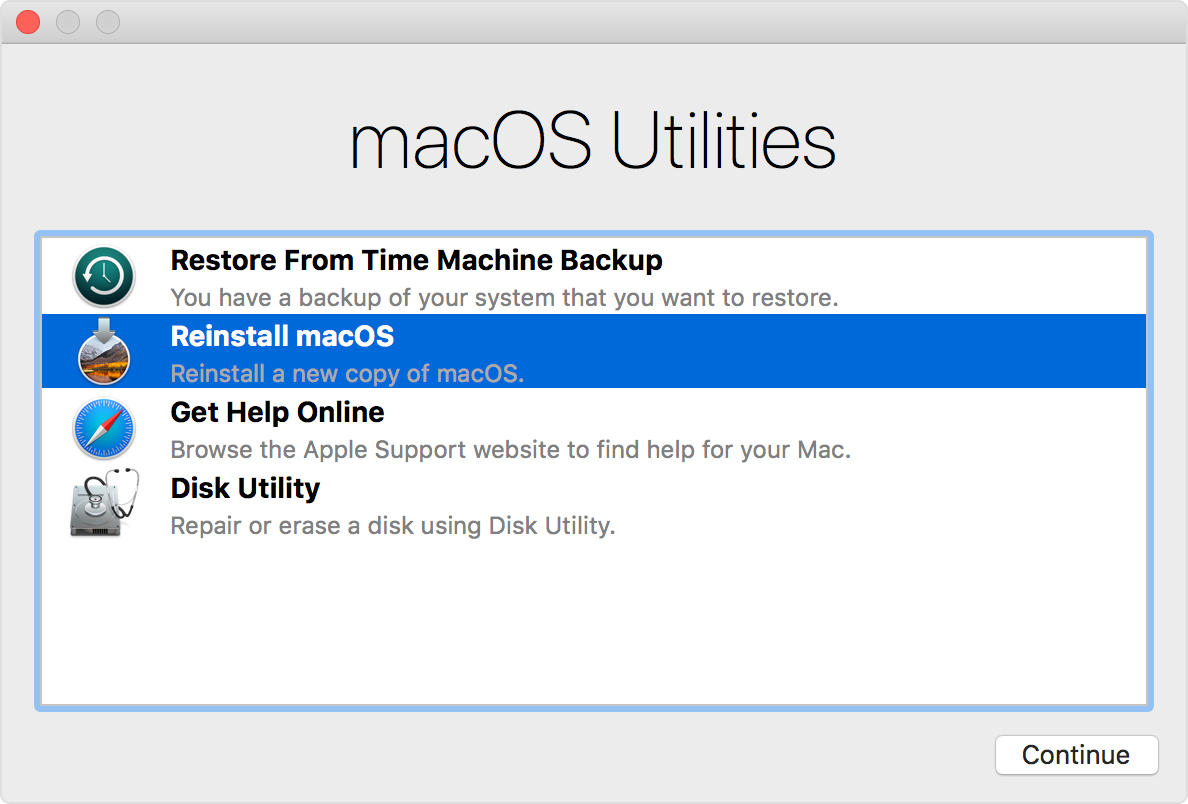
Turn on your Mac and immediately press and hold Command (⌘)-R or one of the other macOS Recovery key combinations on your keyboard. Continue holding until you see the Apple logo or a spinning globe. Startup is complete when you see the utilities window:

User uploaded file

In the Utilities Panel select "Disk Utility" and repair the system drive.


Then restart normally, and see if Photos still is crashing.


Shoud Photos still be crashing, repair the permissions in your home folder as described here: Resolve issues caused by changing the permissions of items in your home folder - Apple Support

Nov 13, 2018 12:15 PM in response to girish7388

Yet another problem after upgrading from iPhotos to Photos is that many of the older video files are not playing.

Photos does not support all video codecs that could be used with iPhoto. You may want to export the videos from Photos with "File > Export > Export unmodified original", and then try to reimport. Photos may convert them to a more compatible format. If Photos does not import them, try to open them in QuickTime Player. Save them in a converted format.

Nov 8, 2018 9:24 AM in response to léonie

Thank you for the suggestions.

I have about 24 GB space left now. The reason why I tried shifting photos to an external HDD is only to free up space.

Yet another problem after upgrading from iPhotos to Photos is that many of the older video files are not playing.


I shall try to create another library and let you know the result.

Thanks again for the suggestion.

Regards

Nov 13, 2018 11:46 AM in response to léonie

Thank you for the suggestions.

I have about 24 GB space left now. The reason why I tried shifting photos to an external HDD is only to free up the space.

Yet another problem after upgrading from iPhotos to Photos is that many of the older video files are not playing.


I shall try to create another library and let you know the result.

Thanks again for the suggestion.

Regards

This thread has been closed by the system or the community team. You may vote for any posts you find helpful, or search the Community for additional answers.

Photos crashes while trying to export

Welcome to Apple Support Community
A forum where Apple customers help each other with their products. Get started with your Apple Account.