Imessages have laughed at added to the recipient message ?
Whats this ?
Whats this ?
Use message effects with iMessage on your iPhone, iPad, and iPod touch
Respond to a message with expressions
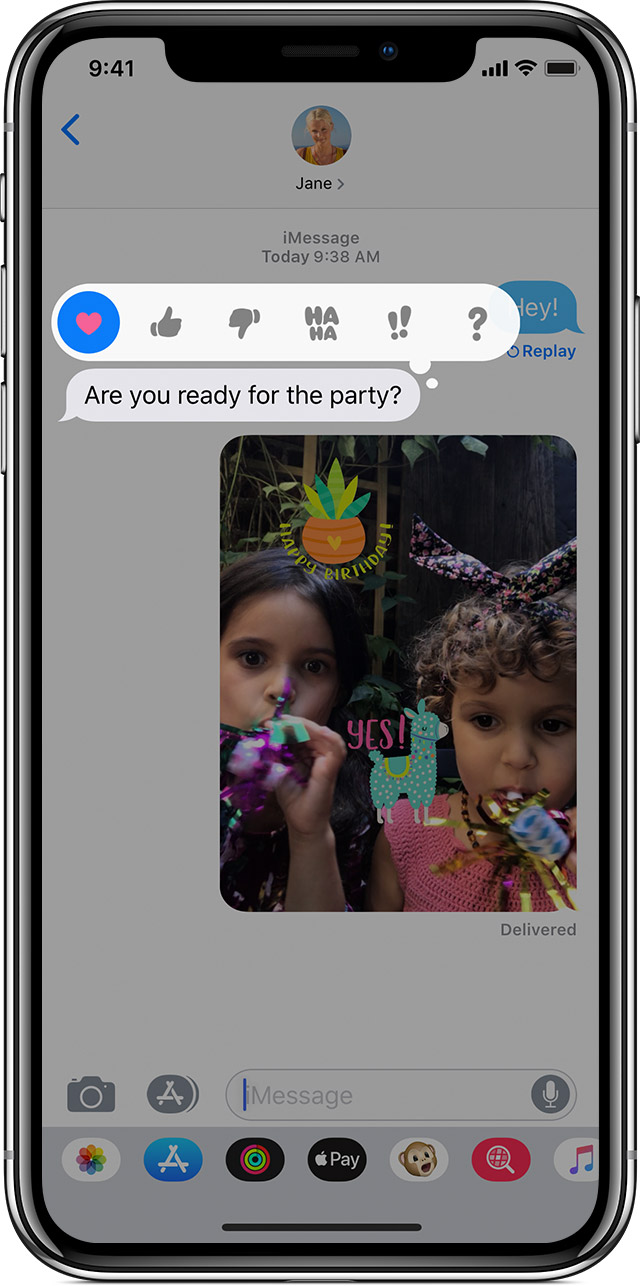
With Tapback, you can quickly reply to messages with expressions, like a thumbs up or a heart. To reply to a message with a Tapback, follow these steps:
- Open a conversation in Messages.
- Double-tap the message bubble or photo that you want to respond to.
- Select the Tapback that you want to send.
You can also use Tapback in group messages. To see who replied with a Tapback, tap it.
Use message effects with iMessage on your iPhone, iPad, and iPod touch
Respond to a message with expressions
With Tapback, you can quickly reply to messages with expressions, like a thumbs up or a heart. To reply to a message with a Tapback, follow these steps:
- Open a conversation in Messages.
- Double-tap the message bubble or photo that you want to respond to.
- Select the Tapback that you want to send.
You can also use Tapback in group messages. To see who replied with a Tapback, tap it.
It depends on which iPhone your recipient has, which version of iOS they are running, and what their settings are.
Thanks a lot , however this process I understand, my Question was Why my recipient receives it as a text instead of so called message effect (the same way as I see it in my message ) .
I selected the Effect, example, HAHA , and I can see the same as an Effected version of the message , however the recipient receives it as a text message with it as a texted form.
With Apple I would expect my recipient to see it in the same way as I see it.
Thanks,
What kind of setting are you referring to ?
They are using Iphone 8 , and I guess ios11, let me see if thy can update to 12 and check.
Imessages have laughed at added to the recipient message ?