Stuck in iTunes Recovery mode

A sister's iPhone started acting up. It is 5S


First it was "this iPhone is disabled. Connect to iTunes".

Downloaded the ipsw stuff and started to update.

Said "Extracting software", then "Updating..." but this last process is not completed HAngs up somewhere in the middle.

The phone is now stuck in Itunes recovery mode. Help!

iPhone 5c, iOS 7.1.1

Posted on Nov 12, 2018 11:45 PM

Reply
1 reply

Nov 14, 2018 7:29 AM in response to azmeraw2000

Hello azmeraw2000,

Thank you for reaching out in Apple Support Communities. I understand your iPhone is stuck on iTunes recovery mode. I can help with this. You'll need to use iTunes on the computer to restore your iPhone. Here's how to do this.

If you forgot the passcode for your iPhone, iPad, or iPod touch, or your device is disabled - Apple Podpora


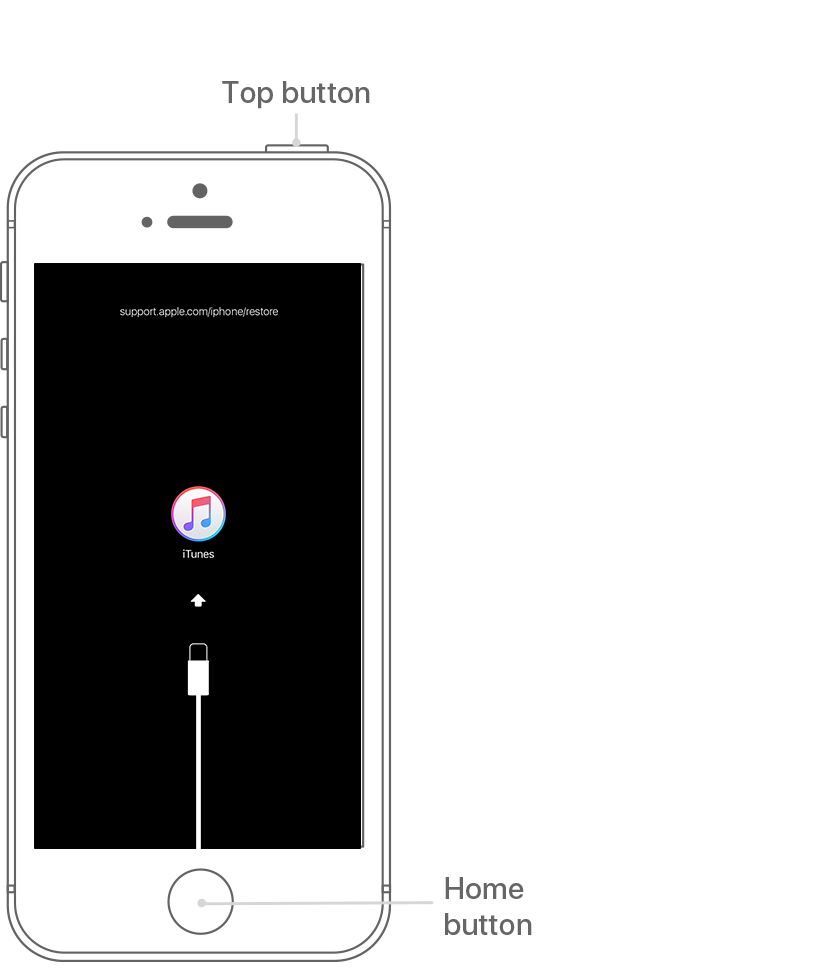
  1. On an iPhone 6s and earlier, iPad, or iPod touch: Press and hold both the Home and the Top (or Side) buttons at the same time. Keep holding them until you see the recovery-mode screen.
    User uploaded file

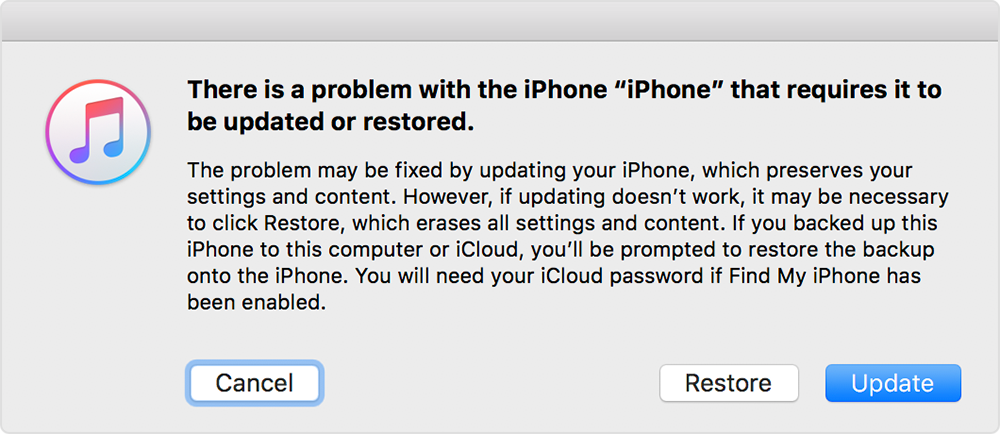
  2. When you see the option to Restore or Update, choose Restore.
    User uploaded file

    iTunes will download software for your device. If it takes more than 15 minutes, your device will exit recovery mode and you'll need to repeat steps 2 and 3.
  3. Wait for the process to finish. Then you can set up and use your device.


Take care.

This thread has been closed by the system or the community team. You may vote for any posts you find helpful, or search the Community for additional answers.

Stuck in iTunes Recovery mode

Welcome to Apple Support Community
A forum where Apple customers help each other with their products. Get started with your Apple Account.