Siri only works in landscape mode when ZOOM is enabled after iOS12 update

Why has Apple taken away the ability to use Siri in landscape mode on the second generation iPad Pro when in zoom mode?


I am running an iPad Pro, 12.9 inch, second generation, 512 GB. I am running with the display settings in ”Zoom” mode. Everything having to do with Siri will only work in portrait mode. This is a new glitch has occured with iOS 12. Siri worked just fine in landscape mode with iOS11.4. I also on the second generation to 156 GB iPad, in the same thing happens.


So I decided to take a trip to the Apple Store to look at the brand new, third generation, iPad Pro. I went to the settings and put it in zoom mode. And guess what? It works in landscape mode just fine!

iPad Pro 12.9-inch, 2nd Gen, Wi-Fi, Cellular, iOS 12.1

Posted on Nov 24, 2018 12:19 AM

Reply
3 replies

Nov 26, 2018 5:41 AM in response to JimmyLee1000

Hello JimmyLee1000,

Welcome to the Apple Support Communities. I understand you're unable to use Siri under a specific set of circumstances.

To clarify a few points, when you try using Siri while zoomed and in Landscape mode, what exactly happens? Also, are you activating Siri using "Hey Siri"? Does Siri work as expected in Landscape mode when you don't have zoom enabled?

Also, does restarting help, even briefly? Restart your iPhone, iPad, or iPod touch

While the answers to the above might make a difference regarding the best steps to take, I recommend starting here If Siri or "Hey Siri" isn't working :

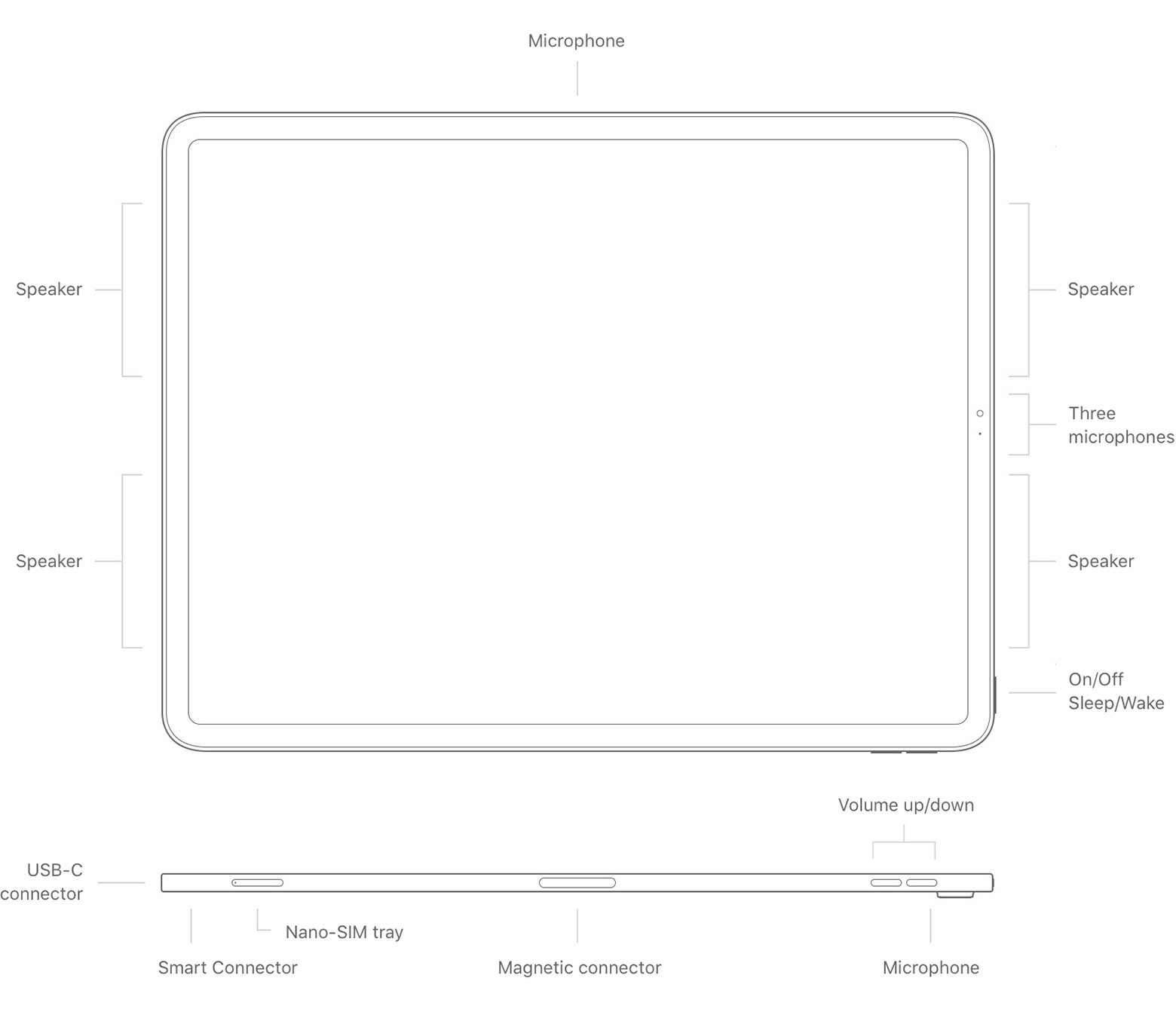
Check your microphones

If Siri doesn't hear you correctly or doesn’t respond when you ask a question, make sure your microphones are working:

On your iPhone, iPad, or iPod touch, remove screen protectors, films, or cases that cover the microphones, then ask Siri a question. If Siri doesn't respond, connect a headset with a microphone, like EarPods or AirPods, then ask Siri a question and see if Siri responds.


I mention this specific step because you noted the issue seems to only happen in Landscape mode. I recommend testing it without a case, if you have one, and double-checking to ensure the microphone is not obstructed once you rotate it. This will point you toward the mic locations. Identify your iPad model :
User uploaded file


Hopefully this helps to get you started.

Take care.

Dec 12, 2018 11:25 PM in response to JimmyLee1000

I will be very clear. Siri works fine. But, when I am in zoom mode, and in landscape orientation, Siri responds to all requests by switching the screen to portrait mode. So, picture having your iPad Pro 12.9 512GB in a case in landscape orientation. Then, you hold down your home button to activate Siri. Siri responds in portrait mode, so you have to tilt your head 90 degrees to read what she gives you. See attached screenshot.


This did not happen in ios11, and does not happen on the 3rd generation iPad Pro 12.9. This is also not exclusive to my device, as I have tried it on other second generation iPad Pros with the same result.


This thread has been closed by the system or the community team. You may vote for any posts you find helpful, or search the Community for additional answers.

Siri only works in landscape mode when ZOOM is enabled after iOS12 update

Welcome to Apple Support Community
A forum where Apple customers help each other with their products. Get started with your Apple Account.