i cant see the ringtones from my iphone on itunes because i changed computer
i cant see the ringtones from my iphone on itunes because i changed computer
i cant see the ringtones from my iphone on itunes because i changed computer
I can only see one custom ringtone added after my last iPhone restore from backup. A dozen older custom ringtones appear on the iPhone and work normally, but do not show in iTunes.
To me, this confirms that iTunes doesn’t list all the items that I think it should list.
Not a big deal per se, but the only way to remove them, seems to be a total erasure of the phone.
I hope this helps you!Use iTunes to delete custom tones that you manually added to your iOS device
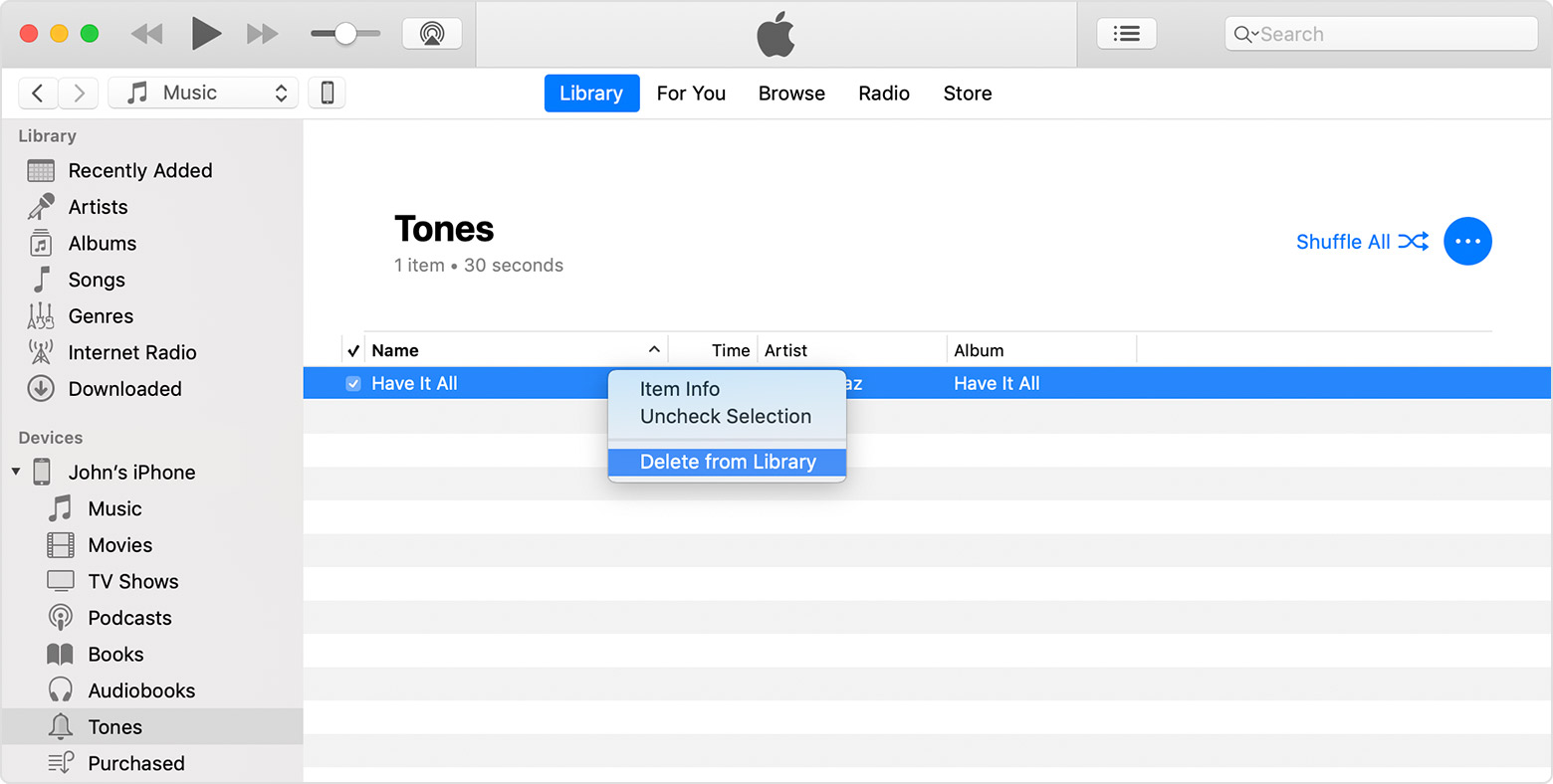
If you manually added custom tones to your iOS device, you can delete them from your device using iTunes.
- Connect your device to your computer.
- Open iTunes. Make sure that you have the latest version.
- Click your device in the left sidebar, then click Tones.
- Control-click or right-click the tone that you want to delete, then click delete tone.
If you don't see an option to delete tone, you might have to turn off "Manually manage music and videos":
- In the upper-left corner of iTunes, click
.
- Scroll down to the Options section, and uncheck the box next to "Manually manage music and videos." Then click done.
You might see a message that your device is synced with another library. This means that you've used a different computer to sync your device in the past, and iTunes can't sync without first erasing and replacing all iTunes content on your device.
i cant see the ringtones from my iphone on itunes because i changed computer