Hi jamfrompinas,
Thanks for reaching out in Apple Support Communities. I understand that you've been added to a Family Sharing group and you're unable to access the Apple Music subscription. I know it's important to be able to access all of the content you can share using Family Sharing; I'd like to help. I'd recommend using the steps below:
Get help accessing your family's shared purchases and Apple Music subscription.
Review your settings and make sure that you use the same Apple ID everywhere that you sign in, including Family Sharing and the iTunes Store. Then ask your family members to review their settings too.

Review your Family Sharing settings to make sure that you're signed in with the correct Apple ID. Then see if the features that you want to use with Family Sharing—like purchase sharing and Apple Music—are turned on.
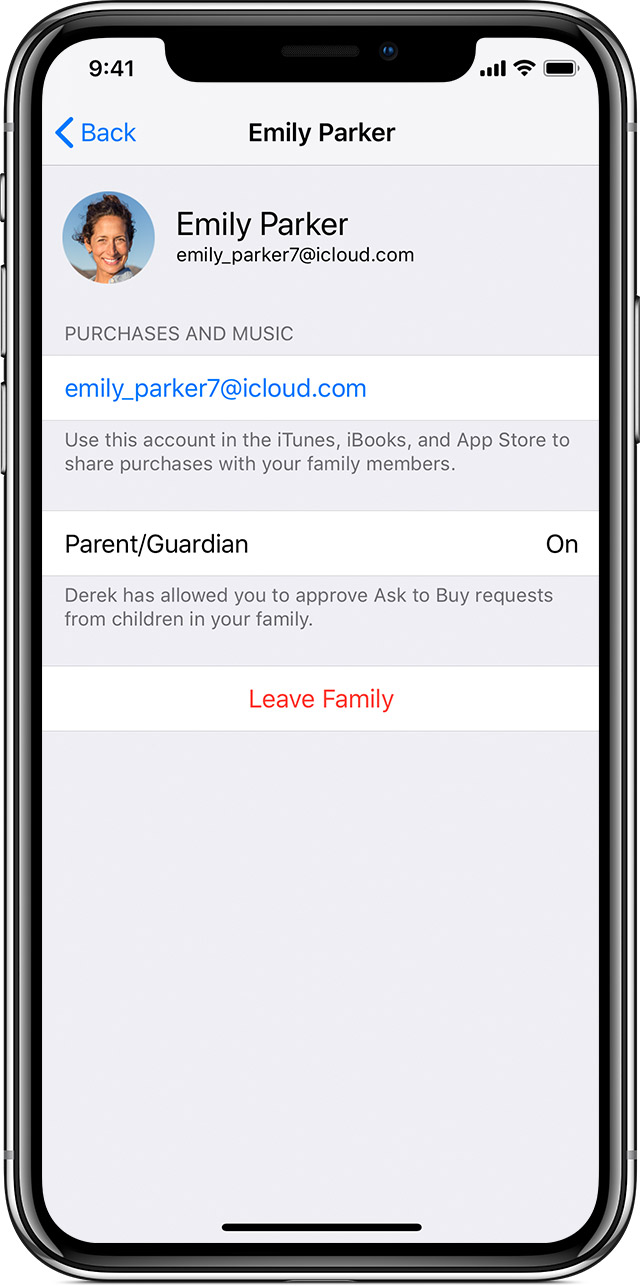
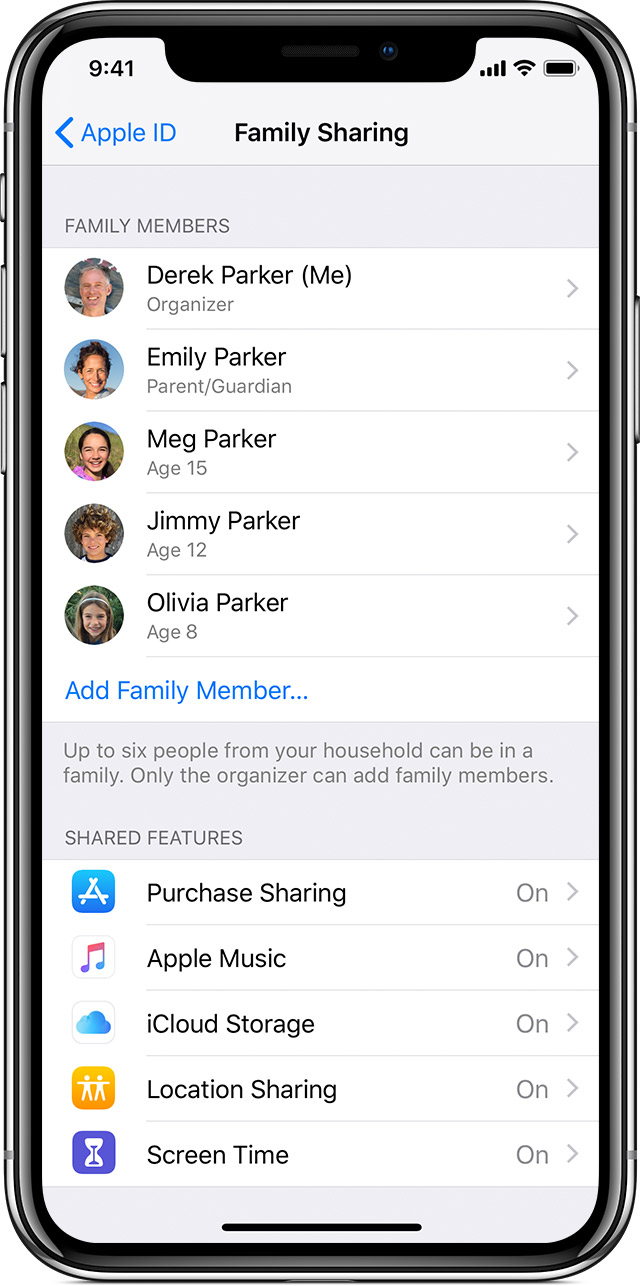

- Go to Settings > [your name] > Family Sharing. If you’re using iOS 10.2 or earlier, go to Settings > iCloud > Family.
- Tap your name.
- Confirm or change the Apple ID that you want to use to share content.
- Go back to Family Sharing and make sure that Purchase Sharing and/or Apple Music is on.
- Tap Purchase Sharing and make sure that Share My Purchases is turned on.

Make sure that you're signed in to the iTunes Store with the same Apple ID that you selected for sharing content with your family.
- Go to Settings > [your name].
- Tap iTunes & App Stores.
- Make sure that you're using the same Apple ID in the iTunes Store as you are in Family Sharing.
If you’re using iOS 10.2 or earlier, go to Settings > iTunes & App Store and review your Apple ID.
If you still can't share, try these steps. After each step, see if you can share.
If you still can't see or download your family's shared content or use Apple Music, sign out of the iTunes & App Store, then sign back in.
On your iPhone, iPad, or iPod touch:
- If you’re using iOS 10.3 or later, go to Settings > [your name], then tap Sign Out. If you're using iOS 10.2 or earlier, go to Settings > iTunes & App Store, tap your Apple ID, then tap Sign Out.
- Follow the onscreen steps.
- Enter your Apple ID password, then select Sign In.
If you don't see your family's shared content
If you continue to have trouble, could you let me know if the Apple Music family subscription is tied to your Apple ID or your sister's? I ask because the subscription needs to be managed by the Family Organizer.
Best Regards.


