When I pause/stop a radio station in Apple Music and press play again it defaults to playing music from my playlist. How can I stop this annoying behavior?
Apple Music Station Start/Stop issue
Delete built-in Apple apps on your iOS 12 or later device or Apple WatchDelete a built-in app from your device
- On your iOS device, touch and hold the app lightly until it jiggles. If the app doesn't jiggle, make sure that you're not pressing too hard.
- Tap on the app, then tap Delete.
- Press the Home button to finish.
If you have an Apple Watch, deleting an app from your iPhone also deletes that app from your Apple Watch.
Restore a built-in app that you deleted
- On your iOS device, go to the App Store.
- Search for the app. Make sure that you use the exact name of the app. Find the correct name of built-in apps.
- Tap
to restore the app.
- Wait for the app to restore, then open it from your Home screen.
If you have an Apple Watch, restoring an app to your iPhone also restores that app to your Apple Watch.
Restore your iPhone, iPad, or iPod to factory settingsGet your device ready
- Make sure that you have the latest version of iTunes on your Mac or PC. If you can't access a computer and your device still works, you can erase and restore your device without a computer.
- If you want to save the information on your iPhone, iPad, or iPod, make a backup.
- Go to Settings > [your name] > iCloud, tap Find My iPhone, then turn it off. For an unresponsive device or one that won't turn on, learn what to do. If you forgot your passcode, get help.
Restore your device to factory settings
- Open iTunes on your Mac or PC. If you can't access a computer and your device still works, you can erase and restore your device without a computer.
- Connect your iPhone, iPad, or iPod to your computer with the cable that came with your device.
- If a message asks for your device passcode or to Trust This Computer, follow the onscreen steps. If you forgot your passcode, get help.
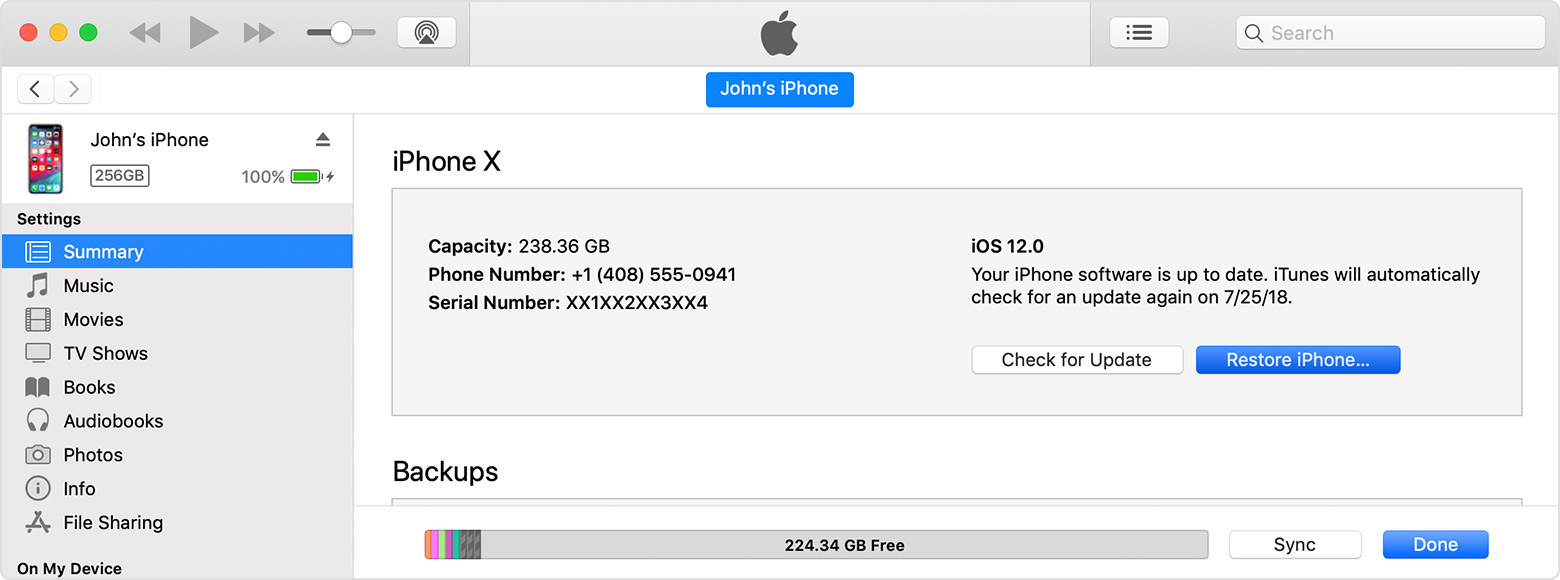
- Select your iPhone, iPad, or iPod when it appears in iTunes. For an unresponsive device or one that won't turn on, learn what to do. Or get help if your device doesn't appear in iTunes.
- In the Summary panel, click Restore [device].
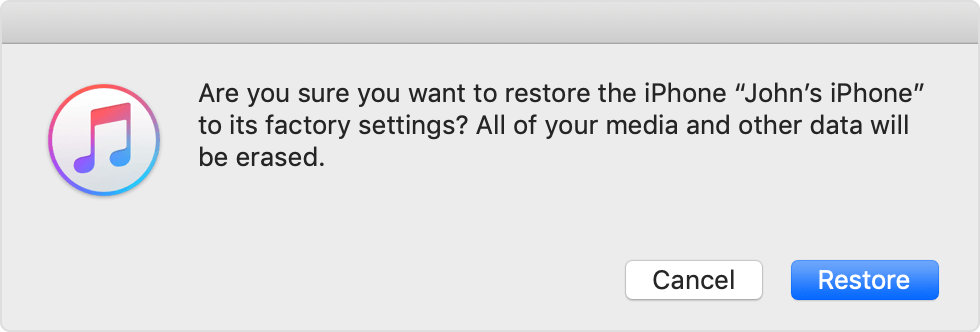
- Click Restore again to confirm. Then iTunes erases your device and installs the latest iOS or iPod software.
- After your device restores to factory settings, it restarts. Now you can set it up as new.
It occurs on all stations. I usually listen to NPR radio or CBS radio and have to frequently stop the station for calls or customers. When I press play again from the lock screen or app it starts playlist music instead of the previous stati
Thank you for the reply. This behavior has persisted on my 7 and on my new XS. I’ve tried both suggestions but it still behaves this way. I thought there may be a setting to change. I posted in hopes of finding a solution or make apple aware of the issue for a future update fix.
I did setup the new phone with the scan screen and an iTunes backup of the old ph
When I pause/stop a radio station in Apple Music and press play again it defaults to playing music from my playlist. How can I stop this annoying behavior?