It seems like the default application for .mp4 files on your Mac isn’t QuickTime Player, or another application that can actually play .mp4 files. If true, then change the default to have it automatically open in QTP in the future.
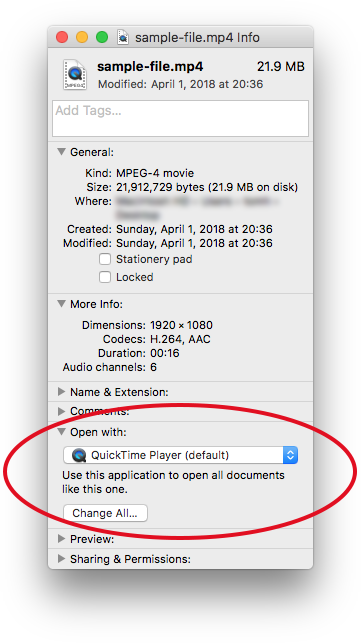
Check the default, by doing a Get Info (⌘I) in Finder on a selected .mp4 file.
Change it to the application of your choice (for this file).
Click the ‘Change All’ button to set the default for all files with that same extension (e.g. .mp4). Click ‘Continue’ in the pop-up confirmation warning to change the setting.
All files with the same extension should now open with the application that you have set.

