"Update Apple ID Settings - Some account services will not be available until you sign in again"

Why do I keep getting "Update Apple ID Settings - Some account services will not be available until you sign in again" on my iPad?


It only happens on my iPad not my iPhones or MacBook Pro

iPad Air, 12

Posted on Feb 5, 2019 2:54 AM

Reply
6 replies

Feb 5, 2019 10:17 PM in response to astuart

See this support article for help:


What To Do When It Says “Update Apple ID Settings” On Your iPhone

Open the Settings app and tap on Update Apple ID Settings. Then, tap Continue on the next screen. Enter your Apple ID password when the pop-up appears on the screen.
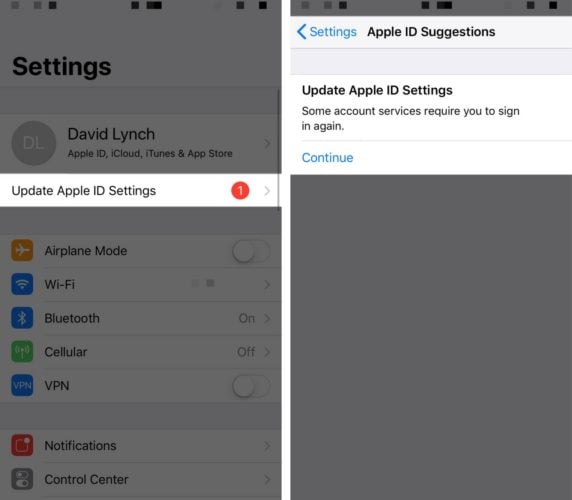

Most of the time, the “Update Apple ID Settings” notification will go away

after you’ve entered your Apple ID password. However, in rare cases, the

notification won’t disappear, and you may even receive an pop-up saying

an error occurred. Keep reading to learn how to fix this problem!


From this article found in a Google search: https://www.payetteforward.com/update-apple-id-settings-on-iphone-what-it-means-what-to-do/


Follow all of the prompts until you have finished the process.


Best,


GB



This thread has been closed by the system or the community team. You may vote for any posts you find helpful, or search the Community for additional answers.

"Update Apple ID Settings - Some account services will not be available until you sign in again"

Welcome to Apple Support Community
A forum where Apple customers help each other with their products. Get started with your Apple Account.
