Facebook notification

Can not get Facebook badge notifications on Facebook app. The little red number that comes up on your Facebook app. Yes everything is on. Uninstalled reinstalled several times. Updated to new phone still not working. Checked every setting with a friends Facebook and they are all the same. Please help me....

iPhone 8, iOS 12

Posted on Mar 2, 2019 12:55 AM

Reply
Question marked as Top-ranking reply

Posted on Mar 2, 2019 2:36 AM

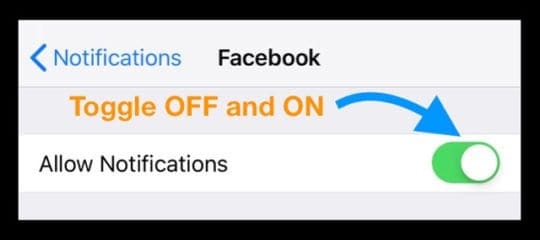
Turn Facebook Notifications Off and On

  • Go to Settings >Notifications
  • Tap Facebook
  • Toggle off Allow Notifications 
  • Wait 20-30 seconds
  • Toggle Allow Notifications back on
    • Select your alert options including show on Lock Screen, Notification Center, and Banners
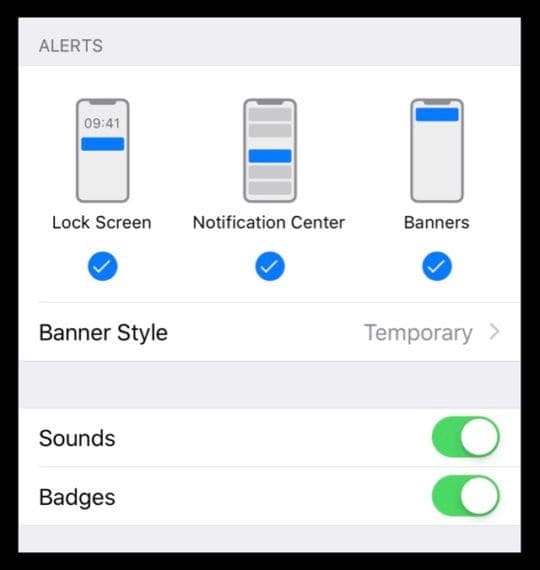
    • Turn on Sounds and Badges, if desired

Update Your iPhone’s or iPad’s iOS

  • Make sure that your iPhone or iPad has the latest iOS software installed
  • Go to Settings > General > Software Update or use iTunes to update

Update The Facebook App

  • Make sure you have the most up-to-date version of the Facebook app
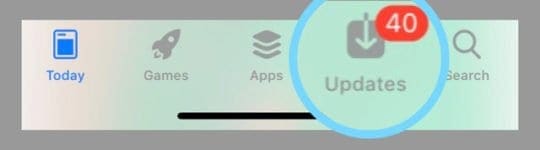
  • To check, open the App Store on your iPhone or iPad and tap Updates 
Check Facebook’s App Settings

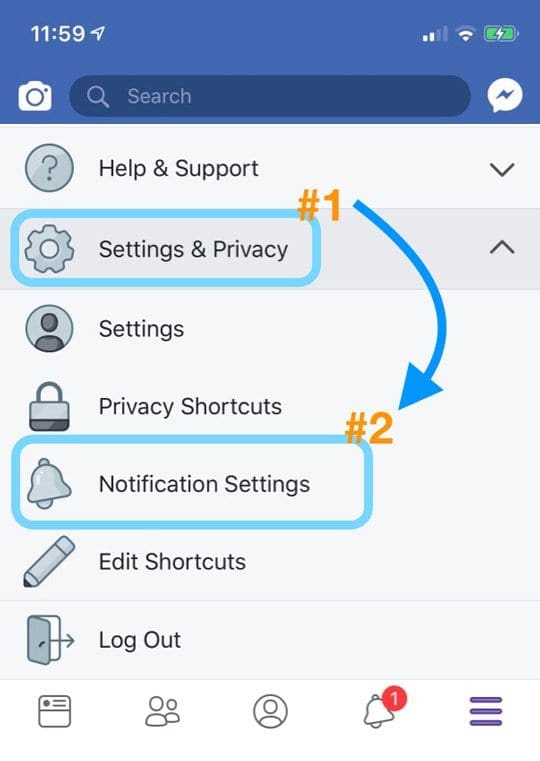
  • Go to your Facebook app
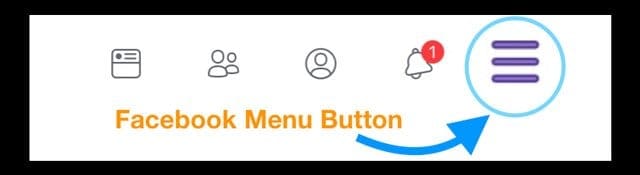
  • Open the menu button on the lower-right (three horizontal lines)
  • Choose Settings & Privacy > Notification Settings 
  • Under What Notification You Receive
    • Tap to adjust your notification selection for each category (i.e. Apps, Activity About You, Friend Requests) so it shows Push 
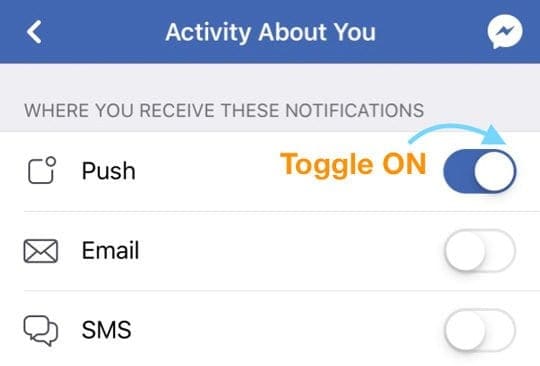
    • If you want to receive an email and/or text, toggle on Email and SMS
  • Scroll down to the section Where You Receive Notifications
    • Tap Push to check it’s listed as ON 
    • If not, tap and toggle Mute Push Notifications OFF


5 replies
Question marked as Top-ranking reply

Mar 2, 2019 2:36 AM in response to banthai08

Turn Facebook Notifications Off and On

  • Go to Settings >Notifications
  • Tap Facebook
  • Toggle off Allow Notifications 
  • Wait 20-30 seconds
  • Toggle Allow Notifications back on
    • Select your alert options including show on Lock Screen, Notification Center, and Banners
    • Turn on Sounds and Badges, if desired

Update Your iPhone’s or iPad’s iOS

  • Make sure that your iPhone or iPad has the latest iOS software installed
  • Go to Settings > General > Software Update or use iTunes to update

Update The Facebook App

  • Make sure you have the most up-to-date version of the Facebook app
  • To check, open the App Store on your iPhone or iPad and tap Updates 

Check Facebook’s App Settings

  • Go to your Facebook app
  • Open the menu button on the lower-right (three horizontal lines)
  • Choose Settings & Privacy > Notification Settings 
  • Under What Notification You Receive
    • Tap to adjust your notification selection for each category (i.e. Apps, Activity About You, Friend Requests) so it shows Push 
    • If you want to receive an email and/or text, toggle on Email and SMS
  • Scroll down to the section Where You Receive Notifications
    • Tap Push to check it’s listed as ON 
    • If not, tap and toggle Mute Push Notifications OFF


This thread has been closed by the system or the community team. You may vote for any posts you find helpful, or search the Community for additional answers.

Facebook notification

Welcome to Apple Support Community
A forum where Apple customers help each other with their products. Get started with your Apple Account.