
Numbers on iPhone 6s
How to insert a line in a Numbers spreadsheet on iPhone 6s?
iPhone 6s, iOS 12
How to insert a line in a Numbers spreadsheet on iPhone 6s?
iPhone 6s, iOS 12
Add or remove rows and columns
 in the bottom-left corner of the table to add one row; drag down or up to add or delete multiple rows. Tap
  in the top-right corner of the table to add one column; drag to add or delete multiple columns. You can delete a row or column only if all of its cells are empty.
 or
or  , then tap a placement option. or , then tap a placement option.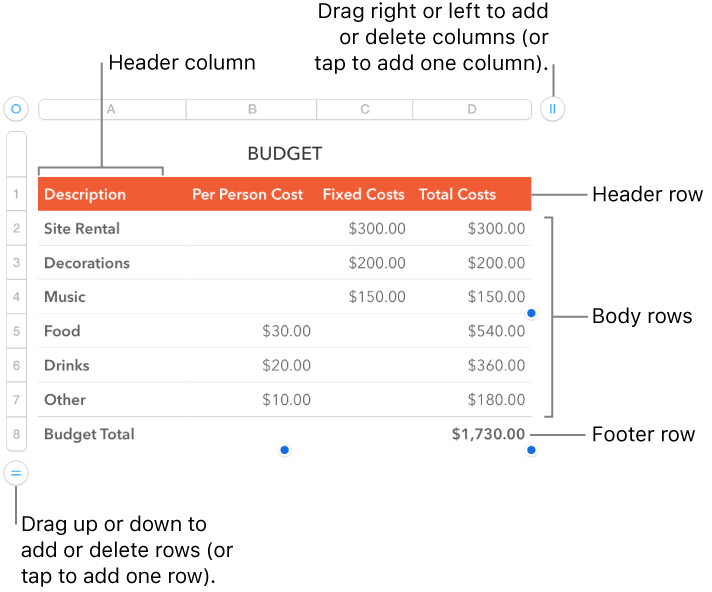
Add or remove rows and columns
in the bottom-left corner of the table to add one row; drag down or up to add or delete multiple rows. Tap in the top-right corner of the table to add one column; drag to add or delete multiple columns. You can delete a row or column only if all of its cells are empty. or , then tap a placement option. or , then tap a placement option.
Numbers on iPhone 6s
