This Excel formula returns an internal array, then sums that array. Numbers supports only a few 'array' functions, and, according to your test, LARGE is not one of them.
You can get the same result as you would in Excel using the formula above with this version in Numbers:
SUM(LARGE(B1:B45,1),LARGE(B1:B45,2),LARGE(B1:B45,3))
Or you could take a more 'Numbers' approach, placing the list of values in a 45 row table Ifor space reasons, I've used a 20 row table in my example below), and replacing the range references with the 'whole column' references seen in the formula below this table.
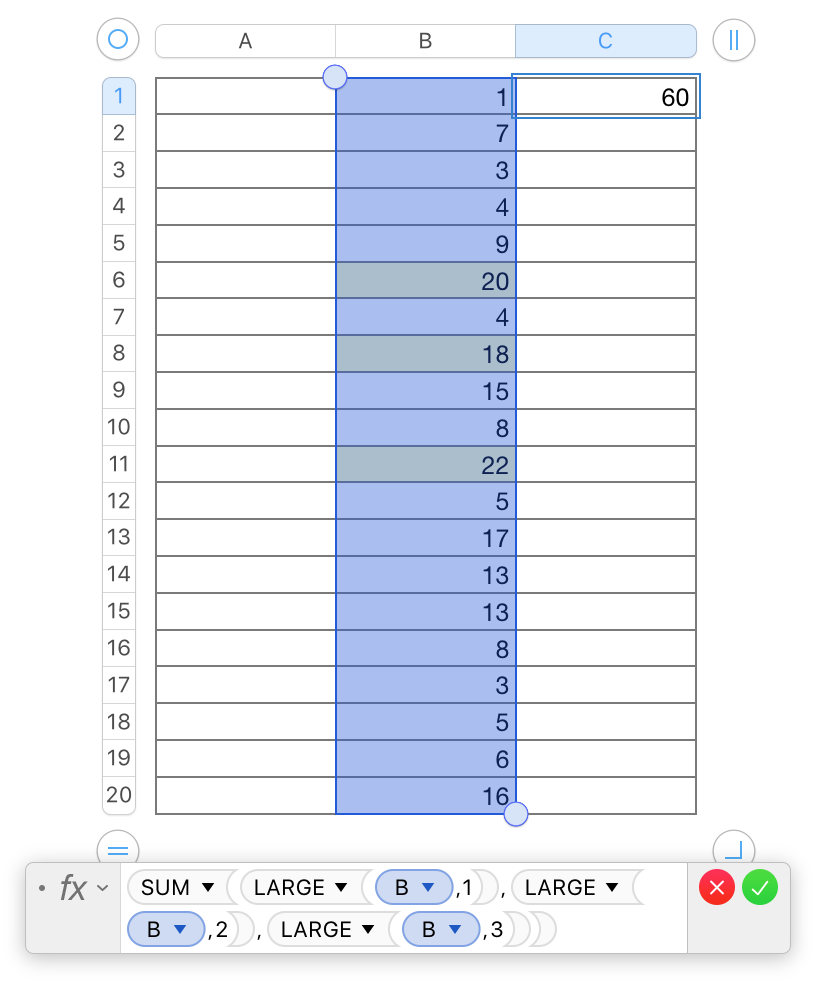
The formula (and its result) are in cell C1. The three 'LARGE' values are in the (slightly) highlighted cells in the selected range—all of column B.
Regards,
Barry

