This is a great tutorial how you can add additional input sources
Type in another language on your Mac with input sources - Apple Support
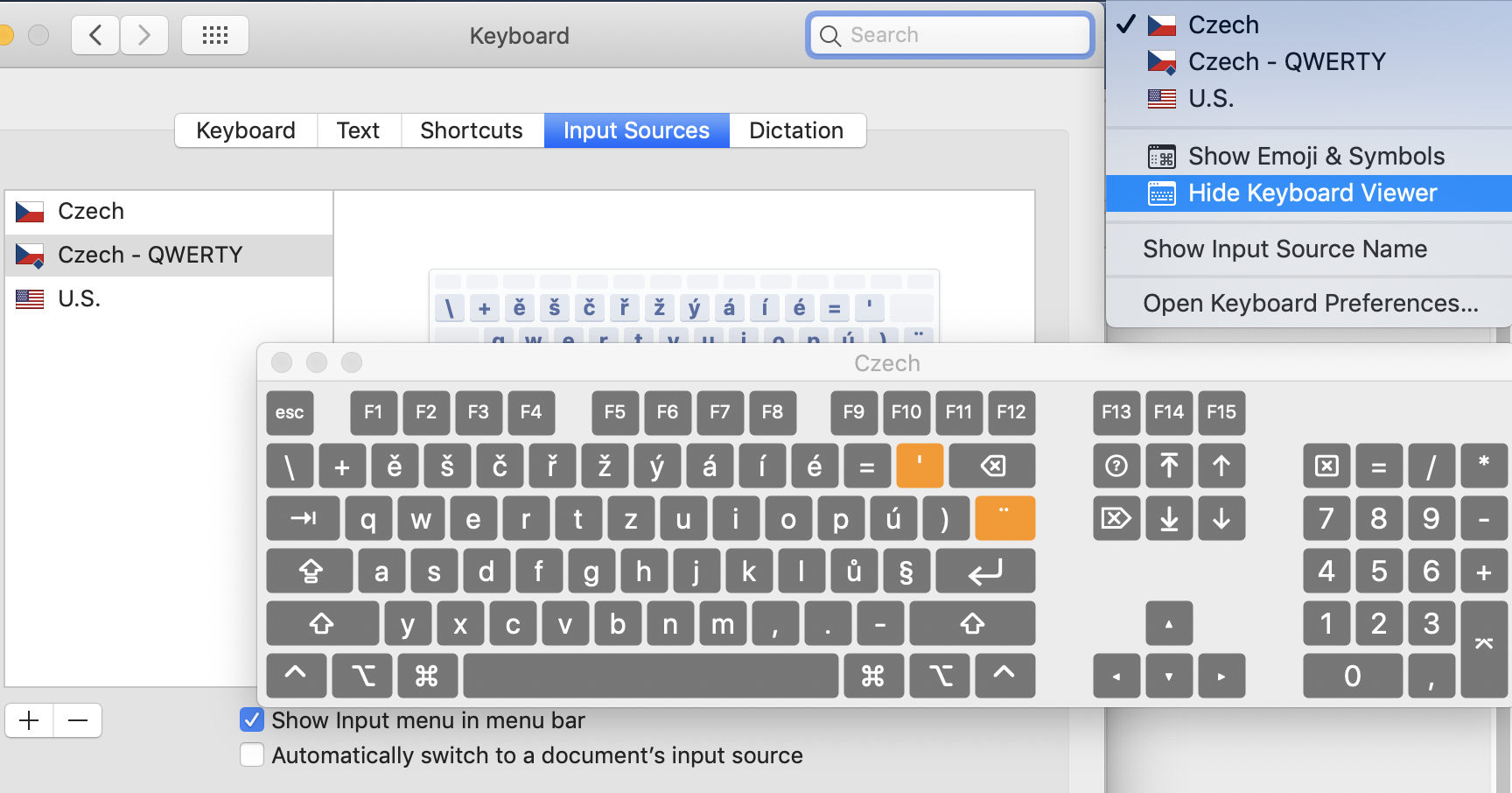
Keep in mind there are two different Czech keyboard layouts so you will want to see which one you have. When you key to Apple logo menu- System Preferences, Keyboard icon, you can go to the Input Sources tab. Be sure to check on Show input menu on menu bar. Click on the + to add Czech input source. This gives you a live preview on that window. For example, you can see the layout and press things like OPTION/SHIFT/etc. to see how the standard layout changes.
The input menu is a flag that will appear next to your clock. Click on that to change input sources, you can also Show Keyboard View to get a live/interactive on-screen keyboard. By pressing combinations of OPTION/SHIFT/SHIFT you can see how the keyboard changes and this should have the other symbols you are looking for, and will know how you can type it yourself directly.