iPhone sometimes closes your background apps automatically

I noticed on my iPhone that sometimes when I put an app in the background and then go to use another app, when I go back to the previous app, it looks like it would have to reload or refresh itself, often losing whatever it was showing before.


How do you prevent that from happening? Is the iPhone running out of memory or something?

iPhone 6, iOS 12

Posted on Jun 19, 2019 2:56 PM

Reply
2 replies

Jun 19, 2019 4:44 PM in response to d2army

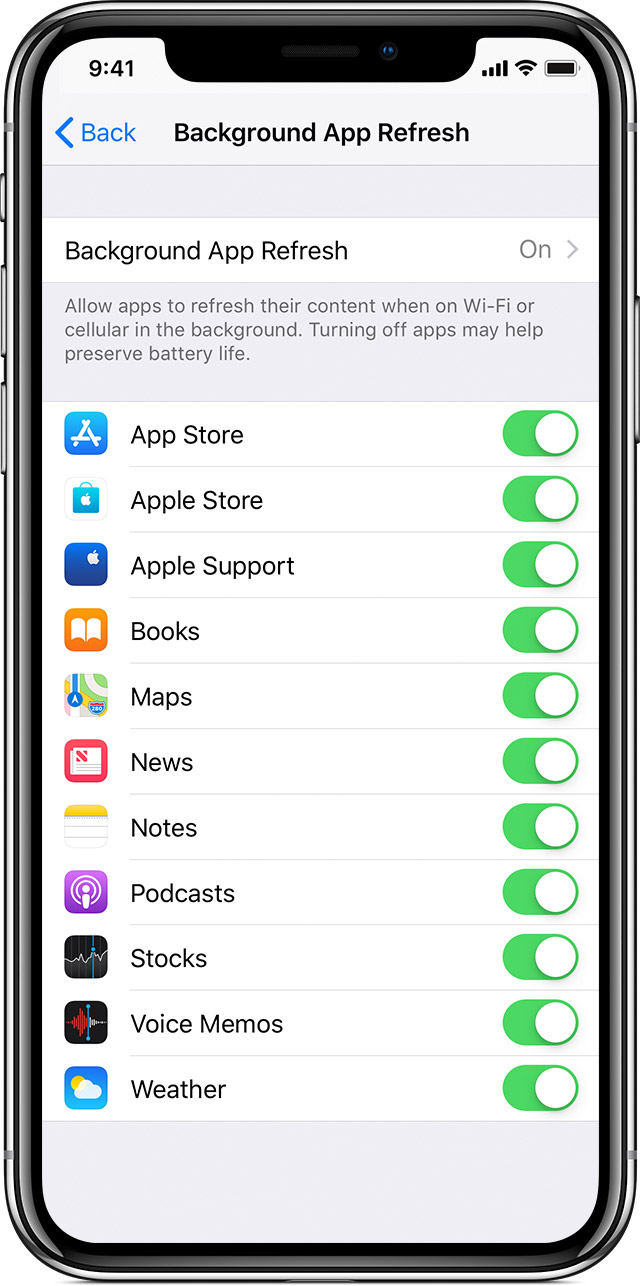
Use Background App Refresh

After you switch to a different app, some apps run for a short period of time before they're set to a suspended state. Apps that are in a suspended state aren’t actively in use, open, or taking up system resources. With Background App Refresh, suspended apps can check for updates and new content. 

If you want suspended apps to check for new content, go to Settings > General > Background App Refresh and turn on Background App Refresh. If you quit an app from the app switcher, it might not be able to run or check for new content before you open it again.

Switch apps on your iPhone, iPad, or iPod touch - Apple Support

https://support.apple.com/en-us/HT202070

This thread has been closed by the system or the community team. You may vote for any posts you find helpful, or search the Community for additional answers.

iPhone sometimes closes your background apps automatically

Welcome to Apple Support Community
A forum where Apple customers help each other with their products. Get started with your Apple Account.