iPhone XS dual SIM and eSIM feature unsuitable for international roaming?

I'm using my iPhone XS since it's introduction to host two mobile plans: one AT&T for the US, and one T-Mobile eSIM (Germany) for when I'm in Europe. When I'm in the US, I want to use AT&T as the primary number for all outgoing calls and AT&T data for all data. When traveling in Europe, I want to use my T-Mobile eSIM plan as the primary number for all outgoing calls and also for all data. Of course, I still want to be reachable on both phone numbers at the same time wherever I go.


Seems logical? What I get instead is the following: every time I travel between US and Europe, I have to switch every individual contact I'm calling manually between AT&T and T-Mobile. Often I forget to do so, resulting in expensive roaming calls with the wrong outgoing number.


With data, it's even worse. As described in another post in this forum, somehow I get charged for AT&T roaming when traveling in Europe despite the fact that I have selected T-Mobile for date BEFORE landing in Germany. AT&T then charges me $10 for every day. In May, last billed month I was traveling there, this amounts to $120 in bogus roaming charges from AT&T. Plus the calls with the wrong plan (see above).


I called Apple Support, they patched in AT&T, and I was in a blame game where Apple said it must be AT&T's problem and AT&T said it was not their problem because I clearly used data (9GB in May, according to them). The call ended inconclusively and I got no help. This has happened since I owned the XS (it's actually my 2nd, one broke).


Am I missing something here, or is this a problem for other international travelers as well? Can someone help me?

iPhone XS, 12

Posted on Jun 21, 2019 11:14 AM

Reply

Similar questions

7 replies

Jun 21, 2019 12:10 PM in response to stwphanfromboston

Choose how your plans work together

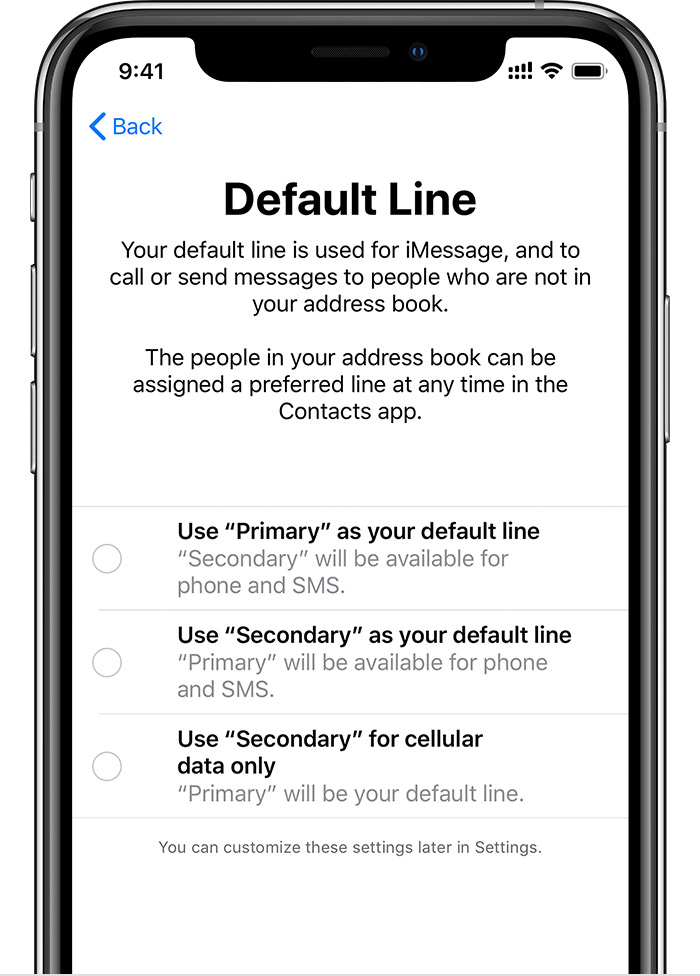
Set your default number, which iMessage and FaceTime use and which you will use when you call or send a message to someone who isn't in your Contacts app.

On this screen, choose a number to be your default, or you can choose which number is to be used only for cellular data. Your other number will be your default. 


Use Primary as your default line: If you select this option, Primary will be used by default for voice, SMS, Data, iMessage, and FaceTime. Secondary will be available just for voice and SMS.


Use Secondary as your default line: If you select this option, Secondary will be used for voice, SMS, Data, iMessage, and FaceTime. Primary will be available just for voice and SMS.


Use Secondary for cellular data only: You might want to select this option if you're traveling internationally and you want to keep Primary for voice, SMS, iMessage, and FaceTime. This will allow you to use Secondary for data.


Switch phone numbers for a call

You can switch phone numbers before you make a call. If you're calling someone in your Favorites list, follow these steps:

  1. Tap .
  2. Tap the current phone number. 
  3. Tap your other number. 

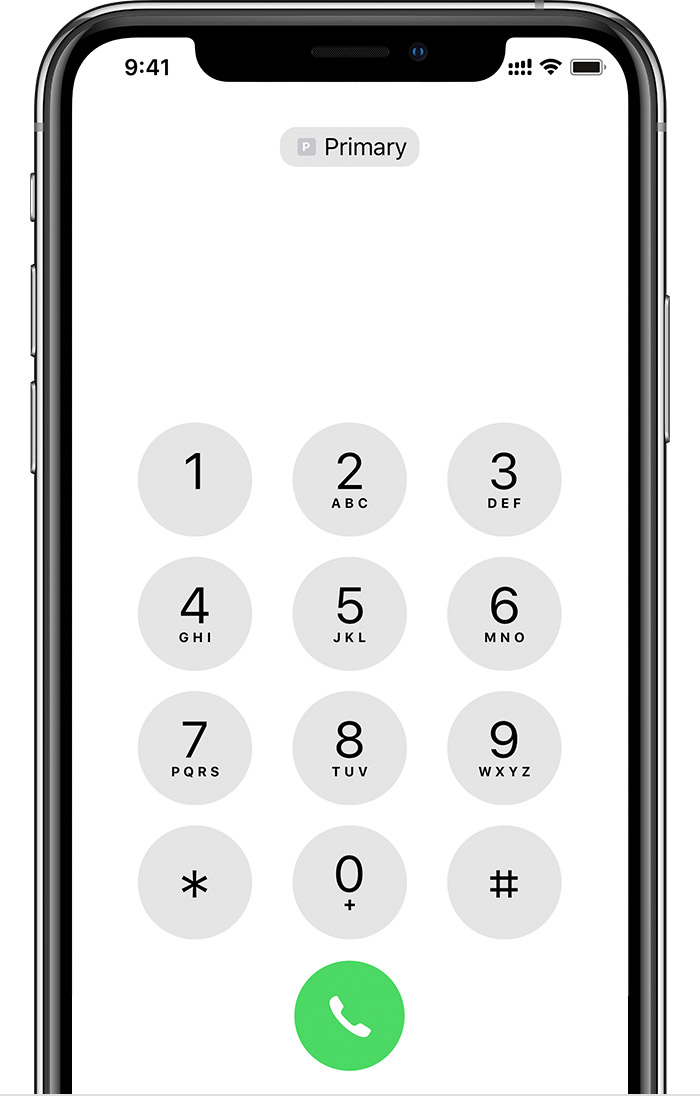
If you're using the keypad, follow these steps:

  1. Enter the phone number.
  2. Tap the phone number, near the top of the screen. 
  3. Tap the number you want to use.


Jul 26, 2019 12:26 PM in response to stwphanfromboston

I had the same problem and getting ripped off by AT&T. Apple should make the Data Roaming On button linked to the Default Cellular Data Line and Default Voice Line that is selected on the iphone. At the moment, it looks like both numbers (eSIM and Physical Nano-SIM) have Data Roaming Capability. This beats the purpose of having dual SIM - when in Europe you want to use a local European Career SIM number that offers free or cheaper data roaming and not get hit by expensive AT&T International Data Roaming (we don't need data roaming for both numbers). Vice Versa when traveling in USA - Use AT&T service for data roaming and voice calls.

This thread has been closed by the system or the community team. You may vote for any posts you find helpful, or search the Community for additional answers.

iPhone XS dual SIM and eSIM feature unsuitable for international roaming?

Welcome to Apple Support Community
A forum where Apple customers help each other with their products. Get started with your Apple Account.