iMovie effects not working on jpeg images?

Im trying to use the video effects on pictures I drop into the editor, but it really does not work well....am I doing something wrong? Like the effect "negative" or aged film, film grain, ect... It does not work at all. What do I need to do?

Posted on Jun 22, 2019 8:11 PM

Reply
Question marked as Top-ranking reply

Posted on Jun 23, 2019 12:37 PM

Hi,


What version of iMovie and operating system are you using? Update to current iMovie 10.1.12 and Mojave, and see if that makes a difference.


The display in your screen shot is different than mine in current iMovie 10.1.12, and yours is not current iMovie. Here's a screen shot of my display in Project view:
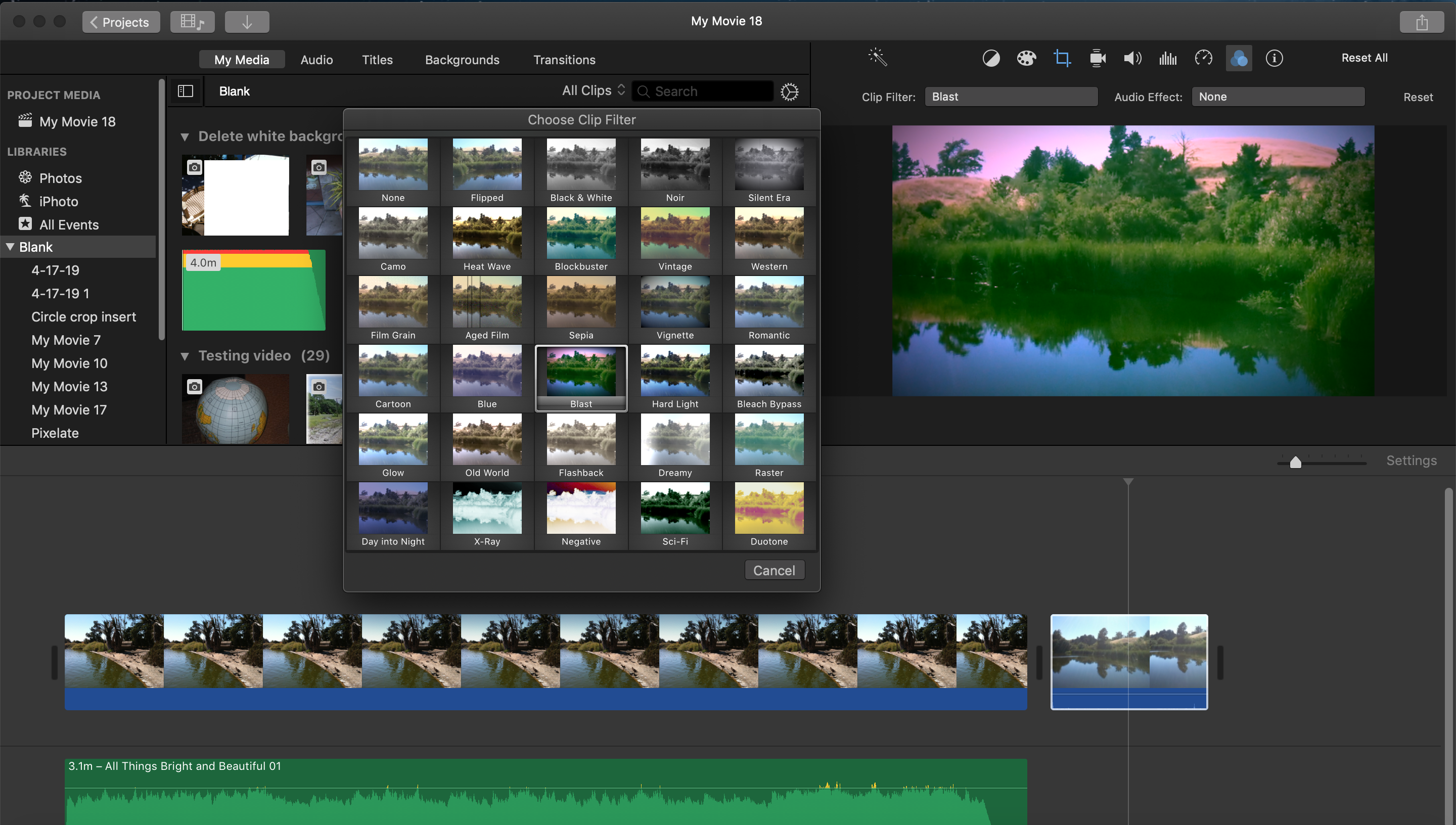


Note that the video effects panel is called Clip Filters, not Video Effects. Further, the Filter selections display the clip that is selected in the timeline, whereas your "Video Effects" icons are blank.


Here's a screen shot of my screen in Media view:


Note that the tabs at the top of the screen say Media and Projects, whereas yours say Library and Theater. Theater is no longer supported in current iMovie.


So, I think that the problem here may be that you are using some earlier version of iMovie. If it is iMovie 9, that version is not compatible fully with operating systems from El Capitan forward. It does not even open in Mojave.


As I mentioned at the outset, try updating your iMovie and operating system versions to current as you can get. Then see if your Video Filters work properly.


-- Rich

5 replies
Question marked as Top-ranking reply

Jun 23, 2019 12:37 PM in response to jinhim

Hi,


What version of iMovie and operating system are you using? Update to current iMovie 10.1.12 and Mojave, and see if that makes a difference.


The display in your screen shot is different than mine in current iMovie 10.1.12, and yours is not current iMovie. Here's a screen shot of my display in Project view:


Note that the video effects panel is called Clip Filters, not Video Effects. Further, the Filter selections display the clip that is selected in the timeline, whereas your "Video Effects" icons are blank.


Here's a screen shot of my screen in Media view:


Note that the tabs at the top of the screen say Media and Projects, whereas yours say Library and Theater. Theater is no longer supported in current iMovie.


So, I think that the problem here may be that you are using some earlier version of iMovie. If it is iMovie 9, that version is not compatible fully with operating systems from El Capitan forward. It does not even open in Mojave.


As I mentioned at the outset, try updating your iMovie and operating system versions to current as you can get. Then see if your Video Filters work properly.


-- Rich

This thread has been closed by the system or the community team. You may vote for any posts you find helpful, or search the Community for additional answers.

iMovie effects not working on jpeg images?

Welcome to Apple Support Community
A forum where Apple customers help each other with their products. Get started with your Apple Account.