See this article https://support.apple.com/en-in/guide/mail/mail14059/mac
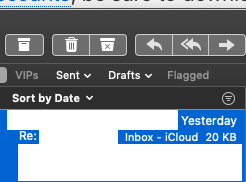
Tip: To quickly identify large messages, click “Sort by” at the top of the message list, then choose Size from the pop-up menu. If Size isn’t shown, choose View > Message Attributes > Size.
For google mail , in mail side bar under mail box tap the google folder or iCloud folder the mails that are saved on the respective folder will show the mail size , make sure you had already created a gmail account and its mail address and kept the same mail address as the Apple ID , in system preferences > iCloud the Apple ID is signed in , also same in the system preferences > iCloud the mail box is always checked .
You can see this in imap account that is configured with iCloud sever account see this article https://support.apple.com/en-in/guide/mail/mail35803/mac
To delete the the mails see this article https://support.apple.com/en-in/guide/mail/mlhlp1001/mac