Extremely frustrated with dual sim functionality

When preferences set as Primary number as default calling & data also selected on primary number only then secondary number network gets lost. When secondary number selected for data & calling defunct set on primary number then calling & data both works on secondary number only. Likewise this problem of using calling & data consumption preferences are going just mad on performances. Have been ignoring this for long now but getting too frustrating at times when you need the performance so desperately. I have started believing that iPhone offered dual sim functionality without doing required R&D. Too bad for such a premium product.

iPhone XS, iOS 12

Posted on Jul 6, 2019 7:09 AM

Reply
2 replies

Jul 6, 2019 10:00 AM in response to avinashpratap

I am not clear as to what the issues are on your iPhone.


Are you using two different carriers or same for both eSim and SIM. Have you spoken to your Cellular Service provider. Have you missed any cellular update (No, I am not talking about iOS update here)

You have not even stated what settings you have on your iPhone.

However kindly check the following...


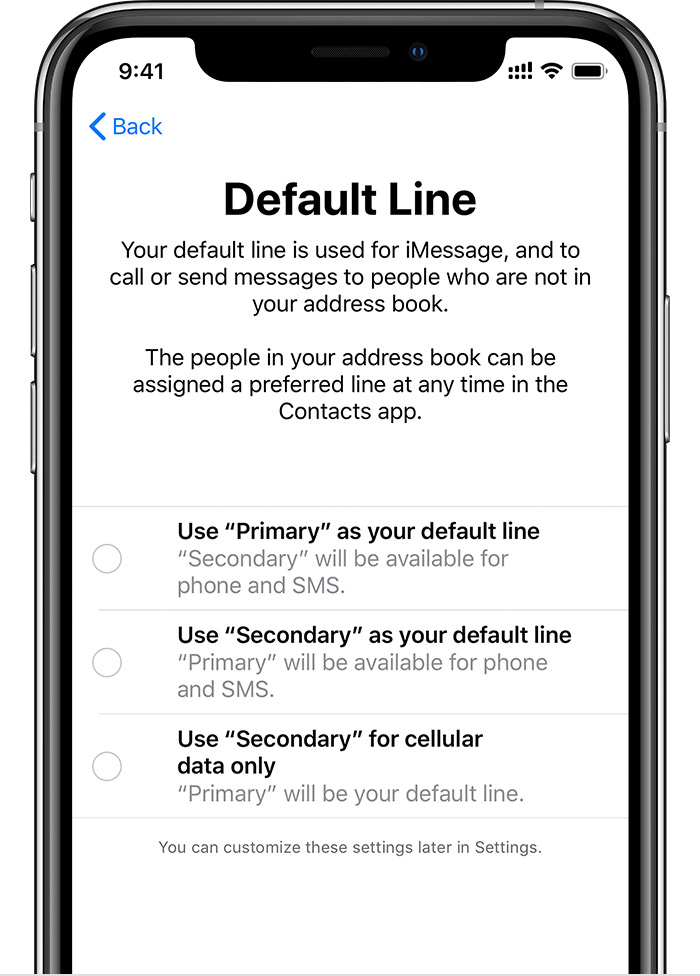
Use Primary as your default line: If you select this option, Primary will be used by default for voice, SMS, Data, iMessage, and FaceTime. Secondary will be available just for voice and SMS.


Use Secondary as your default line: If you select this option, Secondary will be used for voice, SMS, Data, iMessage, and FaceTime. Primary will be available just for voice and SMS.


Use Secondary for cellular data only: You might want to select this option if you're traveling internationally and you want to keep Primary for voice, SMS, iMessage, and FaceTime. This will allow you to use Secondary for data.


Learn about Dual SIM status icons

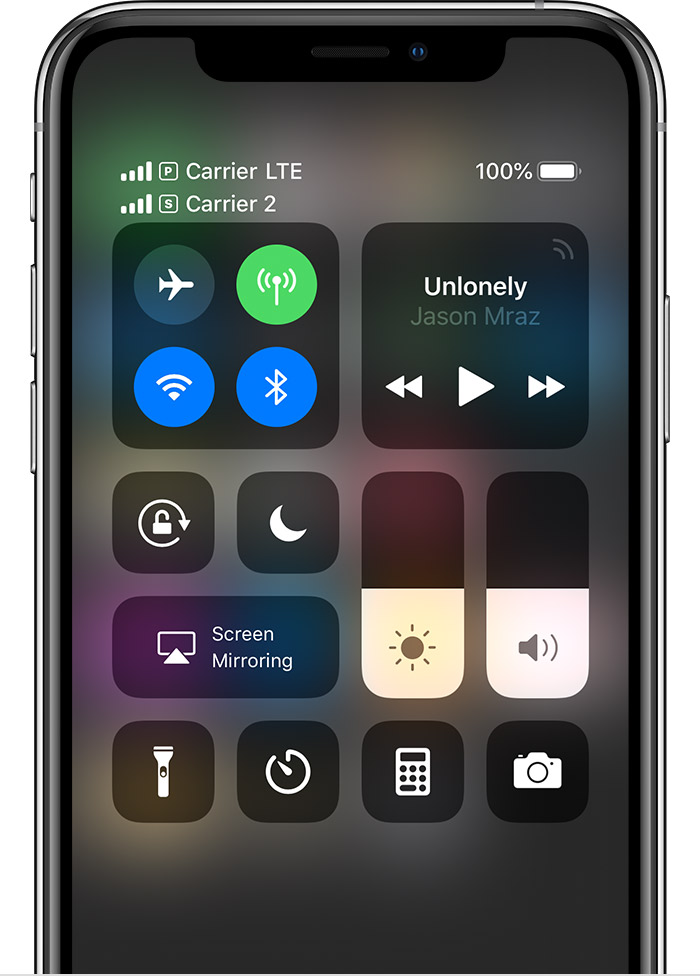
The icons in the status bar at the top of the screen show the signal strength of your two carriers. Learn what the status icons mean.

You can see more status icons when you open Control Center.


Using Dual SIM with an eSIM - Apple Support

https://support.apple.com/en-us/HT209044

Jul 7, 2019 12:01 AM in response to SravanKrA

Thanks for writing back. Ok, few more clarity here. I have primary as faculty line and secondary for cellular data. Then also I see this problem happening. Pls note that I don’t face this problem always & these are intermittent issues. That makes me sense that there are some gaps here.


Also why should it route calls through secondary line when I have selected primary as default line? Pls note that I know you can assign specific Nos for calling through primary or secondary line so I consider that while quoting this.


Also at times when I select secondary line as default then also my calls gets routed through primary line.


And Nd yes I have checked with my cellular service provider they say check your handset.

This thread has been closed by the system or the community team. You may vote for any posts you find helpful, or search the Community for additional answers.

Extremely frustrated with dual sim functionality

Welcome to Apple Support Community
A forum where Apple customers help each other with their products. Get started with your Apple Account.