Adding artists to your favorites.

How can you add more artists to your favorites after you have initially set up your account. You used to be able to from the "For You" tab and then in the bottom you could add more. That option isn't there anymore.

Posted on Jul 30, 2019 7:32 AM

Reply
Question marked as Top-ranking reply

Posted on Jul 30, 2019 9:41 AM

They need to change it back to this format.


  1. Open the Music app and tap For You.
  2. In the upper-right corner, tap or your photo.
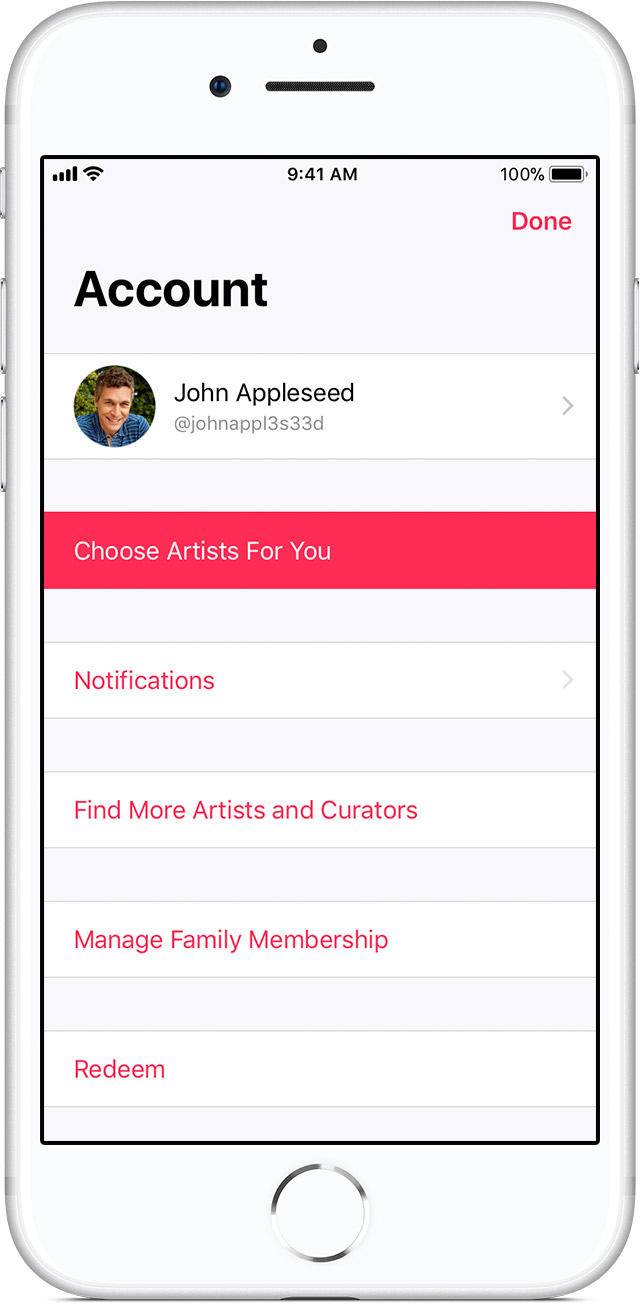
  3. Scroll to the bottom of the page and tap View Account, then tap Choose Artists For You.

  1. If you want to reset your choices completely, tap Reset. If you want to change or add to the choices you made previously, follow the instructions to like, love, and remove genres and artists based on how important they are to you. You can also search for specific artists and genres.


  1. When you're done making changes, tap Done.


2 replies
Question marked as Top-ranking reply

Jul 30, 2019 9:41 AM in response to Urquhart1244

They need to change it back to this format.


  1. Open the Music app and tap For You.
  2. In the upper-right corner, tap or your photo.
  3. Scroll to the bottom of the page and tap View Account, then tap Choose Artists For You.

  1. If you want to reset your choices completely, tap Reset. If you want to change or add to the choices you made previously, follow the instructions to like, love, and remove genres and artists based on how important they are to you. You can also search for specific artists and genres.


  1. When you're done making changes, tap Done.


This thread has been closed by the system or the community team. You may vote for any posts you find helpful, or search the Community for additional answers.

Adding artists to your favorites.

Welcome to Apple Support Community
A forum where Apple customers help each other with their products. Get started with your Apple Account.