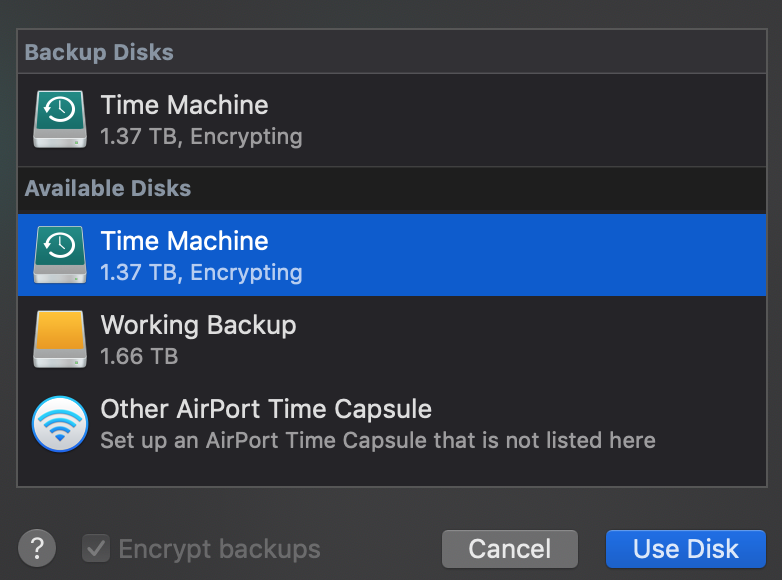
I had this issue as well and I think I have it resolved. I chatted with apple support for a while, and at first it seemed like the only solution was formatting the entire drive, but I have multiple partitions which I couldn't format on the drive. The solution seems to be to reselect the disk as a backup and encrypt it. Support asked me if I had FileVault on, which I do, so I'd say first ensure you have FileVault enabled (System Preferences > Security & Privacy > FileVault). Next, go into Time Machine preferences (System Preferences > Time Machine), navigate to "Select Disk..." and you should see your time machine disk under "Backup Disks" as well as "Available Disks." Select the Time Machine disk under "Available Disks" and make sure to check the box next to "Encrypt Backup" before clicking "Use Disk." It then prompts you to choose a password, and then it will Encrypt the disk. Time Machine is now preparing the backup, so this seems to have worked. I will update if this fails, but as of now, this is my solution.