Good afternoon jtfromwv,
Welcome to the Apple Support Communities!
I understand you are wanting to customize how iCloud for Windows downloads your photos. The resources below will provide more information regarding how iCloud for Windows works with your PC. Any photos that you take on your iPhone or place in iCloud will automatically be added to the iCloud Photos > Downloads folder in File Explorer.
It appears that you have downloaded files by year to your PC. Your photos and videos download to the location you set in iCloud Photos Options. Take a look at the resources below. I've highlighted some key information here for you. Click on the link for complete details.
Set up and use iCloud for Windows
"Download your photos and share with friends
When you turn on Photos, iCloud for Windows creates a Photos folder in File Explorer called iCloud Photos.
New photos and videos you add to iCloud Photos will automatically download to your PC.
Windows 10: From the Start menu, scroll down and open the iCloud folder. Select iCloud Photos.
My Photo Stream isn't available on iCloud for Windows 10 and later."
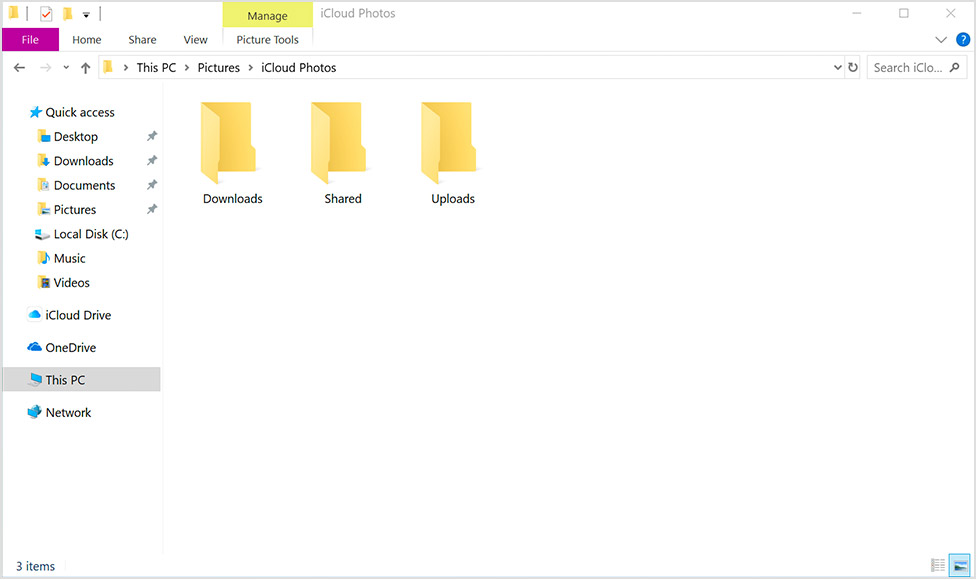
Download your photos and videos from iCloud Photos
You can also download your collection by year when you follow these steps:
- Open a File Explorer window.
- Under Favorites, click iCloud Photos.
- Click Download photos and videos.
- Choose the photos and videos you want to download and click Download.
Your photos and videos download to the location you set in iCloud Photos Options."
Get help with iCloud Photos on your Windows PC
Take care.


