What is causing the random glitches in my Optimized/Original Timeline footage?

I don't think this issue ever occurs on my proxies and it is not in the original media files and does not occur when the clip is played from the browser. However, when played in the timeline, I get about 3-4 of these per project. It's a frame or two (and sometimes even appears in the thumbnails in the timeline) where a clip from elsewhere in the project is flashed over the correct clip. The glitch appears on the exported master file as well.


Sometimes it helps to delete all the render files, but then usually the problem just occurs elsewhere.In fact! After I took the screenshot and while I wrote this post, this project was rendering, as you can see. When I returned to the FCPX window, the problem was gone! I guess that glitch is a leftover from when I last had the project open, which was before I last cleared the render files.

MacBook

Posted on Oct 2, 2019 4:45 AM

Reply
Question marked as Top-ranking reply

Posted on Dec 17, 2019 12:51 PM

Tom Wolsky's suggestion to optimize the media of the project has apparently solved the problem for me and at least two other people.


I selected the project in the browser and then File > Transcode Media > Create Optimized. This way you don't have to optimize everything in the event.

Similar questions

40 replies

Nov 21, 2019 5:53 AM in response to MMARTINE78

Can you upload the original, unrecompressed file somewhere like WeTransfer or Dropbox?


The workaround for the HEVC media that others are doing is to convert the files to either ProRes or H.264 using EditReady or Compressor. This always gives an opportunity ton convert the audio to uncompressed 48K rather than using the original AAC 44.1, which is always problematic in the production chain. Also using an app like Filmic Pro or Mavis gives you better control of the media.

Dec 15, 2019 11:17 PM in response to Tom Wolsky

Hi Tom,

I just want to share that after delete generated file and run "optimize" video then export.

It does solve the issue. we tested on 2 of our mac.

Big thanks to you to unblock us for our works.

The codec we're trying to export is H264 and resolution is 1080p.


We do observe that the clips with glitch image seems to come from iphone11,

and we have clips from Sony(AVC Coding, Linear PCM) and iphone11(AAC, HEVC)

Just a wild guess, maybe the bug is caused by rendering from AAC.


Still, it considered a big bug for us, anyone know how can we report this to apple and so we can let them know they should fix this ASAP consider so many people having the same issue?

Dec 18, 2019 12:35 AM in response to shockwave1215

I noticed that if you apply exposure change to the clip that have the glitches it will disappear, I mean just put the timeline exactly where the glitch is and change the highlights or shadows one percent and it will fix it, it will come back in other places very soon so what I'm doing is finish everything with my project then before export I put an adjustment layer above the whole project and slightly change anything in the color wheel then I export immediately without even scrubbing my mouse on the timeline .


my graphics processor is AMD Radeon R9 M290X 2 GB


BTW is everyone of you guys has the same graphics processor ( Radeon ) ?

I think maybe it's driver bug?


Nov 19, 2019 4:51 AM in response to flawrencis

I do not think it is caption related. I have many examples in videos without captions. I have more examples not near a transition than near a transition. I still think it is bug in the Metal driver use. It looks to me like references to old buffers.


My only work around has been to unfortunately export the initial timeline from Final Cut to DeVinici and render the video in DeVinci before sending to Compressor.

Nov 21, 2019 6:45 AM in response to sgoggin

Importing the clips is kind of necessary to edit.


It's not the act of importing that damages the files it's just doing anything with the original HEVC can damage them. If you're just doing simple cuts then your method is fine. For anything more complex, and if you want to really edit in FCP you need to have reliable media that works well. Processing the files before you bring them into FCP lets you do that.

Dec 13, 2019 6:36 PM in response to husam-ej

I did not talk to Apple Support, can we actually call them about something so complex? I submitted bug reports.


There is a new version 10.4.8 which appears to resolve many issues. I also updated to MacOS 10.15.2. You have to delete generated files "File->Delete Generated Event Files" on any existing Library Events. I still see some minor playback glitches but do not know if they extend to exported files. May be solved, I have yet to confirm in detail.

Dec 15, 2019 1:51 PM in response to Tom Wolsky

I've been working with a senior advisor on the phone and via email the last couple of weeks. She thought it was my external drive. After I did a number of tests - AND YES IT'S ALL VERY DEMOTIVATING - it turns out it doesn't matter what drive I use or how I import the footage.


That said, I don't have these problems with footage from my Canon. Only my iPhone 8 Plus. I heard someone else mention that device. Could this be a commonality?


In any case, she's passed my case onto the engineering department as the problem is beyond her expertise. We may as well continue working here to solve it. Here's all the relevant info I can think of.


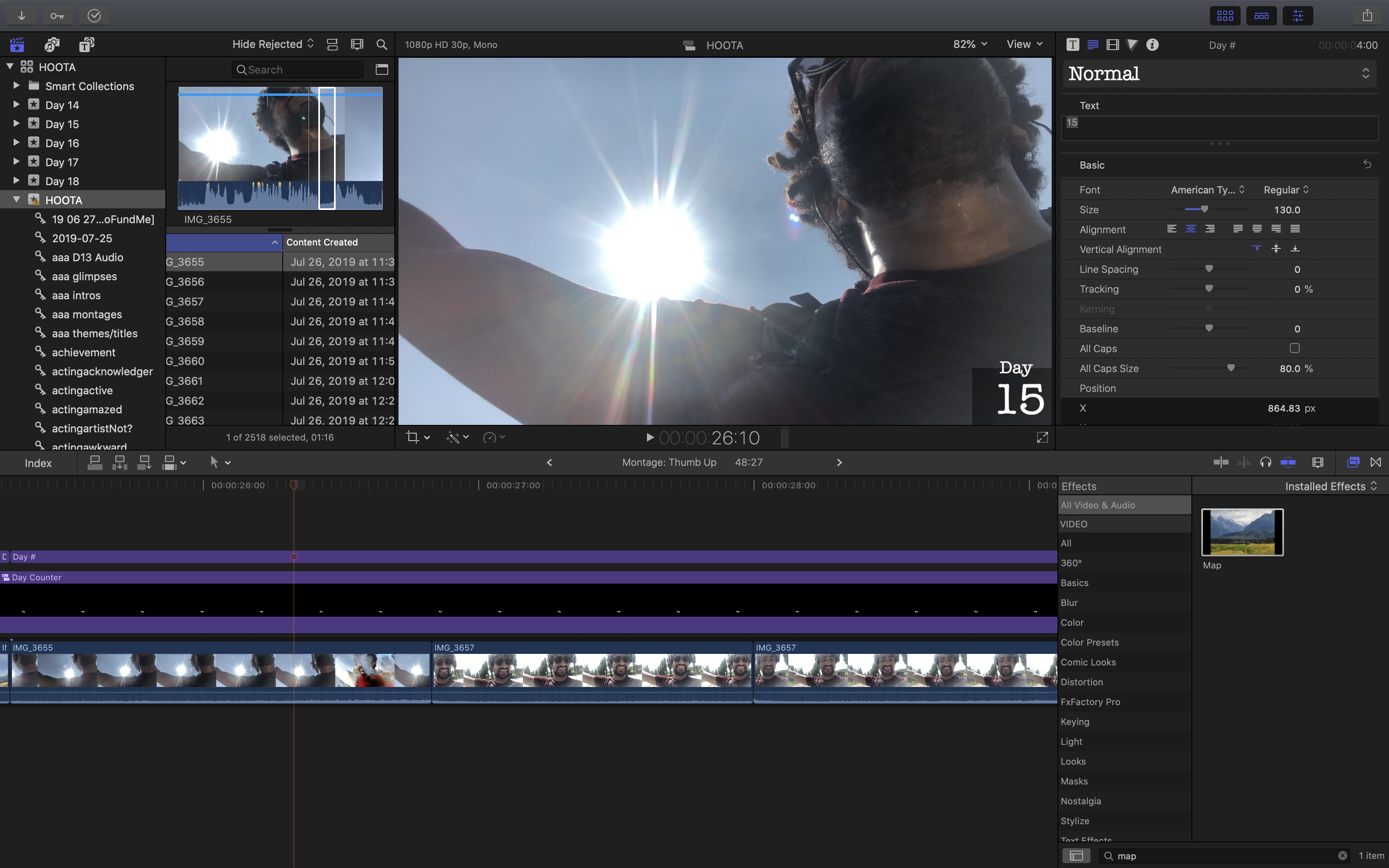
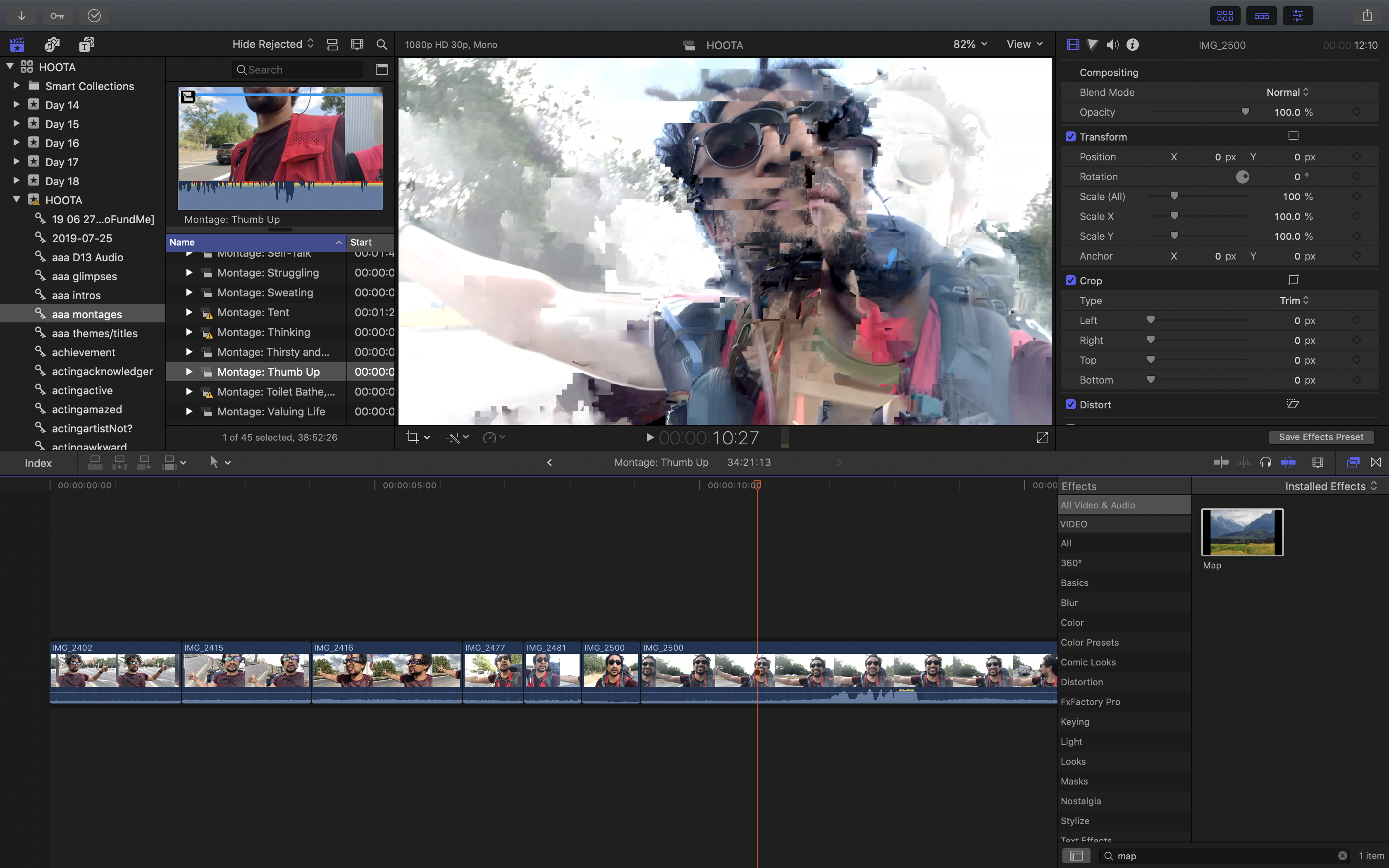
The problem: Some kind of "compression" issue in the viewer, the timeline, the export, and infrequently the browser. Basically, I can see, for several frames, two clips meshed into one another. As a clip plays, all of a sudden there is a glitchy overlay of another clip. No problem in original media when played from Final Cut Pro Original Library folder. Sometimes these issues go away after a moment. Sometimes they don't. Multiple exports yield same glitches in same places, usually.


Device: iPhone 8 Plus (some clips from iPhone 6S)

Note: I have iCloud Photo Library on.

File transfer: Exported from Photos, Airdrop, and (only recently) Image Capture

MacBook Pro (15-inch, 2018) macOS Catalina 10.15.1.

Processor 2.6 GHz i7 | Memory 16 GB | Graphics 4 GB

Final Cut Pro X 10.4.8

Import: Sometimes transcoded for proxy. Never for optimized.

Playback: Prefer performance

View: Original media (sometimes proxy but not for recent projects)

Problem appears: Viewer, timeline, browser

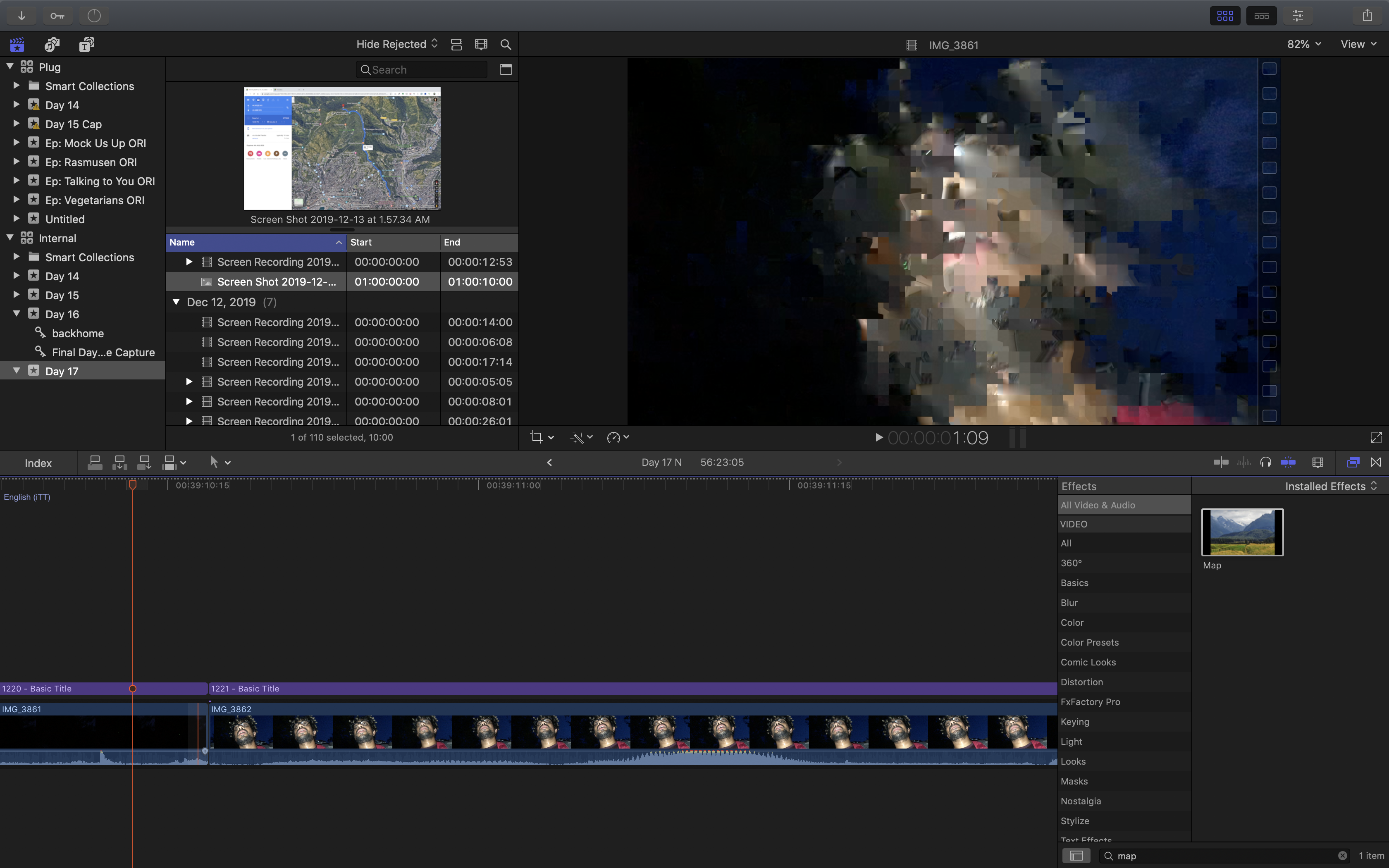
Note: Problem does not appear in same places in viewer, timeline, and browser. Glitch may appear in only viewer or only timeline or only browser or only viewer but only with short red cursor...

Note: Problem does not appear in original media that has been copied into the library. It does not ever appear outside of FCPX except for in export.

Note: Problem does not appear with proxy media.

Problem started: ~late August/early September


Project edits include captions, 3D titles, and picture-in-picture


To see the videos: hhttps://www.youtube.com/channel/UC8S8EgU_R3ndqH0M3x5BgTw (I won't be mad if you subscribe)

Examples: On Hold, any of the #HOOTA videos


Here's an example in the timeline:
Here's an example in the viewer:
Here's an example where the playhead didn't yield the glitch but the short cursor did:
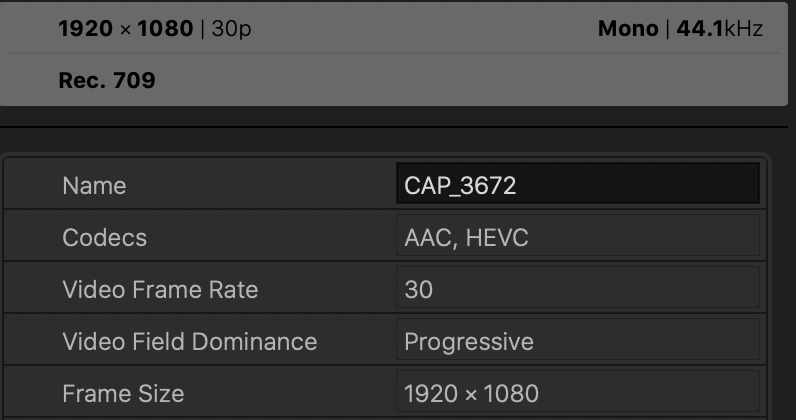
Typical file details:
Nov 21, 2019 4:06 AM in response to Tom Wolsky

I have the clip uploaded to Vimeo, all the clips from that particular shoot. It was raw footage for a recruiting site. You won't see a glitch, unless it is constant in the timeline..It comes and goes. I get around it by rerendering and sliding footage around, however sometimes it takes multiple uploads to get it glitch free.

https://vimeo.com/373942124


Heres an uploaded file with glitch at 1:29 https://vimeo.com/373942124


This thread has been closed by the system or the community team. You may vote for any posts you find helpful, or search the Community for additional answers.

What is causing the random glitches in my Optimized/Original Timeline footage?

Welcome to Apple Support Community
A forum where Apple customers help each other with their products. Get started with your Apple Account.



