FCPX 10.4.7. egpu problem

So, i just updated Catalina to my macbook pro and installed FCPX 10.4.7...

Am i missing something or what the heck is going on with the external GPU support here? I'm using Blackmagic eGPU pro btw.

That checkbox is now gone (right click on fcpx program icon) where you could select the use of eGPU on 10.4.6.

FCPX 10.4.7 use now eGPU render/export only. Not for playback what i'm used to. So this 10.4.7 is useless to me right now...

Anyone have same problem?

MacBook Pro with Touch Bar

Posted on Oct 8, 2019 8:08 AM

Reply
Question marked as Top-ranking reply

Posted on Oct 16, 2019 8:51 AM

Let me preface this by saying that this is the fastest FCPX has ever run on any system i have ever had, its amazingly fast - Im super super happy with it.


My setup when i updated to FCPX 10.4.7 & Catalina was as follows:

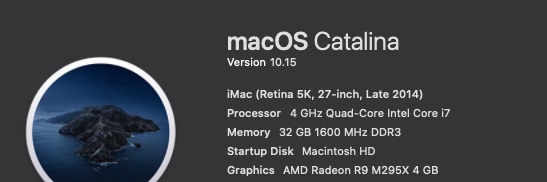
Late 2014 5K iMac 27inch - 4 GHz Quad-Core Intel Core i7 - 32 GB 1600 MHz DDR3

AMD Radeon R9 M295X 4 GB graphics

MacOS Catalina 10.15

FCPX 10.4.7

Target Display mode with a late 2011 27inch iMac and external 55inch UHD monitor connected to an

Akitio Node Pro - Vega 64 daisy chained to an Akitio SSD bay (4TB Raid0)


The above setup worked very well in FCPX 10.4.6 & Mojave - FCPX would use both internal and external GPU in tandem and never would i experience any lag though i had to open FCPX in low resolution mode for it to work properly. I would force the eGPU & Low Resolution mode from the Finder.
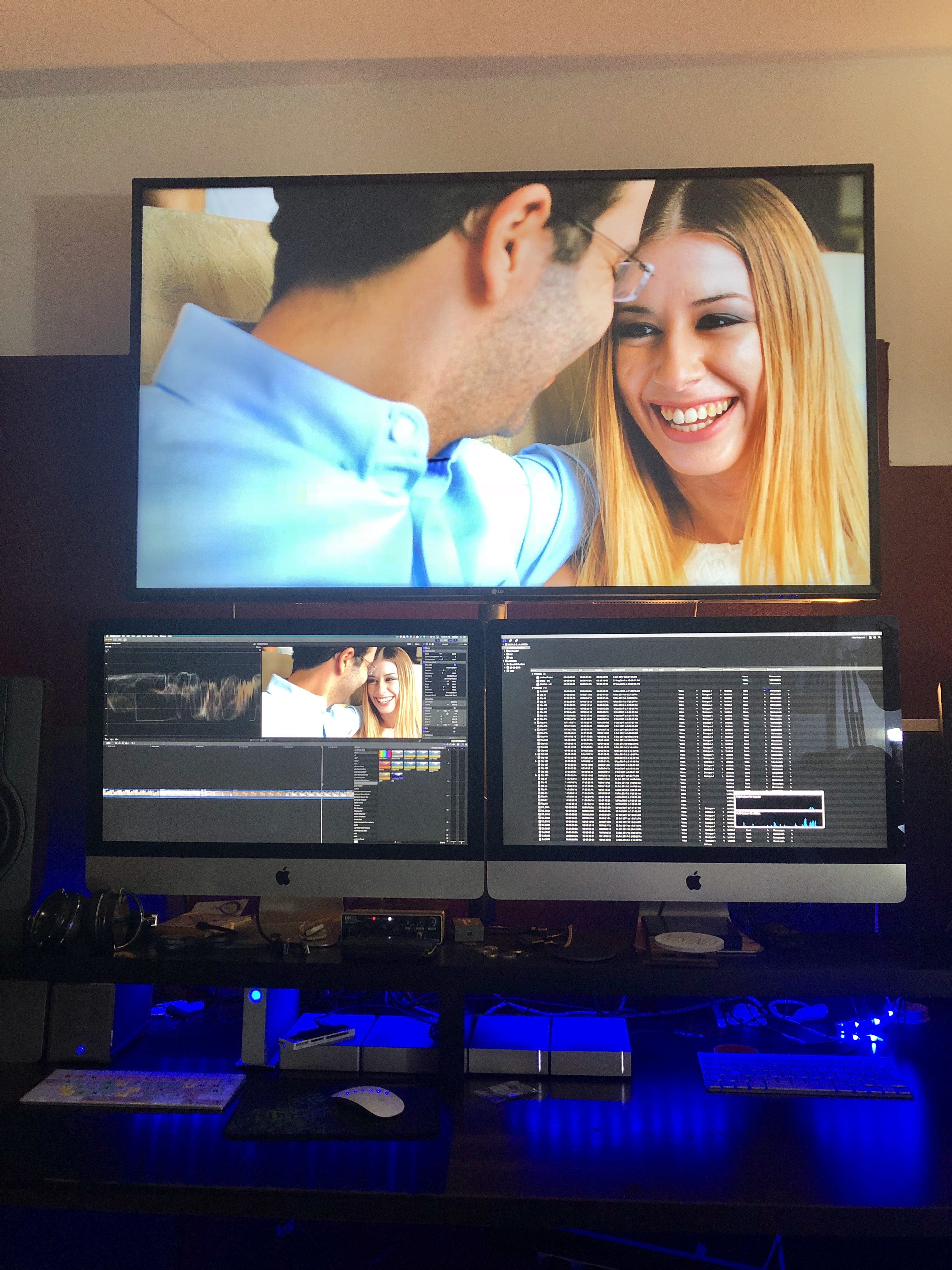

Original Setup with an older iMac as a secondary display.
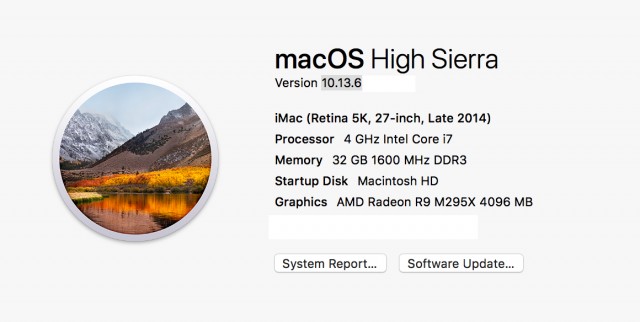
Before the Update - with a Vega64


After the update (to FCPX 10.4.7 & Catalina) only the internal GPU was utilised so i tried testing various setups and options finally concluding to remove the 2nd iMac (Target Display) from the equation and use an external monitor powered from the eGPU directly instead.


From the System Preferences i set one of the external monitors as the main monitor (Dragged the menu bar). Then i opened FCPX and chose through Preferences my external GPU. After that - wow - everything was been running super smooth super fast - with my usual effects maxed out. And the thing is that now the internal GPU is only used for h.264 sharing.
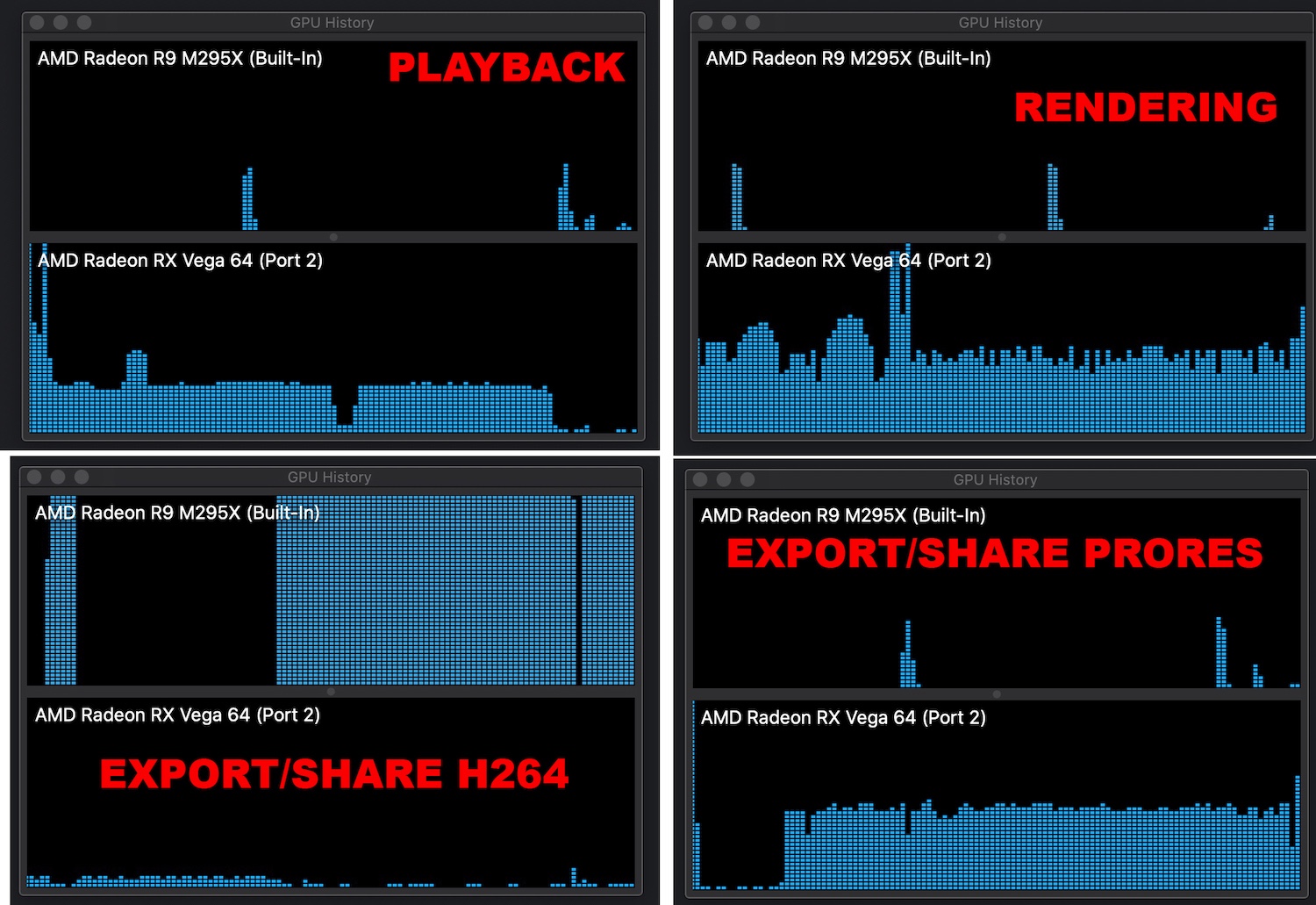

.


Also i have noticed that if you choose an external monitor powered through an eGPU as your main display MacOS will recognise the eGPU as your main graphics card.
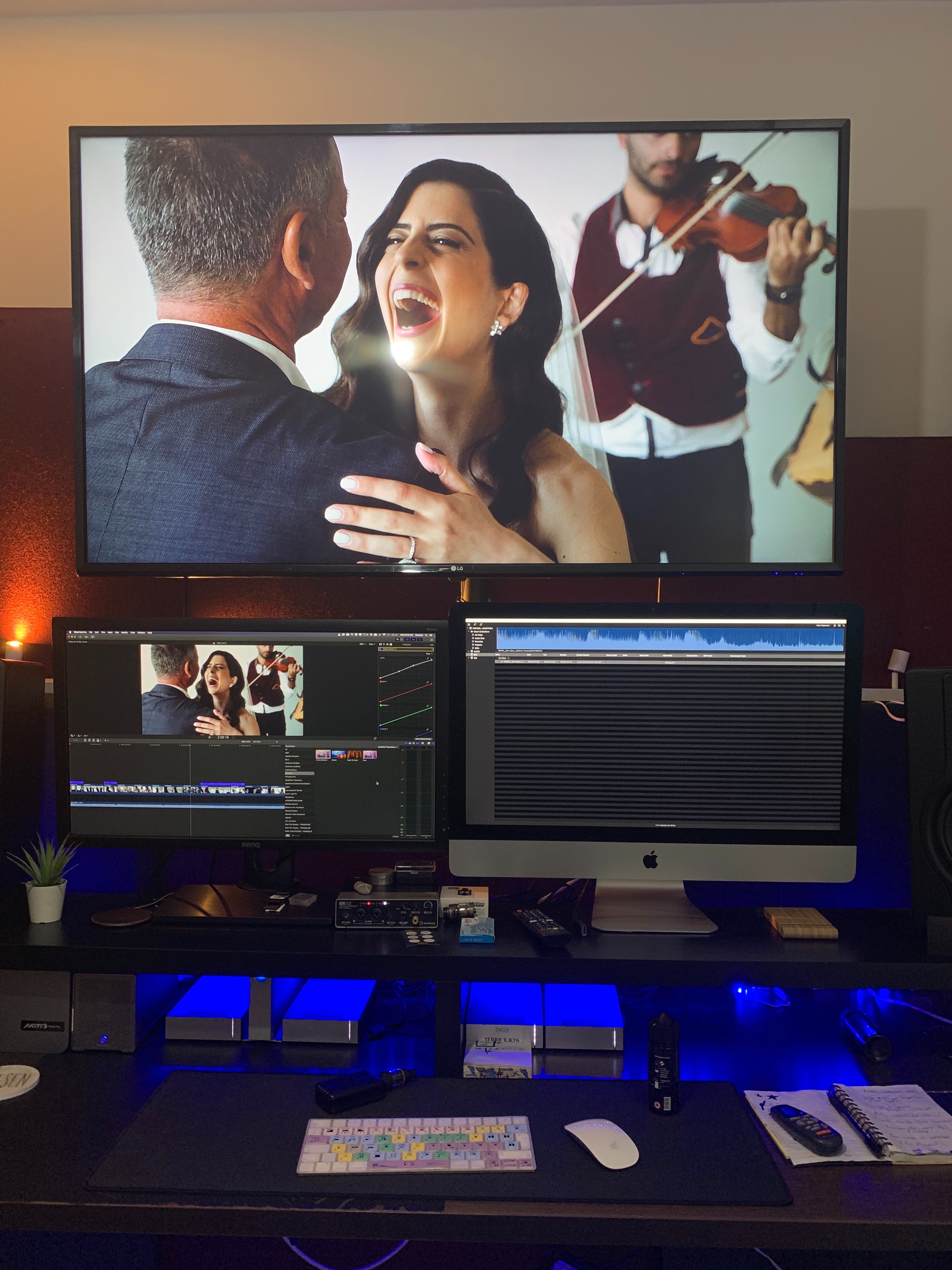
So now my main monitor now is a 27inch BenQ. Doesn't look that nice but if im getting the performance boost who cares.


When external monitor is used as main Display

When iMac is used as main Display


Which could essentially mean that we are getting full eGPU support across the board. I don't have the time to test this but im sure someone out there could test it out.

227 replies

Oct 11, 2019 9:20 AM in response to Cedric Robertson

"Meaning when setting up monitors you have the white bar on the eGPU monitor?"


Meaning that is FCP X interface is running on the display attached to the eGPU, that's what will be used.


FCP X will start on whatever display is currently "active".

My preferred way to make sure that FCP X starts on the display I want:

1) click the menu bar on that display

2) launch FCP X using only Spotlight: command-space, start typing Final, press enter

Oct 12, 2019 9:15 PM in response to Cedric Robertson

Cedric I only have one monitor attached to my Mac mini via the Vega 56 eGPU. No way FCPX isn't running on just that display since there is only one.


This may be true of playback performance and in general performance will always be better anyway with a monitor attached directly to the eGPU.


The share issue does not seem to be related to any of this since share to a Master format will use the eGPU for all of us and will be used by FCPX during a background render since that is also based on ProRes. It is every other Apple Devices or Compressor based option that defaults to the internal GPU no matter what we do.

Oct 16, 2019 1:26 AM in response to njovusann

njovusann wrote:

Ok guys i think i figured it out. In order for render/share/playback to work with the eGPU, Final Cut needs to be open in the monitor connected to the eGPU.

What is your set up? Which Mac and what version of FCPX? Can you attach a photo of the activity monitor for the eGPU. Is it making a massive difference or is it just firing? The problem I keep seeing is not getting it to fire, but for it to be really utilised to the fullest ability, rather than using both a bit. Could you time a comparison of rendering the same clip when plugged directly into Mac and then again directly into Monitor. This would be so helpful!! Thank you!

Nov 20, 2019 6:22 AM in response to Luis Sequeira1

I've been using an 2013 MBP with en external BlackMagic GPU with amazing results. It's only Thunderbolt 2 , but still much faster then the internal intel graphics. With the latest update to FCPX I'm stuck with no playback over eGPU, like the rest of the posters here. I really do hope Apple fix this bug. I don't run en external monitor, never needed to before.

Dec 2, 2019 8:10 PM in response to MZTVPD

Finished a follow up call with support today.


Two weird results:


My problematic project I was trying to export using H.264 encoding used only the integrated graphics (not eGPU) on Catalina, but appeared to use a combination of the integrated graphics and eGPU on Mojave (using the same version of FCPX).


Using a different project, exporting H.264 encoding appeared to use the eGPU entirely on both OSes.


Besides whatever I hear back as feedback from Apple engineers after this diagnostic support call, I'll be working on a brand new video/project in the upcoming week. I'll be attempting to export with H.264 encoding and see if it uses my eGPU.

Dec 23, 2019 11:32 AM in response to janne76

I just talked with the Media Specialists at Apple. The tech rep actually grew up quite close to me!


I’m using FCPX 10.7.8, have a Radeon RX 580, and Mercury Helios enclosure. All of my exports are internal CPU and GPU intensive which shouldn’t be the case.


We went through the entire process of recording Data as I exported with this issue. They said they’d get back to me in 5 days or so! We’ll see where it goes.


This is a huge problem, they shouldn’t have rolled the 10.4.7 out without resolving it first, let alone release .8 and not address. Unfortunate, but I have faith in Apple’s engineers.

Dec 26, 2019 3:22 AM in response to janne76

According to Apple Developer notes if you use an eGPU with an internal display the internal or discrete GPU is used an not the external as that has inferior performance due to memory transfers back and forth.

In order to ensure the external GPU is used for playback you need to use the display connected to the egpu and that one only.

If you use multiple display the discrete GPU will be used for all live tasks and the external gpu will be used for background and for what you have selected under multiple displays (browser, timeline or viewer)

Dec 27, 2019 10:45 AM in response to Interceptor121

Basically it works if you connect your main display to the eGPU card, but honestly it is a huge burden and not Apple like at all. I am also using a Mac mini 2018 and need to physically disconnect the cable from the Mini in order for this to work. It used to work perfectly why on earth is Apple deciding again what they believe is good for their users leaving no other choices?

Dec 27, 2019 11:44 AM in response to titokane

Titokane you are making confusion here.

if you have a display connected to an egpu and this is the only display being used the display will be accelerated regardless of what the egpu preference settings are

if you have multiple displays the internal display is always controlled by the onboard GPU and any acceleration will depend on the application ability to do it or not. Applications that cannot manage multiple displays will go through onboard GPU and use displaywindow only on the egpu

all of this never changed from mac os x point of view. In terms of the extent of usage of the eGPU in a scenario where the display is not connected to the egpu or there is only the internal display available this will depend on the code. Metal doesn’t recommend copying data over thunderbolt for processing because of limited bandwidth compared to PCI. It is possible that in the past previous versions of final cut were not following metal guidelines and therefore once optimised eGPU usage drops however once you go in a supported scenario the overall performance would be improved

apple is not going to do anything about it as this is the way metal is expected to work and fcpx is aligned to it


This thread has been closed by the system or the community team. You may vote for any posts you find helpful, or search the Community for additional answers.

FCPX 10.4.7. egpu problem

Welcome to Apple Support Community
A forum where Apple customers help each other with their products. Get started with your Apple Account.