FCPX 10.4.7. egpu problem

So, i just updated Catalina to my macbook pro and installed FCPX 10.4.7...

Am i missing something or what the heck is going on with the external GPU support here? I'm using Blackmagic eGPU pro btw.

That checkbox is now gone (right click on fcpx program icon) where you could select the use of eGPU on 10.4.6.

FCPX 10.4.7 use now eGPU render/export only. Not for playback what i'm used to. So this 10.4.7 is useless to me right now...

Anyone have same problem?

MacBook Pro with Touch Bar

Posted on Oct 8, 2019 8:08 AM

Reply
Question marked as Top-ranking reply

Posted on Oct 16, 2019 8:51 AM

Let me preface this by saying that this is the fastest FCPX has ever run on any system i have ever had, its amazingly fast - Im super super happy with it.


My setup when i updated to FCPX 10.4.7 & Catalina was as follows:

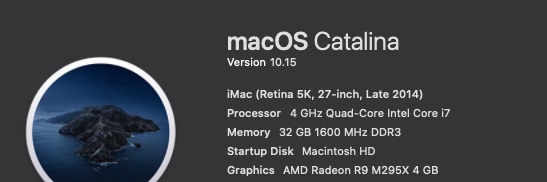
Late 2014 5K iMac 27inch - 4 GHz Quad-Core Intel Core i7 - 32 GB 1600 MHz DDR3

AMD Radeon R9 M295X 4 GB graphics

MacOS Catalina 10.15

FCPX 10.4.7

Target Display mode with a late 2011 27inch iMac and external 55inch UHD monitor connected to an

Akitio Node Pro - Vega 64 daisy chained to an Akitio SSD bay (4TB Raid0)


The above setup worked very well in FCPX 10.4.6 & Mojave - FCPX would use both internal and external GPU in tandem and never would i experience any lag though i had to open FCPX in low resolution mode for it to work properly. I would force the eGPU & Low Resolution mode from the Finder.
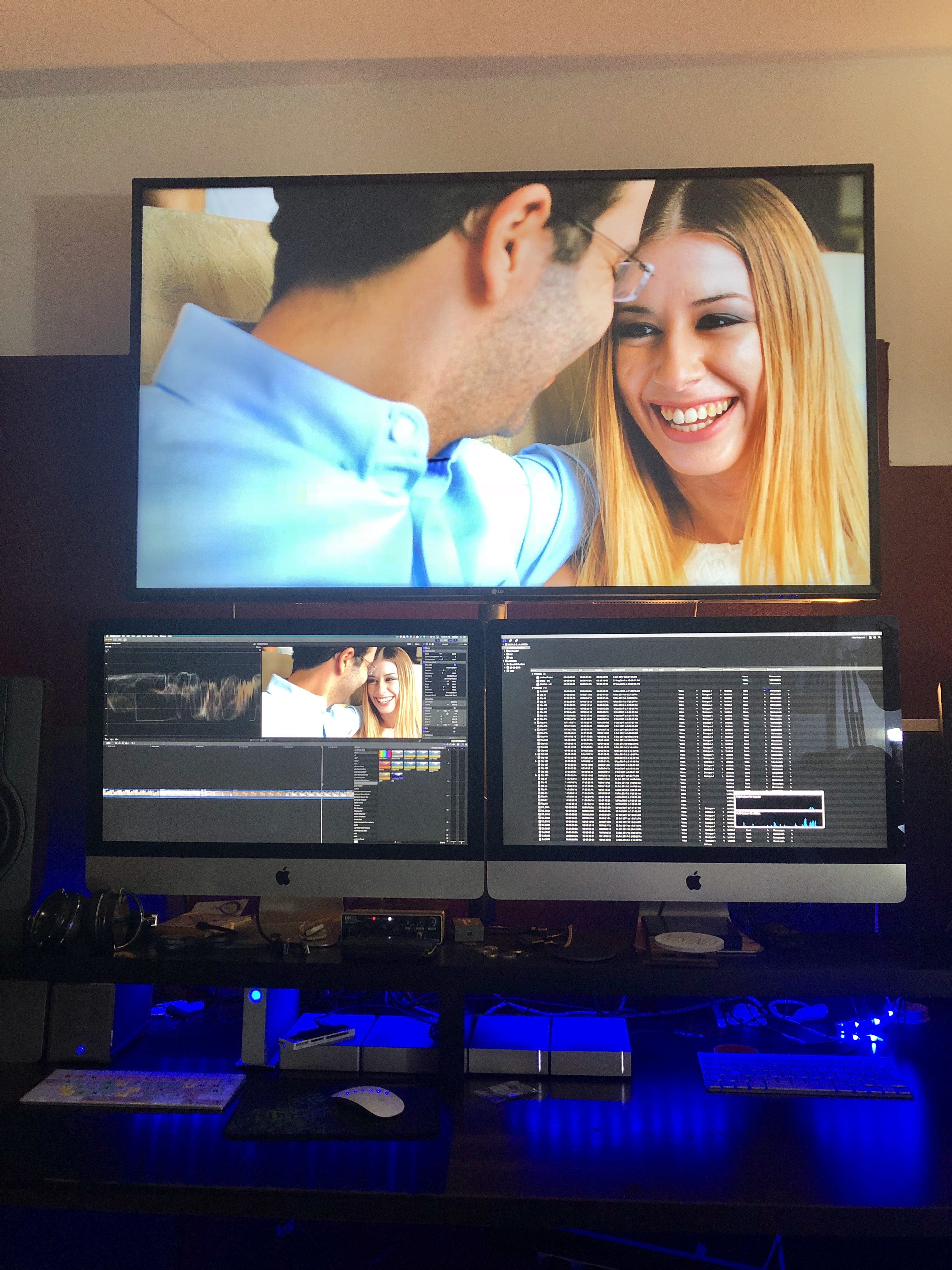

Original Setup with an older iMac as a secondary display.
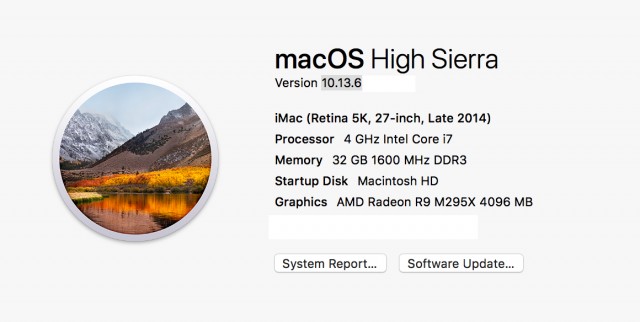
Before the Update - with a Vega64


After the update (to FCPX 10.4.7 & Catalina) only the internal GPU was utilised so i tried testing various setups and options finally concluding to remove the 2nd iMac (Target Display) from the equation and use an external monitor powered from the eGPU directly instead.


From the System Preferences i set one of the external monitors as the main monitor (Dragged the menu bar). Then i opened FCPX and chose through Preferences my external GPU. After that - wow - everything was been running super smooth super fast - with my usual effects maxed out. And the thing is that now the internal GPU is only used for h.264 sharing.
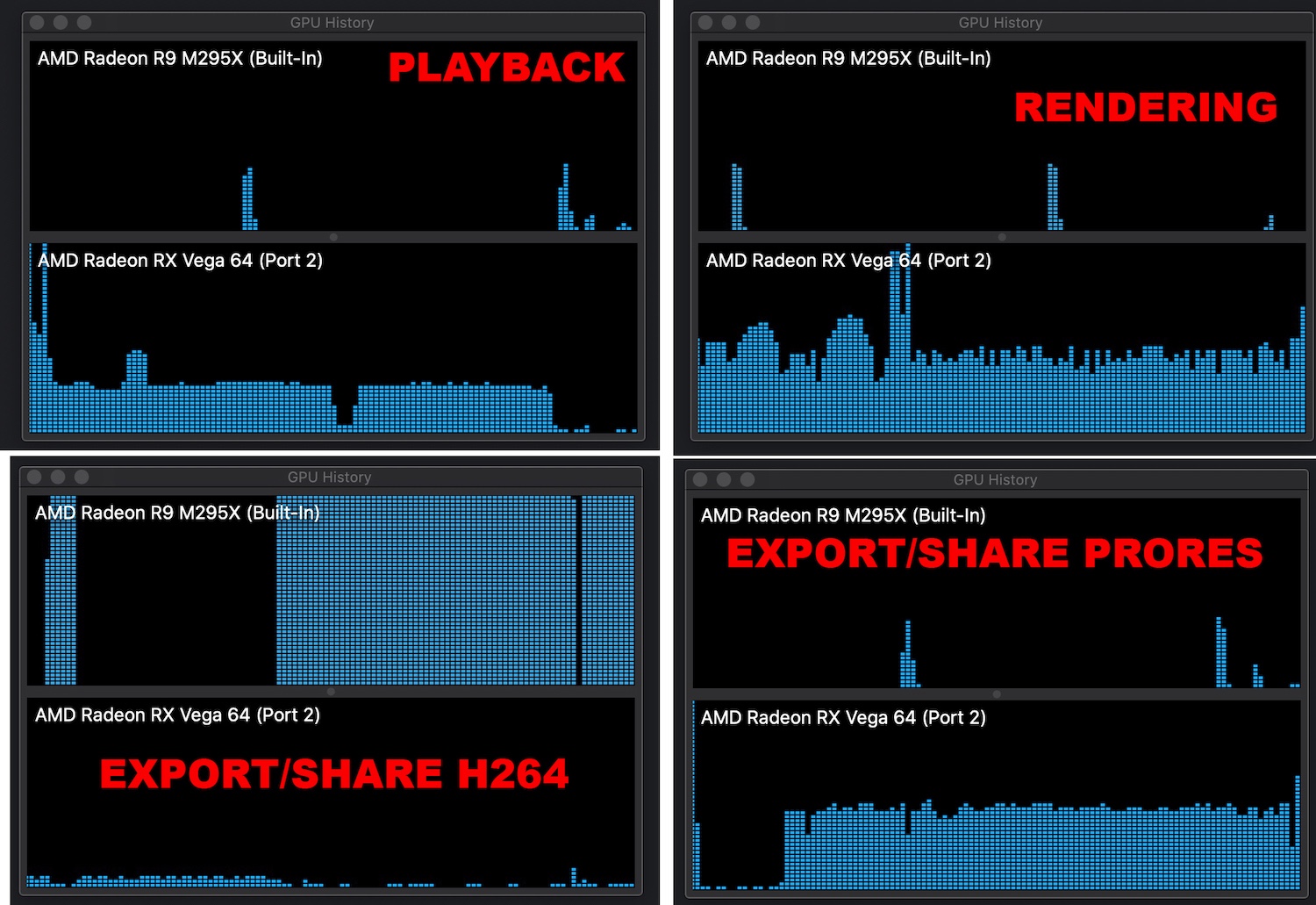

.


Also i have noticed that if you choose an external monitor powered through an eGPU as your main display MacOS will recognise the eGPU as your main graphics card.
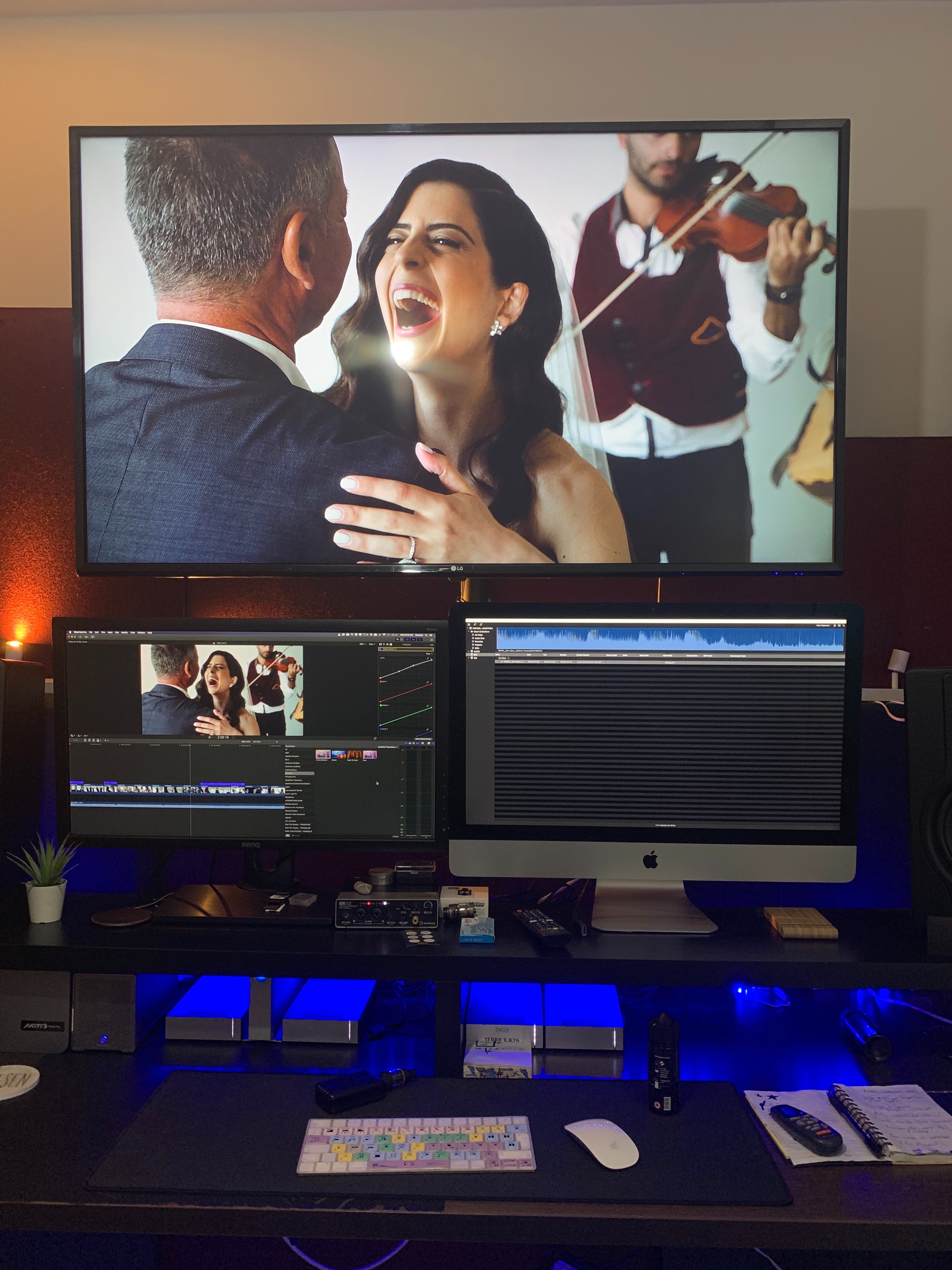
So now my main monitor now is a 27inch BenQ. Doesn't look that nice but if im getting the performance boost who cares.


When external monitor is used as main Display

When iMac is used as main Display


Which could essentially mean that we are getting full eGPU support across the board. I don't have the time to test this but im sure someone out there could test it out.

227 replies

Dec 28, 2019 1:58 AM in response to Interceptor121

I have to disagree, first I am on 10.4.8 otherwise I would not be complaining right now that the issue had not been fixed. Second, on 10.4.6 when you would import videos, the eGPU was heavily working and my eGPU was never connected to any display ... now the import step is taking hours instead of minutes. My only option is to disconnect my Mini from the display, and connect the eGPU enclosure. The consequence for me now since this is not the first time Apple does this, I have deactivated the auto-update on MacOS and from now on will not update Apple Products as long as I am not 100% sure that it does not affect me so negatively. There are some people around here who depend on things working as they should to make a living.

Dec 28, 2019 10:32 AM in response to Interceptor121


if this holds true then we can conclude that Apple deliberately enabled GPU support for some live tasks and then removed it with 10.4.7 this will not mean that the new behaviour is a but because the functionality is actually working as described but indicates that apple themselves were not following their same guidelines.

It appears you feel it's more important to make the case that this isn't a bug and that the "functionality is actually working as described", than to actually acknowledge how this change has impacted many users of Final Cut Pro X who use eGPUs.


Your very first eGPU tech document linked ...


Pro apps and 3D games that accelerate the built-in display of iMac, iMac Pro, MacBook Air, and MacBook Pro (This capability must be enabled by the app's developer.)


The point is that Final Cut Pro X has been (or was) a pro app that accelerates/ed built-in displays. All of your other references discuss macOS-level or general interaction with GPUs, bandwidth and displays. Again, as if you to make the point ... "working as intended".


Yes, the transition to Metal has clearly caused this issue, but the point of this thread is to document the obvious collateral damage of such a move, and how many eGPU users feel left out in the cold as a result.


You remind me interacting with a bad IT department that gets so caught up in the technical details when solving a problem, that they completely ignore the actual end user experience.


Just because there is a technical reason that explains the issue, doesn't mean the issue goes away.


Dec 29, 2019 8:28 AM in response to MZTVPD

It makes no difference I tried with the macbook and no display

final cut can’t and doesn’t accelerate live tasks because if it had to you would have a lag at each key stroke

regarding videotoolbox is completely useless and full of artefacts it makes no sense for anyone to spend time in their project and then write it all off to save few minutes

now I can go back to my macbook and post some pictures of activity logs but why do that when apple themselves have told me the GPU doesnt accelerate the internal display when I returned the blackmagic?

clearly there is a market out there to sell what a thunderbolt card worth £30 a PSU and a pci mini board at £300 and this works well for games that run a fixed piece of code in the gpu memory but can’t work at all when the data being processed changes dynamically

I am not sure how more clear it needs to be

however is rather depressing to see the same task taking now 200 % computing resources than before

what is really happening here is that somehow the decode encode of fcpx gas gone downhill for some obscure reason this makes no sense at all and needs to be investigated

i use pro codecs 10 bit with very high bitrate and this is why I got a GPU otherwise all was working fine with my 2011 imac

prores is designed to work with reduced computing and graphic power so nobody will ever need a GPU to play it once rendered

the benefit of a eGPU is to make render happen in background but for rendered timeline has never been needed


Dec 29, 2019 8:51 AM in response to Interceptor121

We're running in circles now. I'm telling you realtime playback GPU acceleration is real (or "live tasks"), you say it doesn't exist. You seem content not to have it and never thought you did. Let's leave it at that.


And I'm not sure why you think tapping into VideoToolBox is useless. The T2 chip in my MacBook Pro encoded a 4min40sec 5.7K ProRes422 video into a 4K HEVC encode in 2min51sec at 15 Mbps (~equivalent to 30Mbps with H264). A 22min HD ProRes video took just 4min30sec for HEVC! This is perfectly suitable and ideal for quick distribution or review. Bump up the bitrate (yes, its CBR) and you can make nice master files as well. I think you should revisit the feature. Just keep in mind, the T2 chip can't encode into 10 bit but I believe it will accept 10 bit sources.


I will have access to the eGPU in the new year and I will be conducting more thorough tests to finalize the decision in our department. I'm happy to post my results here.

Jan 8, 2020 4:19 AM in response to MrBroons

Yes in case b it should have used the eGPU however as I told you that export procedure takes a long time and potentially is invoking some calls that make no use of the eGPU and also using software encoding worst of both worlds!

This is an inconsistent behaviour to be analysed for sure. There are many other reasons NOT to use the export to YouTube one is that the files fall short of YouTube recommended settings and produce subpar performance

https://youtu.be/4Jr-x0tyL1M

Check this comparison. If you don't want to entertain Handbrake I recommend you export to h264 check the file with media info play back and if you are happy upload manually. There are also other minor issues on the final cut pro tab that you always have to go back to YouTube so it makes no sense to investigate for me. But if you had an expectation there I would definitely follow up.

Feb 16, 2020 8:38 AM in response to MZTVPD

Not completely true, i have the same issue on a 13" tb mbp and mac mini. Neither work as they did previously. There's no plug a monitor into here or here that magically works. Connecting to the egpu makes sense insofar as bandwidth usage but there's still no acceleration in rendering a project that I used to get as the internal hardware is woeful on these 2 apple devices.


I am getting no response from Apple support, I'll be asking for a refund on the hardware as they are now completely unusable.

Feb 17, 2020 7:31 AM in response to Interceptor121

Interceptor121 wrote:
GPU is used at the start of the share process but only if render files are not available for the project.

You say this as if it's rarely the case. This is exactly what everyone is complaining about with 10.4.7+. In fact, since I started using FCPX, I almost never render my timelines (background render is off) because the real-time playback is amazing – which by the way, also used to be accelerated by the eGPU for unrendered timelines.


Please acknowledge the fact that this is clearly a very common workflow for many users (for a variety of reasons), and the recent update has been very disruptive to them.

Feb 17, 2020 9:58 AM in response to MZTVPD

Sorry I am not sure why are you are chipping in now with this comment

As OSX does not support any hardware acceleration of either encode or decode in a GPU this makes no difference whatsover in any release of OSX or FCPX discrete or external GPU

In those cases where the GPU drives the display the playback improves not in virtue of acceleration but simply because the GPU has a larger video ram. For example you run a shared memory of 1.5 GB the bandwidth is barely sufficient for 4K playback anything you add on top make it choke. The potential issue you are experiencing has not to do with eGPU being used or not but with playback regression that uses more resources and makes it choke.

It would be more useful to everybody to direct the issue as is instead of complaining of features that are not officially supported and hence won't receive any attention from apple.

After months on this thread not a single person other than me is trying to move 1 inch towards a resolution I am not sure why is so hard to run some procedures that will actually isolate the issue so that this can be actioned appropriately instead of being ignored which is what is happening to all of you lot

If someone does what is requested i.e. to test the render all option and check what is been used maybe you can all move forward

Feb 17, 2020 10:43 AM in response to Interceptor121

I'm not sure why you're chipping in again because OSX did support egpu acceleration when encoding/rendering and as WE ALL have been saying, the bug/issue from 10.4.7 stopped this from working and made our hardware/setup's useless and un-usable.


There is no movement because the issue has been caused by Apple and there is NO current work-around and NO fix to the software in sight. You have done nothing more than say the issue does not exist and we're dreaming about how things used to work and how Apple advertised the same.


My case has been escalated again and I've asked for a refund on the hardware purchased from Apple that they have renedered (excuse the pun) useless!!!


You have been nothing other than dismissive and divisive. This problem is REAL, accept that or move to another thread please. Egpu support for rendering/Export was an advertised and supported feature that was broken in 10.4.7 and not repaired in the latest version.


Your statement about RAM being the only benefit of an egpu is not what Apple claim, I will put this down to your poor understanding of the English language.


I'm wondering, if as so many responses to your posts maybe you work at Apple and are trying to ambush any claims for compensation?


I, LIKE MANY OTHERS have been waiting since November/December with NO RESPONSE or follow-up from Apple. I've given them till Wednesday, otherwise I will be pursuing County Court action to recover the cost of my Mac Mini, eGpu and MBP.


I'm happy to DM anyone else with a case # if they need corroboration from another user......


Feb 18, 2020 2:56 AM in response to Interceptor121

I agree with all what you say about H264, CPU and GPU but,

The only point I'm interested of (and I think this is the case for all professional directors / editors using FCP X) :


10.4.7+ are slower in all cases of use (or at best the same) than 10.4.6.


No matter what aspect of the process we consider. The only thing that interests us is the real use of FCP X in real life. It doesn't matter which codec (XAVC-I, XAVC-S, etc.) I use.

I just don't want to go 25 years back to the prehistory of editing (like Avid stayed there!) or each media must be processed and rendered before it can be used ... and yet this is the path that Apple seems to take with 10.4 .7+

This thread has been closed by the system or the community team. You may vote for any posts you find helpful, or search the Community for additional answers.

FCPX 10.4.7. egpu problem

Welcome to Apple Support Community
A forum where Apple customers help each other with their products. Get started with your Apple Account.

