FCPX 10.4.7. egpu problem

So, i just updated Catalina to my macbook pro and installed FCPX 10.4.7...

Am i missing something or what the heck is going on with the external GPU support here? I'm using Blackmagic eGPU pro btw.

That checkbox is now gone (right click on fcpx program icon) where you could select the use of eGPU on 10.4.6.

FCPX 10.4.7 use now eGPU render/export only. Not for playback what i'm used to. So this 10.4.7 is useless to me right now...

Anyone have same problem?

MacBook Pro with Touch Bar

Posted on Oct 8, 2019 8:08 AM

Reply
Question marked as Top-ranking reply

Posted on Oct 16, 2019 8:51 AM

Let me preface this by saying that this is the fastest FCPX has ever run on any system i have ever had, its amazingly fast - Im super super happy with it.


My setup when i updated to FCPX 10.4.7 & Catalina was as follows:

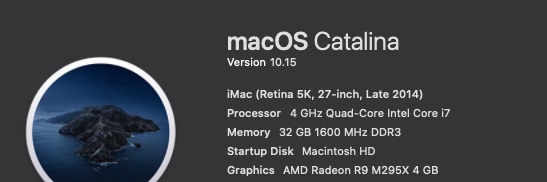
Late 2014 5K iMac 27inch - 4 GHz Quad-Core Intel Core i7 - 32 GB 1600 MHz DDR3

AMD Radeon R9 M295X 4 GB graphics

MacOS Catalina 10.15

FCPX 10.4.7

Target Display mode with a late 2011 27inch iMac and external 55inch UHD monitor connected to an

Akitio Node Pro - Vega 64 daisy chained to an Akitio SSD bay (4TB Raid0)


The above setup worked very well in FCPX 10.4.6 & Mojave - FCPX would use both internal and external GPU in tandem and never would i experience any lag though i had to open FCPX in low resolution mode for it to work properly. I would force the eGPU & Low Resolution mode from the Finder.
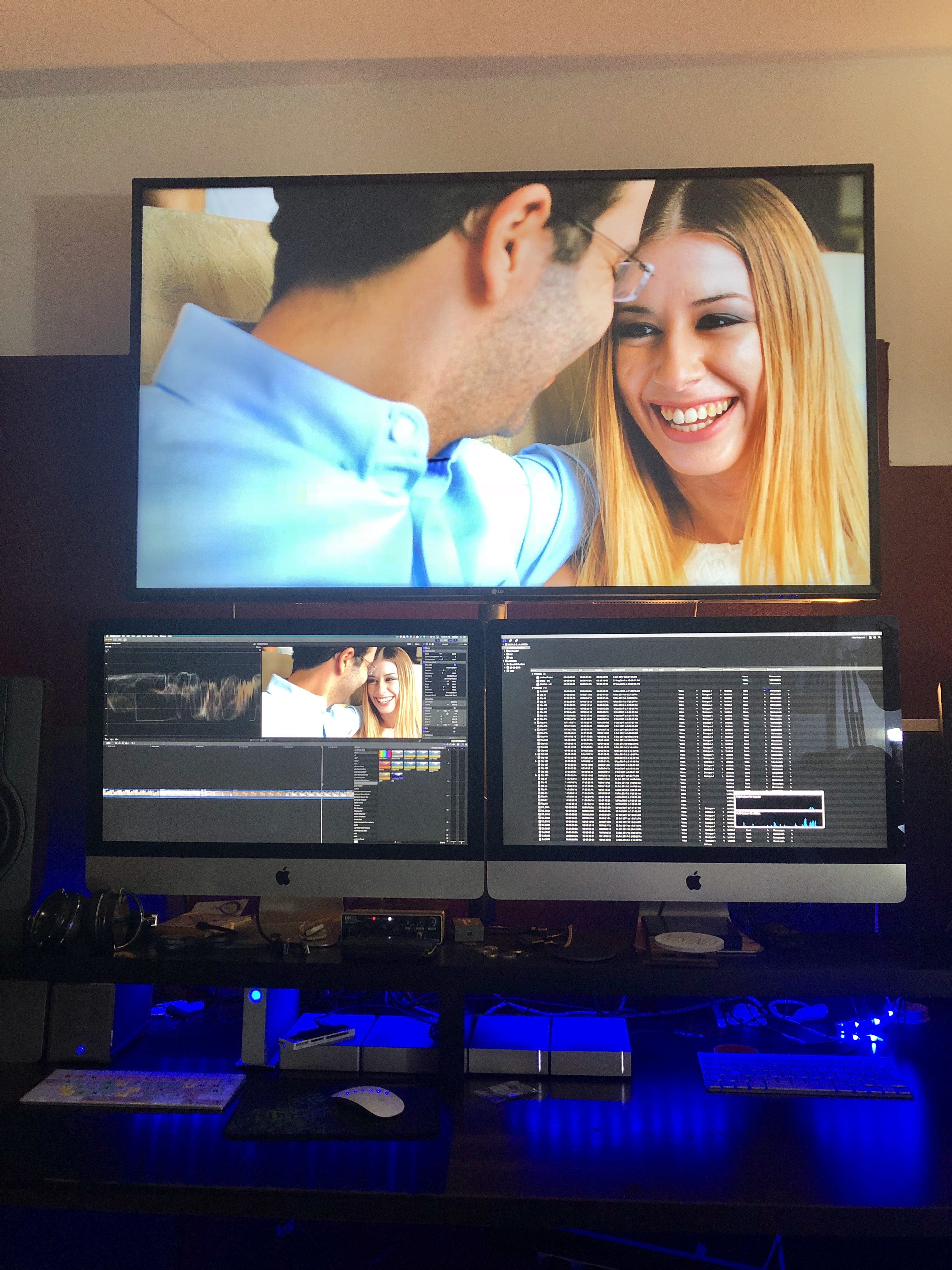

Original Setup with an older iMac as a secondary display.
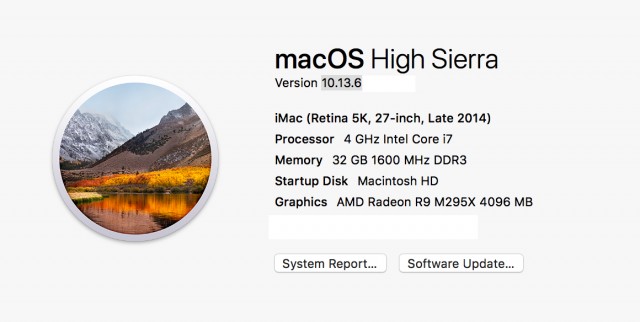
Before the Update - with a Vega64


After the update (to FCPX 10.4.7 & Catalina) only the internal GPU was utilised so i tried testing various setups and options finally concluding to remove the 2nd iMac (Target Display) from the equation and use an external monitor powered from the eGPU directly instead.


From the System Preferences i set one of the external monitors as the main monitor (Dragged the menu bar). Then i opened FCPX and chose through Preferences my external GPU. After that - wow - everything was been running super smooth super fast - with my usual effects maxed out. And the thing is that now the internal GPU is only used for h.264 sharing.
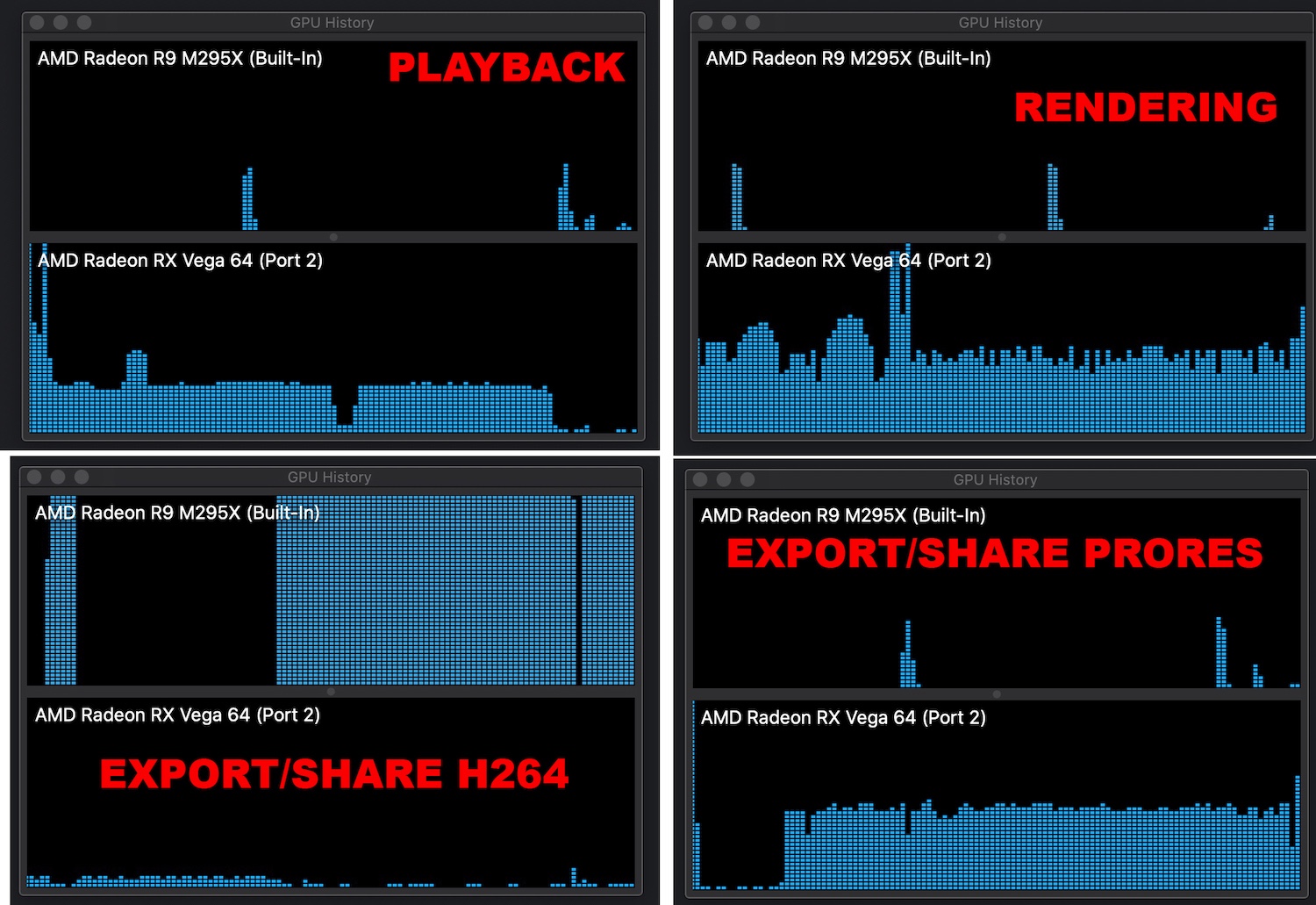

.


Also i have noticed that if you choose an external monitor powered through an eGPU as your main display MacOS will recognise the eGPU as your main graphics card.
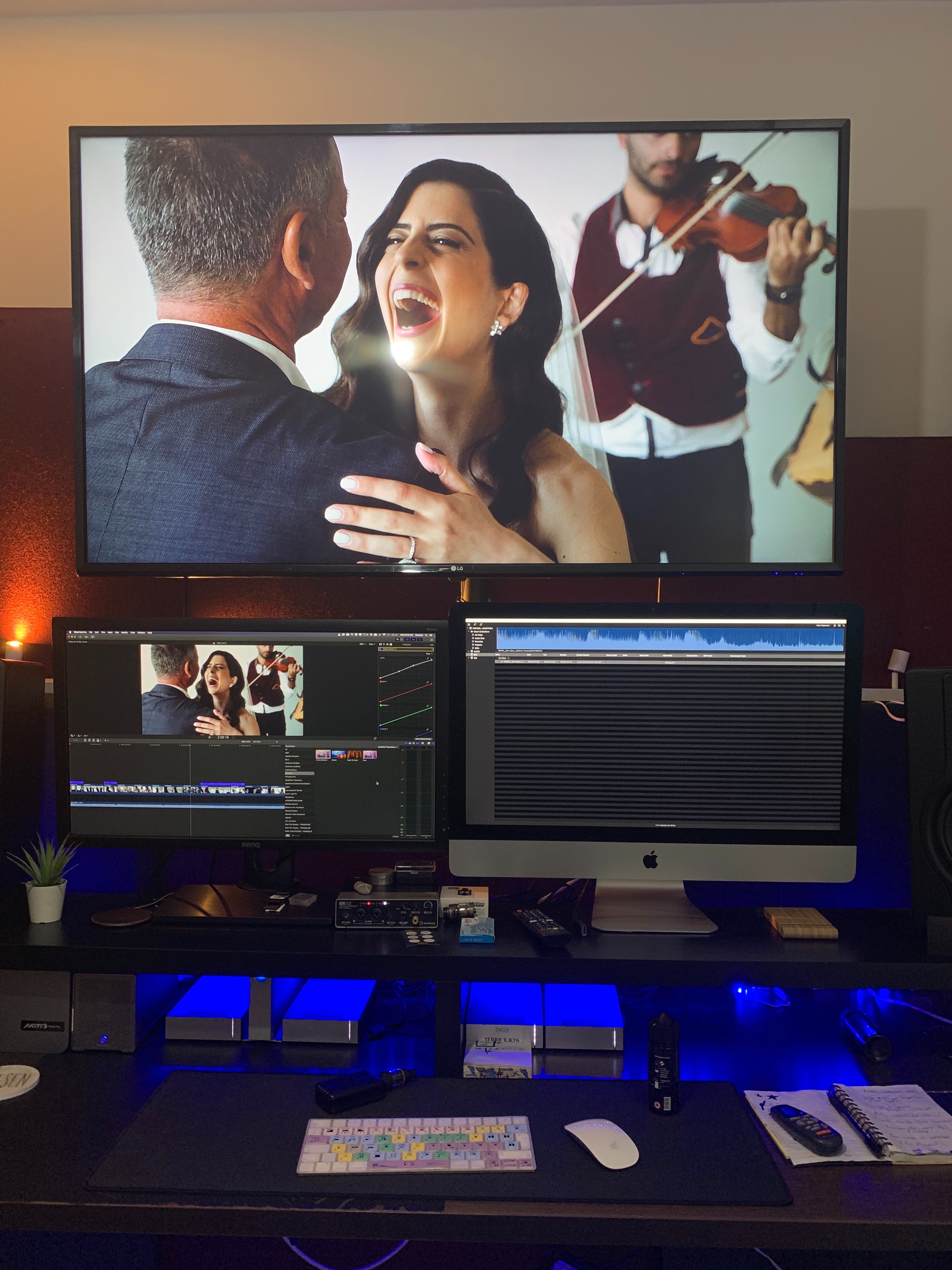
So now my main monitor now is a 27inch BenQ. Doesn't look that nice but if im getting the performance boost who cares.


When external monitor is used as main Display

When iMac is used as main Display


Which could essentially mean that we are getting full eGPU support across the board. I don't have the time to test this but im sure someone out there could test it out.

227 replies

Feb 28, 2020 5:33 AM in response to TheSultan88

During import of media and generating optimized & proxy media, only the internal GPU is used ---> that is normal eGPU only generate frames they do not compress this is an OSX limitation unrelated to any version of FCPX or OSX

The speed drop is due to a potential loss of performance of FCPX nothing to do with eGPU regardless of what activity monitor says

Compression in apple devices and encoding is just a CPU job as apple uses quick sync or nothing and that uses the iGPU on the chip


Feb 28, 2020 6:36 AM in response to abjacobs

Sorry you seem to not understand how it works let me tell you again


The stopwatch is unrelated to the eGPU is related to the code the software is written


An eGPU renders drawable, it can perform compression in h264 and h265 but not on OSX and ProRes is not supported full stop


Can you stop disseminate incorrect information? Have a trip on eGPU.io where some other people have finally realised that h264 compression and eGPU are unrelated it took them some time but they got there


The only GPUs that can compress real time are Nvida on Linux and Windows there is no OSX support by any program or driver


It is embarrassing how someone who does not know anything can draw conclusion on 3rd hand observations

Feb 28, 2020 9:07 AM in response to janne76

Ok guys I was sitting in the same eGPU boat as you are. My Radeon VII in combination with the MB Pro late 2016 performed perfectly under 10.04.06 and massively degraded with 10.04.07 and 10.04.08.


Once I received my Mac Pro I decided to conduct a multitude of tests and there's certainly something wrong with FCPX that goes way beyond eGPUs when it comes to rendering and the support of 3rd Party Graphics.


So my Tests were conducted with the same Project Files at the following setups:


I cancelled the Test with both cards installed and the 580X selected, since both cards were used for rendering even tough only connected to the 580X. Funny thing this behaviour doesn't occur with the Radon VII.


One thing in my opinion becomes abundantly clear. Once you are using 3rd Party Graphics there's no reliable Support in FCPX yet. Even worse with the introduction of a second Graphics card FCPX shows weird behaviour especially when the stock card is selected (like in the case with the 580X).


On the other hand with tested cards like the 580X, that rendering Results massively improved. This also shows the massive potential Apple has on their hands if they get the upcoming releases right.


By the way in the German forum there's also somebody with the Blackmagic eGPU complaining about the same things we are.


Apple certainly needs to throw more money at bug fixing and quality control regarding their software in general.


✌️


Nov 6, 2019 9:37 AM in response to janne76

This is a nightmare for me as i went down the mac mini route. the internal eGPU is useless but the radeon 570 was a great combo. Now I can not barley playback proxy when I have added a load of effects. This irresponsible and apple need to get this sorted now. I don't have a copy of the previous fcpx so I'm screwed. Shocking especially as they have been selling these eGPUs in their stores. It seems they only work for rendering and sharing anyway.

Dec 9, 2019 7:01 PM in response to jammer9618

After talking with support, I'm not much closer to resolving the issue. Even with the setting above, on Catalina using 10.4.7 FCPX my eGPU is not used for H.264 exporting.


Testing on Mojave, still using 10.4.7, I see mixed usage of the CPU and eGPU exporting H.264 on the project I was trying and failing to export using my eGPU on Catalina.


All hope lost until until update I suppose. So glad I just bought the Sonnet eGPU from the Apple Store and now it's worthless.

Dec 18, 2019 6:49 AM in response to janne76

Same here. The RX 590 in my Razer Core X (with an external display connected) barely works while exporting in h.264.


Thought it’d be a workaround to just export in ProRes and convert the file with Compressor later. But when I do so, the export time feels nothing different from exporting in h.264 with the iGPU of my 2019 13” MacBook Pro, even the eGPU was fired up. I assume the eGPU is busy converting the footages to ProRes to create an “optimized version” first, dunno, just disappointed.

Dec 27, 2019 1:18 PM in response to Interceptor121

I really don't care where it is connected, my external GPU is about 20 times faster for encoding Videos (at least it was with 10.4.6), now it is not being used unless I change all the cabling. I am doing 4K video encoding and doing it with an Intel GPU is everything but fun. Clearly this new behaviour is a major bug and Apple needs to fix it ASAP. We are not talking about an eGPU to render nice pictures but to deliver power for complex encoding calculations.


By the way it looks like I have the same issue with compressor now.

This thread has been closed by the system or the community team. You may vote for any posts you find helpful, or search the Community for additional answers.

FCPX 10.4.7. egpu problem

Welcome to Apple Support Community
A forum where Apple customers help each other with their products. Get started with your Apple Account.



