FCPX 10.4.7. egpu problem

So, i just updated Catalina to my macbook pro and installed FCPX 10.4.7...

Am i missing something or what the heck is going on with the external GPU support here? I'm using Blackmagic eGPU pro btw.

That checkbox is now gone (right click on fcpx program icon) where you could select the use of eGPU on 10.4.6.

FCPX 10.4.7 use now eGPU render/export only. Not for playback what i'm used to. So this 10.4.7 is useless to me right now...

Anyone have same problem?

MacBook Pro with Touch Bar

Posted on Oct 8, 2019 8:08 AM

Reply
Question marked as Top-ranking reply

Posted on Oct 16, 2019 8:51 AM

Let me preface this by saying that this is the fastest FCPX has ever run on any system i have ever had, its amazingly fast - Im super super happy with it.


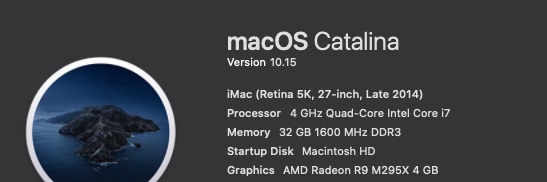
My setup when i updated to FCPX 10.4.7 & Catalina was as follows:

Late 2014 5K iMac 27inch - 4 GHz Quad-Core Intel Core i7 - 32 GB 1600 MHz DDR3

AMD Radeon R9 M295X 4 GB graphics

MacOS Catalina 10.15

FCPX 10.4.7

Target Display mode with a late 2011 27inch iMac and external 55inch UHD monitor connected to an

Akitio Node Pro - Vega 64 daisy chained to an Akitio SSD bay (4TB Raid0)


The above setup worked very well in FCPX 10.4.6 & Mojave - FCPX would use both internal and external GPU in tandem and never would i experience any lag though i had to open FCPX in low resolution mode for it to work properly. I would force the eGPU & Low Resolution mode from the Finder.
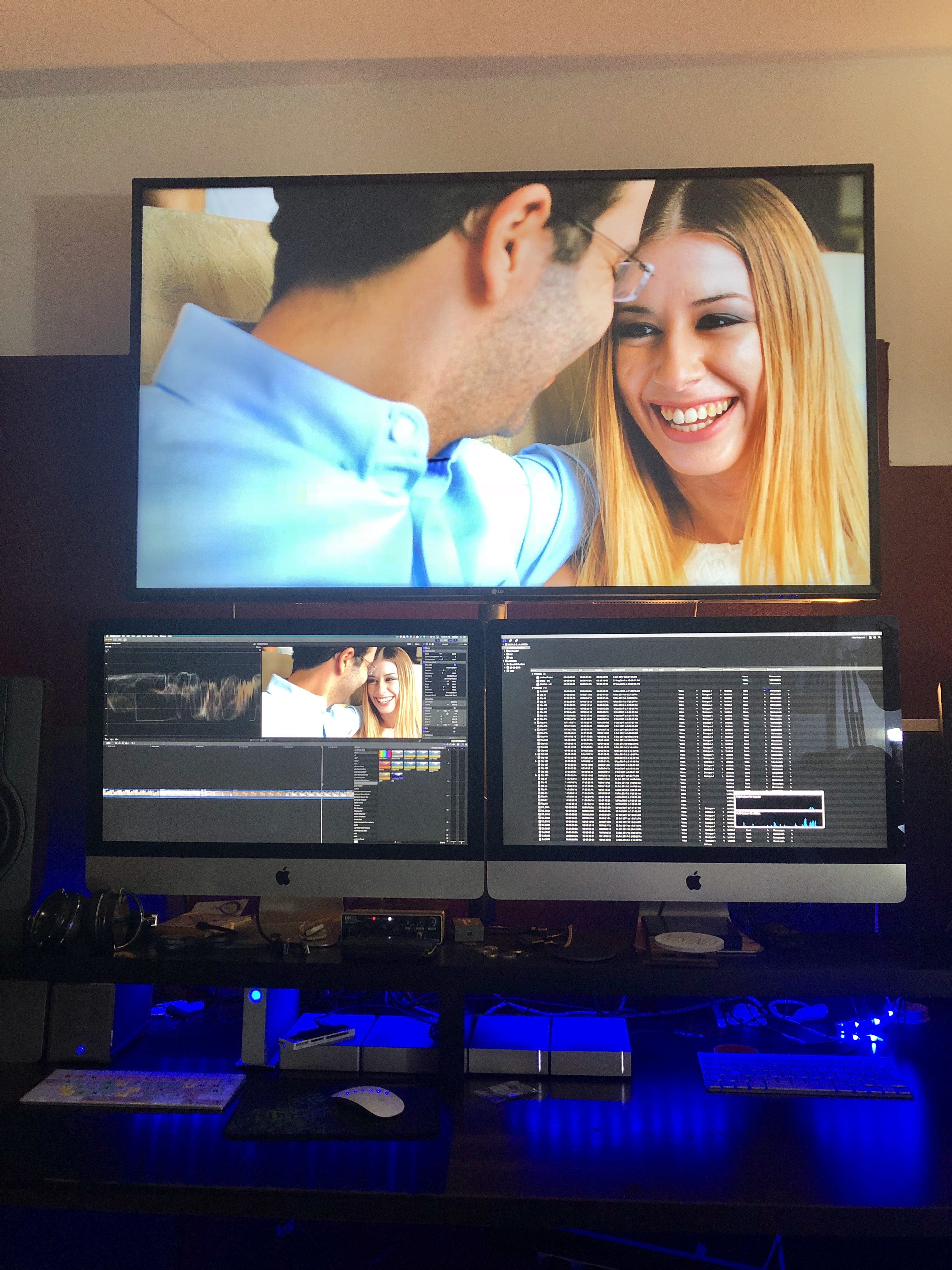

Original Setup with an older iMac as a secondary display.
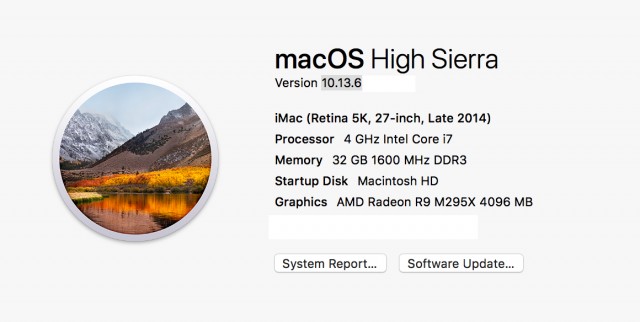
Before the Update - with a Vega64


After the update (to FCPX 10.4.7 & Catalina) only the internal GPU was utilised so i tried testing various setups and options finally concluding to remove the 2nd iMac (Target Display) from the equation and use an external monitor powered from the eGPU directly instead.


From the System Preferences i set one of the external monitors as the main monitor (Dragged the menu bar). Then i opened FCPX and chose through Preferences my external GPU. After that - wow - everything was been running super smooth super fast - with my usual effects maxed out. And the thing is that now the internal GPU is only used for h.264 sharing.
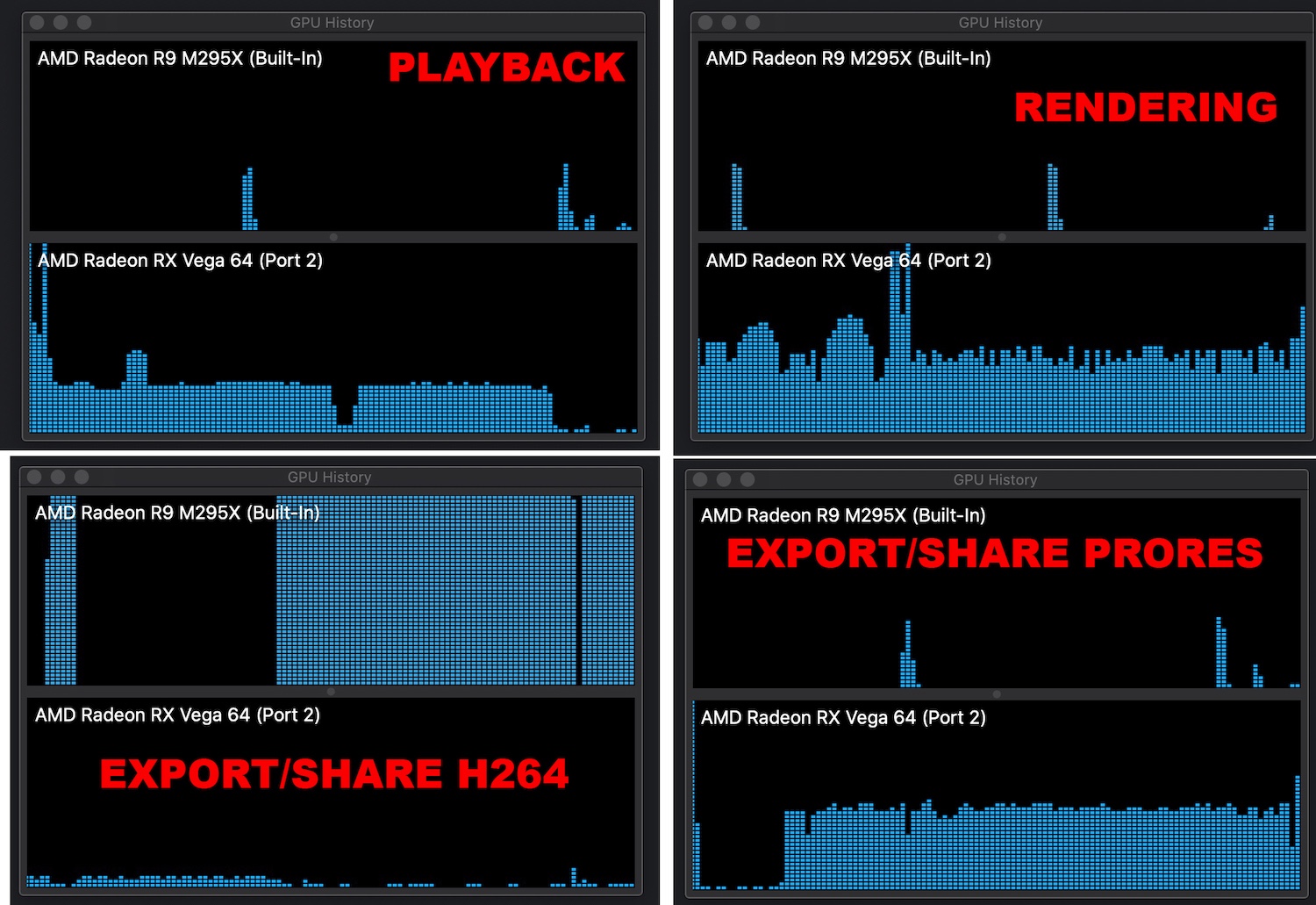

.


Also i have noticed that if you choose an external monitor powered through an eGPU as your main display MacOS will recognise the eGPU as your main graphics card.
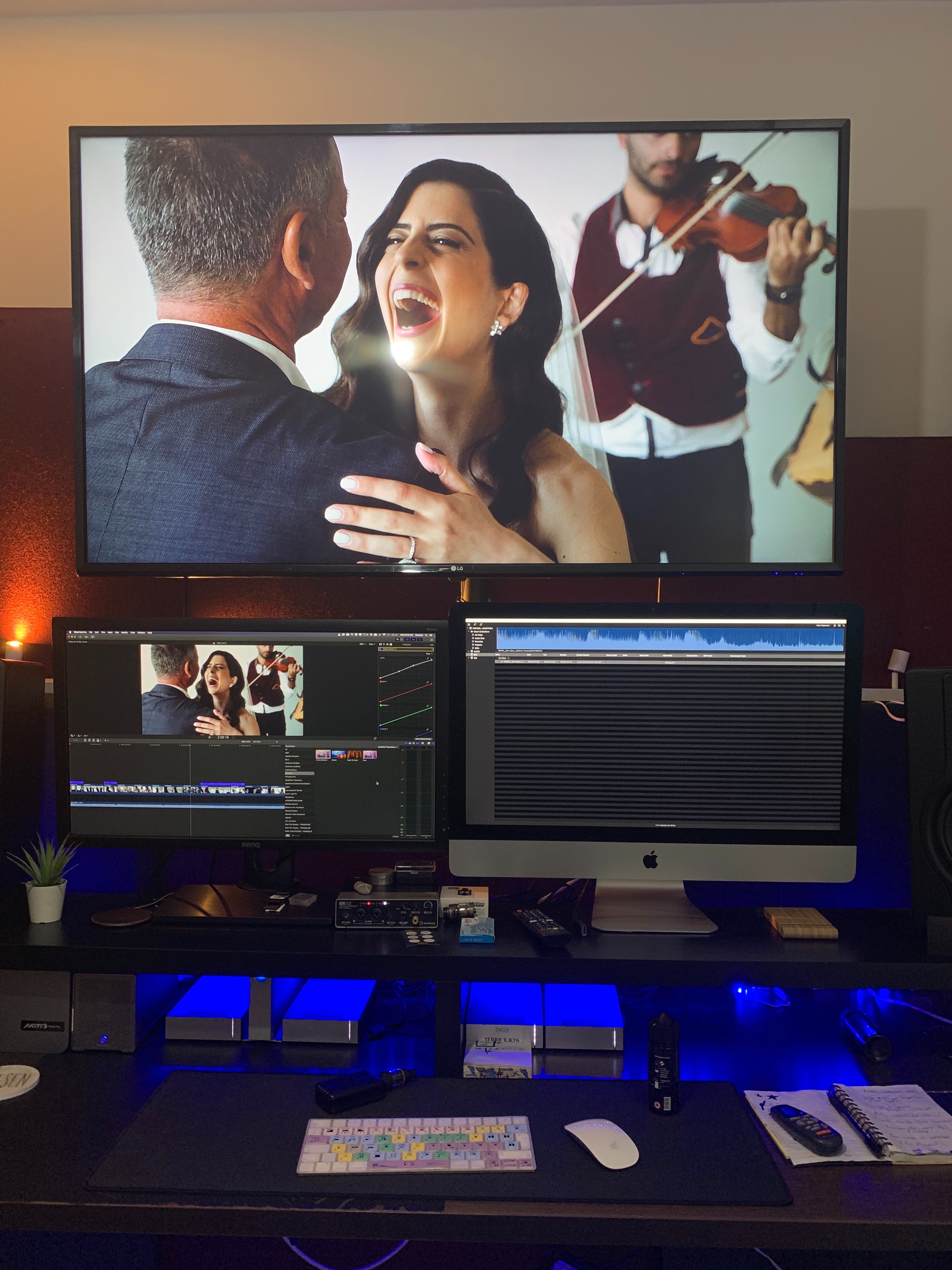
So now my main monitor now is a 27inch BenQ. Doesn't look that nice but if im getting the performance boost who cares.


When external monitor is used as main Display

When iMac is used as main Display


Which could essentially mean that we are getting full eGPU support across the board. I don't have the time to test this but im sure someone out there could test it out.

227 replies

Nov 6, 2019 12:14 PM in response to boarddude

Everyone with a weak internal gpu and egpu has got screwed. I’m using a 2012 mbp with two internal gpu one nvdia that’s redundant thanks to Apple war with nvdia and the weak intel one, been using an amd 580 eGPU with great success 4k smooth as butter till this 10.4.7 massacre, nothing works the weak intel barely does anything, eGPU is useless. If fcpx doesn’t fix this resolve here I come


[Edited by Moderator]

Nov 14, 2019 3:53 PM in response to Luis Sequeira1

Yes; I actually just got off an Apple Support call describing the issue. It was escalated to be reviewed by developers, so I guess we'll get an answer as to if this is changed functionality in the FCPX update.


For the record, I've narrowed down the issue to this: if I don't use Apple ProRes as the codec when exporting, then my integrated graphics are used instead of my eGPU.


My gut feeling is that this is a purposeful change. I'm not sure what the solution for exporting videos for YouTube and such are supposed to be though. Do I have to buy Compressor now in order to export videos small enough to share? Will Compressor even use my eGPU?

Nov 29, 2019 3:53 AM in response to janne76

few weeks later, and still no solution to our problem..

Export times got worse since last update, none of the export options (except Master export h264 or pro res) make use of any external-GPU acceleration.

Please Apple fix this!!


By the way; standalone Compressor app does not use the eGPU either.. waste of potential here!!


Dec 22, 2019 7:16 AM in response to Luis Sequeira1

I have 3 CURRENT machines, all have the same issue. It does not matter if the lid is open/closed monitor attached to egpu or not, as it does the same on the Thunderbolt Mini


It's a BIG BUG that is totally unacceptable from apple!


I was promised a support call/return/update last Monday! Still nothing! I will chase tomorrow.


Nothing anyone here can do or suggest to make it work it appears. WE all need to complain/seek support from Apple so they pull their fingers out and resolve this mess.


COME ON APPLE!

Dec 23, 2019 12:35 PM in response to vh78

I bit the bullet and called Apple support. If you're struggling with the same issue, consider pitching in your time so we can get back to editing. It'd be massively appreciated if you gave them a call.


I recommend getting transferred to their Media Support team, specifically to Specialists in Final Cut. They're the ones you can contact to inform the engineers/developers.

Dec 27, 2019 5:03 PM in response to titokane

eGPU only did rendering and sharing it never did any real time tasks when the display was not connected to the eGPU. Which is exactly what final cut had to do when the eGPU flag was set. Now this is in the preferences and the behaviour is the same

Besides we are now at final cut 10.4.8 so it is completely irrelevant to go on about 10.4.7 as the code has already changed

And on this note I leave you guys to your own devices nobody is going to fix a release that is already not current you should go on 10.4.8 and then if you still have problem follow a support process

In my set up everything works as expected and I see no bugs of any sort in this area


Dec 28, 2019 1:57 AM in response to vh78

Guys with all due respect this is a user forum for users to get help from other users. Apple does not use this forum to track bugs there is a separate process for that.

When you submit feedback to Apple you need to make sure that whatever you report is a bug. A bug is something that makes the application behave different from what is expected. The expected behaviour is what is documented in the knowledge base

So for example accelerating a display connected to the eGPU when this is the only display is a feature of OSX not final cut pro and will work with a variety of applications. If for some reason you are not getting the expected behaviour and somehow the internal or discrete GPU are controlling the external display of the eGPU this is a OS X issue not final cut.


Going back to final cut pro x it was never specified that final cut eGPU support was about live effect it was always about rendering and sharing. If for some reason this is no longer happening after a final cut update this is a final cut pro x bug


You cannot submit a but for final cut pro x not driving the live effects as this was never specified as functionality it does not matter if it used to work before bugs are worked on against supported and official functionality


I have just checked in the apple developer forums and I have found no discussions on eGPU issues related to final cut pro going from 10.4.6 to 10.4.7 or 10.4.8 I can confirm that live acceleration for displays not connected to the eGPU never worked on my set up so am not going to raise any issues. If you have raised a support ticket and followed the procedures and there is a real problem i.e. application not doing what is supposed to do and is documented to do there will be a follow up otherwise you will get an answer saying the application works as expected


Many people in this thread have little experience working with this forum and it seem also with apple feedback and support process it would be helpful not to use a place like this just to have a rant because as explained apple does NOT use this forum to look at bugs resolution

Dec 28, 2019 4:20 PM in response to janne76

I also want to add I was one of the fools who bought an eGPU and a brand new Mac Mini hoping to deliver smooth 4K projects after reading that statement of features from apple that since last year has been revised and downgraded considerably because people were calling in fuming that there was no benefit with an eGPU see my story below

I bought in one shot LG Ultrafine 5K Mac Mini top spec and Blackmagic eGPU and after one week I sent back the blackmagic because it was stuttering playback in the browser I then bought a Razer X with Vega 64 at the time the best card you can get and kept having the same stuttering playback one year of viewing files in VLC and then cut for an edit until I finally gave up on the LG monitor and got a nice Benq PD2720U connected it to the Razer and since then is a joy.

Dec 29, 2019 12:01 PM in response to MZTVPD

Bruce test is not a test of live rendering but of an export and was designed to test internal GPUs

The expected behaviour of an eGPU in final cut is to perform background tasks while the main GPU handles the user key strokes

it is not an alternative to the onboard GPU but a complement

to test who is running live tasks you need to playback a file or an unrendered timeline sequence and you will see that the internal GPU does that in all cases

also the idea that a GPU helps creating optimised or proxy files is completely flawed

if your eGPU was driving reali time tasks you wouldn’t need to optimise would you?

I run my set up with no optimised files I use proxy only when am on the field and background rendering is always active

export is a small concern to me as by the time i export in prores 422 HQ all background rendering is complete and the encode requires limited CPU support

if I had a weaker GPU driving the display I would create proxies (because I dont need optimised on a display that is not able to view 4K) I would then transfers the library to the mini and connect the external drive change display to original and start having a look at the cut letting the background rendered go

I would then start grading on non optimised files

if all I was doing was upload and put some titles I would use imovie

apple approach to the product reflect how people work tests

like Bruce may be of interest

few years ago but don’t reflect the way you actually run a project

The final export is the end of the work and usually is done in a master format in prores from there you create different cuts depending on where you need to play it

oncw the master file is complete the project is fully rendered so all exports followint will make no use of any GPU

Feb 16, 2020 10:17 AM in response to mathieu241

OSX does not support encoding in Radeon card that is a Windows or Linux prerogative even if the chipset is capable

What apple does it to support Intel Quick Sync in their H264 acceleration using VideoToolBox API, this only uses the CPU and the integrated GPU on the chip this is the reason why you always see internal GPU used upon compression

So a discrete or external GPU will never be used under OSX to compress H264 full stop and that is not just final cut pro same goes for any compression tool like compressor, handbrake etc etc

In Apple world the key to get fast compression is to get as many cores as possible in the CPU and those to be as fast as possible.

Compression itself is unlikely to have changed in the various final cut releases as the VT API is unrelated to final cut and embedded in OSX. What could have changed is the rendering efficiency and performance and that would be related to a GPU

Feb 23, 2020 3:45 PM in response to radspeed

That’s awesome coz u have a Weak internal gpu and your eGPU is being utilized like it should! Could you do a command +4 to pop out the gpu usage on the activity window and see how much eGPU vs internal gpu is being used? In 10.4.6 you could shift everything to eGPU in 4.7 that wasn’t happening, this is great

This thread has been closed by the system or the community team. You may vote for any posts you find helpful, or search the Community for additional answers.

FCPX 10.4.7. egpu problem

Welcome to Apple Support Community
A forum where Apple customers help each other with their products. Get started with your Apple Account.