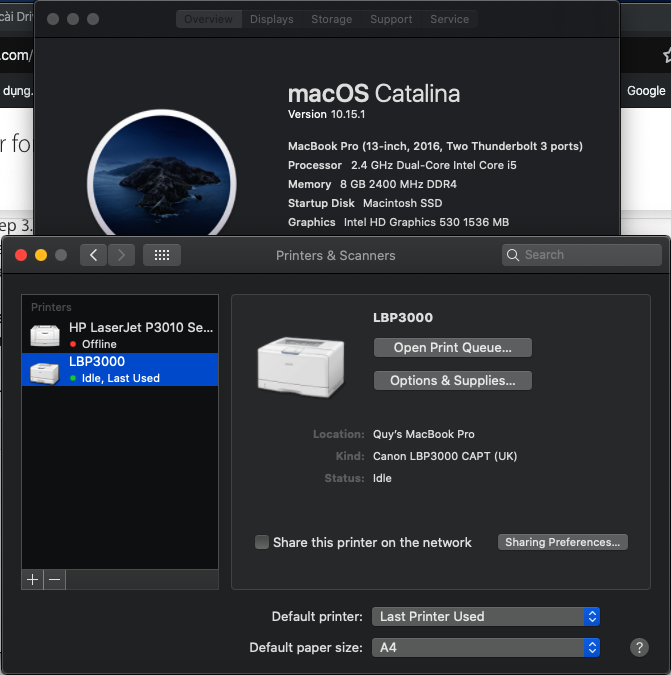
You can use this guide. I tried and it's helping me to solve:
1/ First at all, you must TURN OFF SIP (google for this)
You will use the driver for Canon LBP3000
2/ Download this file: https://www.fshare.vn/file/TGIZ6K5MG5ZE. Run it, install.
3/ Download this file and unzip: https://www.fshare.vn/file/BSOUYZRKCO36?token=1573114484
4/ Open FINDER, press Command + Shift + G and type: /Library/Printers/Canon/CUPSCAPT2/Bidi/
Copy 2 file that unzip in step 3. Type your password
5/ Again, open FINDER, press Command + Shift + G and type: /Library/Printers/Canon/CUPSCAPT2/cnaccm
Copy 2 file that unzip in step 3. Type your password
RESTART your macbook
6/ Add printer: Open System Preferences, chose Printer & Scanners. At Printer & Scanners click +. You will see Canon LBP2900, you chose driver Canon LBP3000 CAPT (UK) and click Add.
Everything done. Try to print (It show Canon LBP3000)
Sometime you will get trouble, try again all step. I hope it will help.