Cannot control volume using Apple Music when I stream to my AirPlay devices on my iPhone and iPad

I used to be able to have the ability for years and would like it back. Does anyone know how to restore it besides resetting the Apple TV every so often and not setting up AirPlay 2?

iPhone 7 Plus, iOS 13

Posted on Dec 18, 2019 11:13 AM

Reply
Question marked as Top-ranking reply

Posted on Nov 7, 2020 8:37 PM

I finally found a solution until Apple makes this a proper setting: Airplay can be accessed via Shortcuts app. When you do this, your phone directly controls the volume. Just go into Shortcuts, create a new shortcut and search for “airplay” to find and use it. Siri seems to have issues with it, but at least it can be placed on your Home Screen.

Similar questions

100 replies

May 17, 2020 2:05 PM in response to kaneumann

Hi


Is there an update to this case? I’ve been having this ‘handoff instead of stream’ issue for the last few months and so pleased to have finally found a thread about it!


I have raised the issue with Apple support a number of times. Only once did they take a real interest and get a senior person involved, but this eventually went round in circles without a resolution.

May 24, 2020 9:15 AM in response to kaneumann

Same problem, but with some details that might help engineers figure it out. I use AppleTV (4th gen) paired to an amp for outdoor speakers. From my wife's iPhone, works perfectly. From any other device (my iPhone, her Macbook Air, etc.) the volume adjustment is not allowed. The music comes on at an annoyingly loud volume and all we can do is start, stop, ff, select other playlists, etc. The volume slider in the Music app is grayed out, as is the volume slider on the AirPlay selection sheet on my iPhone. As others noted, this was not the case when I set it up. Of course, we've tried resetting the AppleTV and the devices.


While an AppleTV 4th gen paired to an amp is about 50% less than getting a Sonos Amp... in hindsight, I wish I just got the Sonos amp. I'm guessing "it just works". Unsure of Apple's plans here ever since they discontinued the Express.

Jul 14, 2020 10:55 AM in response to mauriciofromlima

The first one shows your iPhone. The second shows your Apple TV. Don’t scroll down to Apple TV. Just stay on the iPhone.


Make sure your audio on Apple Music on your iPhone is only playing through your iPhone.


just like you have it here.


when you have it marked like that, it means airplay is off. In other words, you’re not broadcasting your music from your iPhone to your Apple TV or anything else. It’s just playing through your phone.


Then, close down Apple Music. That’s when you grab it and swipe the App upwards.


Then, turn Apple Music back on. Before you start playing any music, select the bottom middle red button.


When you do, this will pop
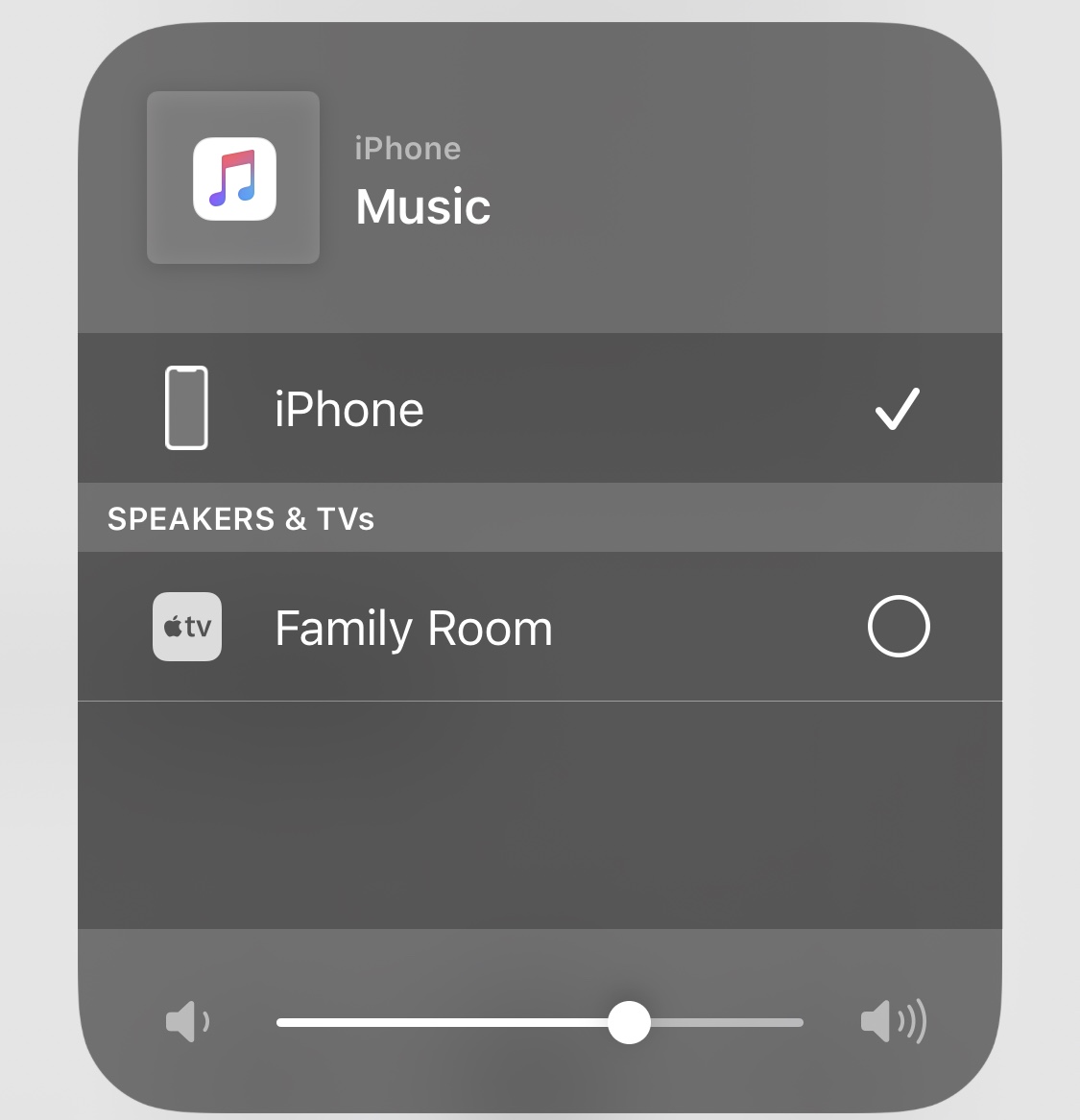


Then change it so it looks like this:
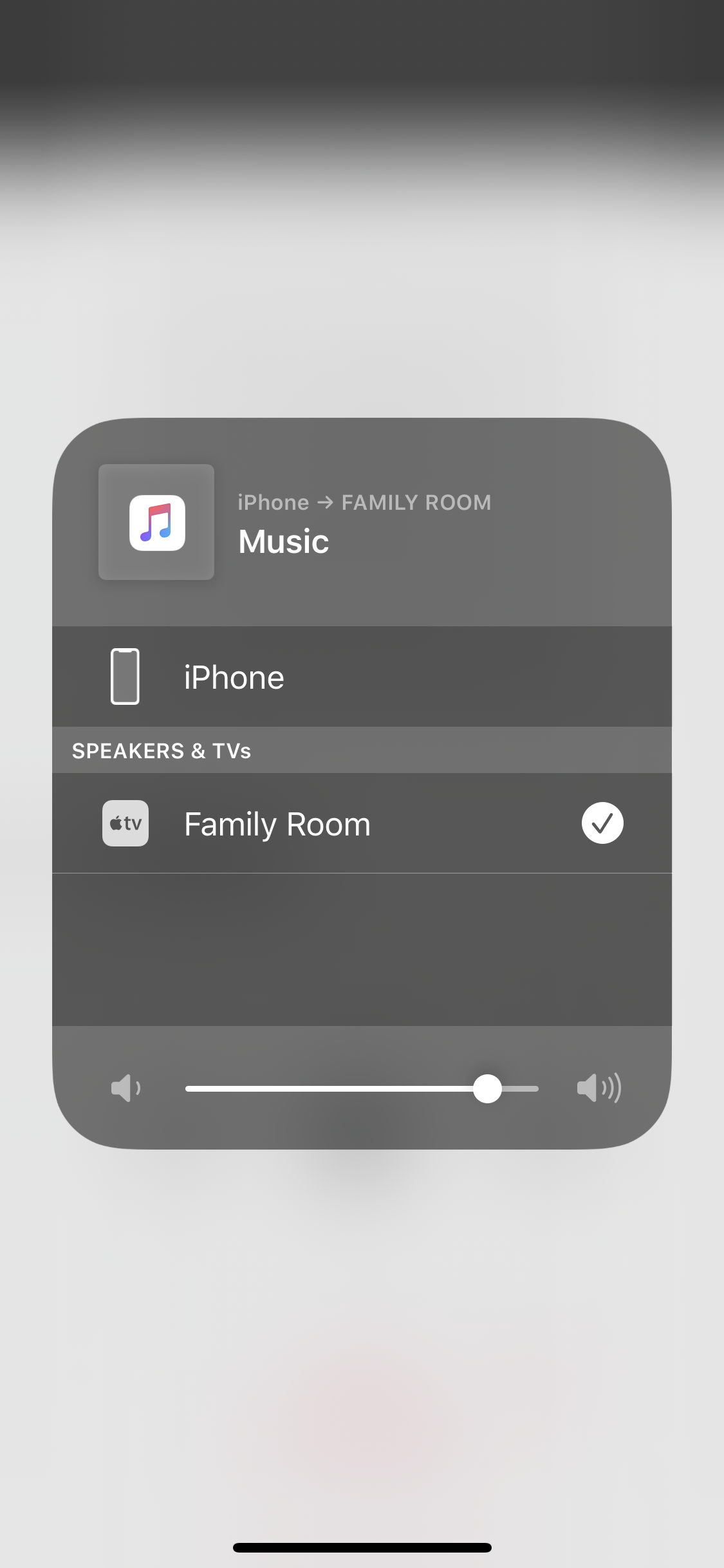


When you do that, you’ve now turned Airplay on. Notice on the top it still says iphone?


then start playing your music.


if you go to this:
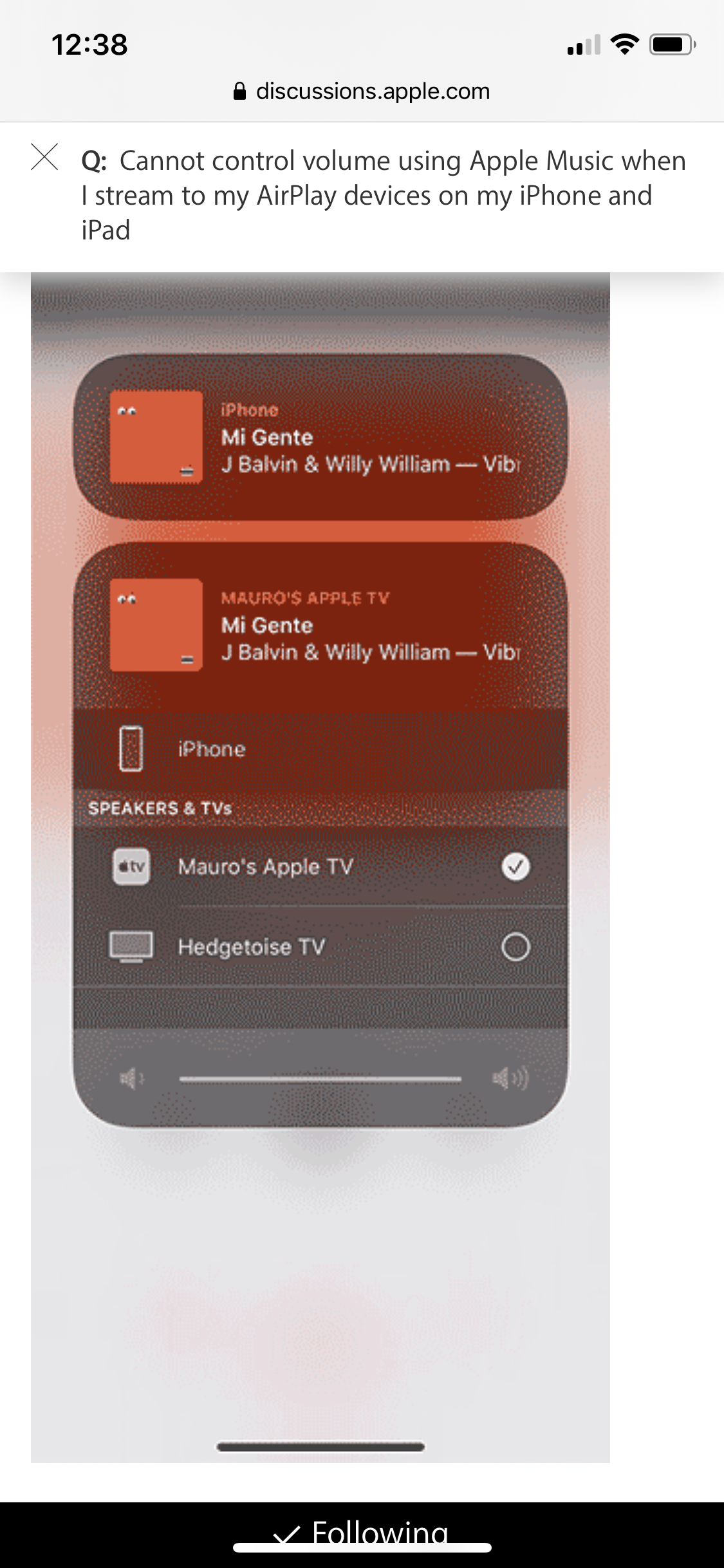


You are on the wrong one. Notice how it says Apple TV above the box. That means you’re controlling what your Apple TV does, not your iPhone.

This thread has been closed by the system or the community team. You may vote for any posts you find helpful, or search the Community for additional answers.

Cannot control volume using Apple Music when I stream to my AirPlay devices on my iPhone and iPad

Welcome to Apple Support Community
A forum where Apple customers help each other with their products. Get started with your Apple Account.