iPhone 6s won't restore

Hi


My daughter has an iPhone 6s which recently had the ios13 update and was working fine after the update. Then a few days ago (with a full battery) it suddenly froze, went dark and then the screen went off and she has not been able to turn it on since. This is a long detailed post because we have tried everything we can think of and have run out of ideas. Can anyone help?


Things we have tried:


(1) hard reset - no response

(2) plugging it in and leaving it to charge - no response

(3) restore via iTunes - after some initial hiccups we managed to get iTunes to recognise the device via a USB connection, and download a software update BUT it will not install the update.


When I ask it to "Update and restore" this happens -


  • iTunes completes the software extraction
  • he apple logo flashes up once or twice on the phone screen
  • then the connection between the laptop and phone seems to drop (the laptop makes the "disconnect" - "reconnect" sound a couple of times)
  • the "Verifying iPhone restore with Apple" message comes up in iTunes
  • and at this point the restore fails (error message below)


As far as I can tell, the connection dropping cannot be a hardware issue because (a) it happens on both cables and all USB ports (2) it always happens at exactly the same point in the process. It strongly feels like a software issue?


The error message is: "an unknown error occurred [9]"

I have followed all the steps here - https://support.apple.com/en-gb/HT204770

And here - https://support.apple.com/en-gb/HT201444


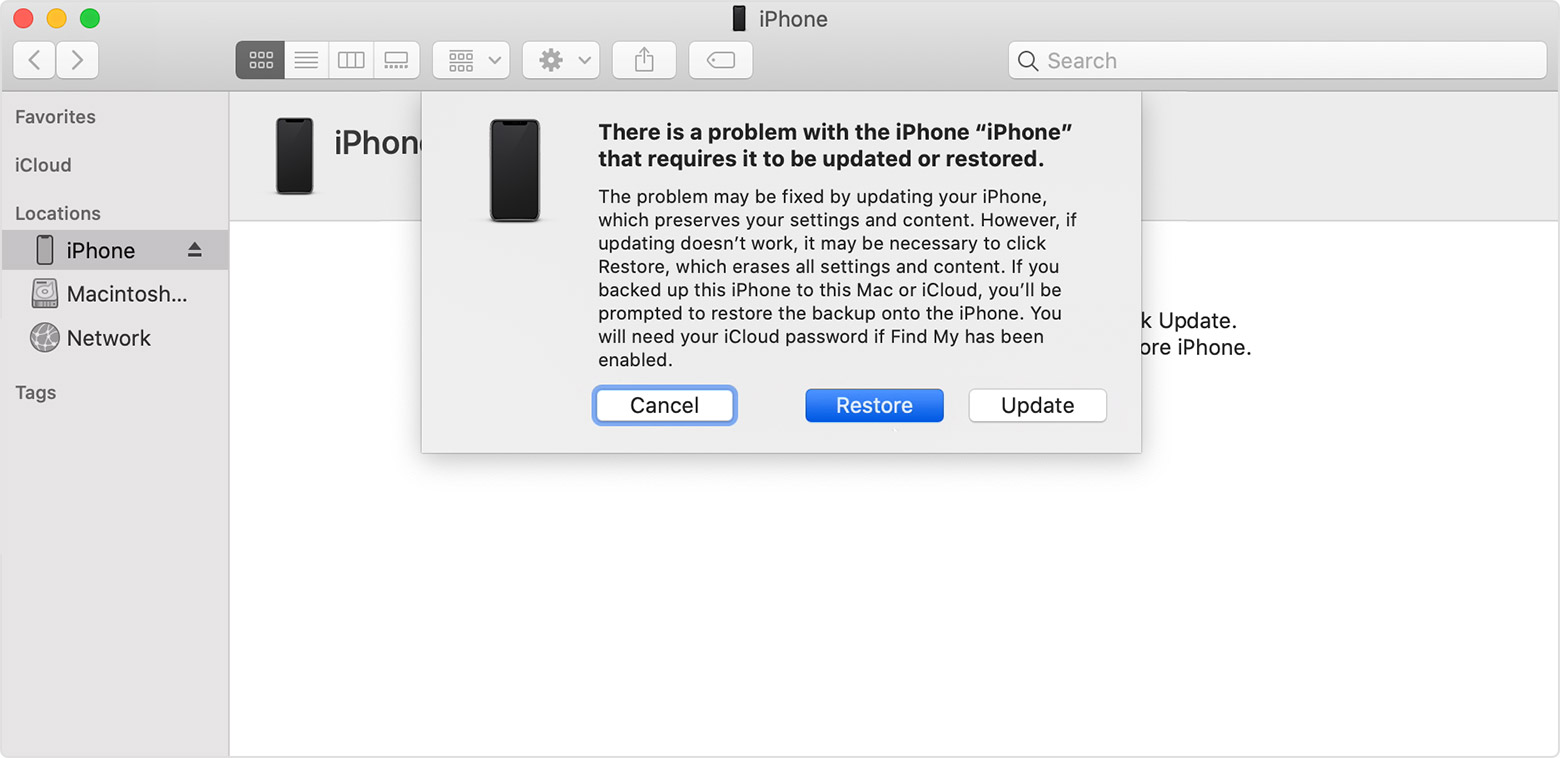
On the second on the above links, Step 4 says "When you see the option to update or restore, click Update — not Restore — to reinstall the software and keep your personal data."


BUT I do not get that option. iTunes says I "must restore this iPhone before it can be used..." and doesn't give me an option to update without restoring, only to "update AND restore".

The error message then appears during the restore process, as described above.


I have tried this on a second laptop with the same result. I have tried both updating and disabling my Norton antivirus software with the same result.


Any ideas?

(We are not bothered about saving the personal data at this point, we just want to be able to turn the phone on!!)


Thank you in advance!


Angela

Posted on Dec 25, 2019 6:34 AM

Reply

Similar questions

3 replies

Dec 25, 2019 7:00 AM in response to sophierp

"and download a software " is not clear.

""Update and restore" also ""update AND restore" can you please share a screenshot?


See the pic below! You said "and"


Regarding the error 9 -->You have already referred to correct article


Do one of the following: Depending on what Computer you have.

  1. In the Finder sidebar on your Mac: Select your iPhone, then click Trust.
    1. Note: To use the Finder to restore iPhone from a backup, macOS Catalina is required. With earlier versions of macOS, use iTunes to restore from a backup.
    2. In the iTunes app on a Windows PC: If you have multiple devices connected to your PC, click the device icon near the top left of the iTunes window, then select your new or newly erased iPhone from the list.
  2. On the welcome screen, click “Restore from this backup,” choose your backup from the list, then click Continue.


Connect iPhone to Computer / Mac

Dec 25, 2019 9:36 AM in response to SravanKrA

I have a Windows laptop.


When I connect the phone and open the iTunes app I get this:


When I click OK the only option I have is to click "Restore phone". And when I click that I get this:


At no point do I get anything that looks like your screenshot. Never an option just to update, only to restore/restore&update?


Thanks for your time, does any of the above help you to suggest anything else to try?


Angela

Dec 26, 2019 2:11 AM in response to sophierp

UPDATE


OK, so I downloaded ReiBoot, which repeatedly failed to resolve the issue (standard or deep mode).


Tenorshare are telling me that Error 9 can be caused by hardware issues (inc battery and CPU) as well as software issues, and so if ReiBoot can't fix it then it's a hardware issue.

Unfortunately it seems like you can't find that out until you've paid for the ReiBoot download! :(

https://www.tenorshare.net/support.html?_ga=2.203249428.487063978.1577300475-1044009744.1577300475


Going to take it to my local phone repair guy after the holidays and hope that he can do something about it!

This thread has been closed by the system or the community team. You may vote for any posts you find helpful, or search the Community for additional answers.

iPhone 6s won't restore

Welcome to Apple Support Community
A forum where Apple customers help each other with their products. Get started with your Apple Account.