
pop up opened while surfing the web
I accidentally opened a pop up on my iphone and now I cannot surf the web without it popping up again. How do I repair this.
iPhone 6s Plus, iOS 13
I accidentally opened a pop up on my iphone and now I cannot surf the web without it popping up again. How do I repair this.
iPhone 6s Plus, iOS 13
Good afternoon Visorlady,
Welcome to the Apple Support Communities!
I understand you are getting a pop-up window when you surf the web on your iPhone 6s Plus. Is the same website appearing every time? Try these steps to get yourself out of the current situation with the pop-up window:
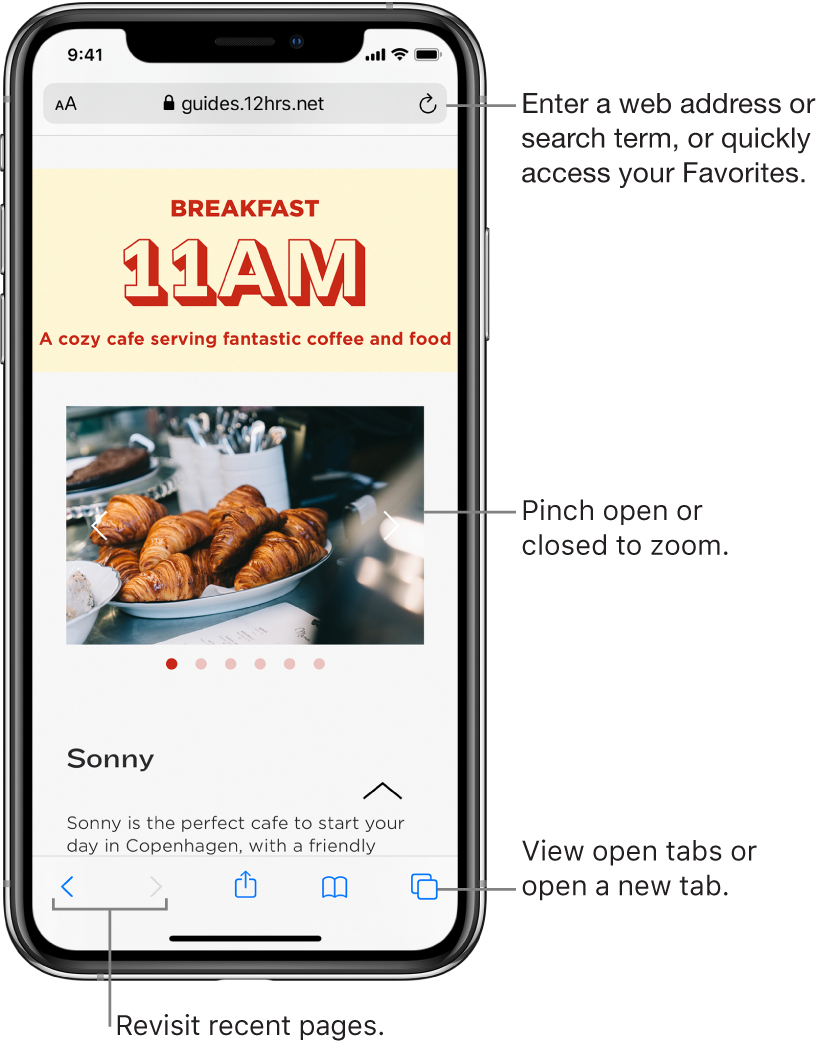
Source: Browse the web using Safari on iPhone - iPhone User Guide
The resources below will help you address this issue in the future:
How to block pop-ups in Safari
Private Browsing - Turn on or off on your iPhone, iPad, or iPod touch
Take care.
Good afternoon Visorlady,
Welcome to the Apple Support Communities!
I understand you are getting a pop-up window when you surf the web on your iPhone 6s Plus. Is the same website appearing every time? Try these steps to get yourself out of the current situation with the pop-up window:
Source: Browse the web using Safari on iPhone - iPhone User Guide
The resources below will help you address this issue in the future:
How to block pop-ups in Safari
Private Browsing - Turn on or off on your iPhone, iPad, or iPod touch
Take care.
pop up opened while surfing the web
