Apple Watch says I'm burning too many calories

I have the first gen Apple Watch. I've had it for almost 4 years now. The last several months the watch has been telling me I'm burning 4000+ calories a day just from a sitting and lounging. I'm usually active during the evenings. The calories I receive for moving appears to be accurate although the machines I workout on usually say I've burned more than my watch does. That doesn't bother me too much. What I am trying to figure out the correct number of calories I'm burning in a day. And 4,000 to 5,000 just doesn't seem right. When the day restarts at midnight my activity app on my iPhone instantly jumps my calories burned to 2,000 at midnight. And then after 2 to 4 hours of sitting around it'll say I burned 1,200 calories. Any help?


I've reset my calibration data, I've turned off 'track my fitness" and then turned it back on after restarting both my watch and iPhone. I've tried doing the simple fixes and direction I've seen from other posts that complain the apple watch isn't counting accurately. But I'm tempted to swap to another watch if I can't get this to work right. My resting average heart rate is 68-74 and the watch registers this number. It doesn't show a spike in heart rate throughout the day until I actually leave for the gym and go workout. I'm not up running around most days, I'm usually just sitting studying, or lounging.

Apple Watch, watchOS 4

Posted on Mar 1, 2020 6:38 AM

Reply
Question marked as Top-ranking reply

Posted on Mar 3, 2020 9:28 AM

Hello MacDuder217,


Thank you for using Apple Support Communities! I understand that you're seeing unexpected calories burned when using your Apple Watch. It sounds like you've already done some great steps to isolate potential causes, and I would be happy to help with what to do next.


I would like to start by having you check that your Health Profile information is correct, as this helps determine the amount of calories it estimates that you burn:


Get the most accurate measurements using your Apple Watch - Apple Support


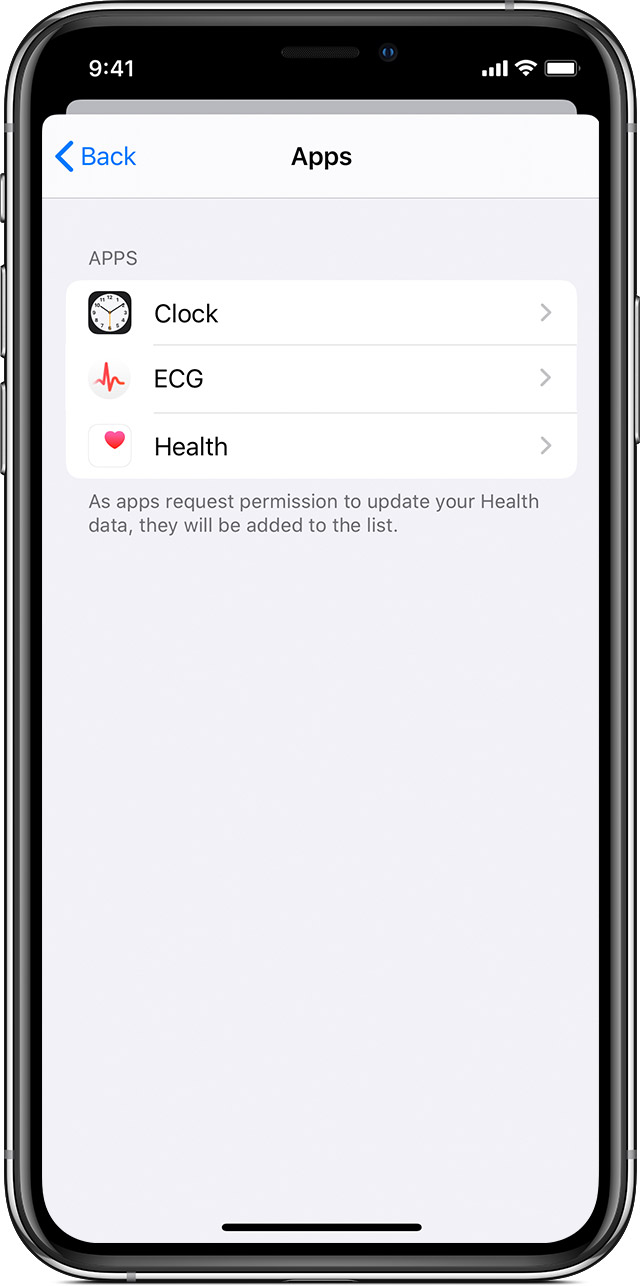
Next, let's check third-party apps that have access to update your Health data in the Health app:


Manage Health data on your iPhone, iPod touch, or Apple Watch - Apple Support


"

Add information from other apps

  1. Open the Health app.
  2. Tap your profile picture in the upper-right corner 
  3. Under Privacy, tap Apps. You can see apps that you already own that are compatible with Health. If you don't see an app, it might not be compatible. 
  4. Tap an app and turn on the health categories that you want that app to track.

You might also need to open the app and adjust its settings to allow it to share data with Health."


If you're seeing any apps listed here, I'd like to have you select "Turn All Categories Off" for each app. Test if there's a change in the calories it says you've burned when your data resets for the next day. If calories seem to be counting accurately after that, you can turn on health categories one app at a time until you've isolated which app is causing the unexpected calorie count. Keep us posted on the results.


Cheers!

Similar questions

1 reply
Question marked as Top-ranking reply

Mar 3, 2020 9:28 AM in response to MacDuder217

Hello MacDuder217,


Thank you for using Apple Support Communities! I understand that you're seeing unexpected calories burned when using your Apple Watch. It sounds like you've already done some great steps to isolate potential causes, and I would be happy to help with what to do next.


I would like to start by having you check that your Health Profile information is correct, as this helps determine the amount of calories it estimates that you burn:


Get the most accurate measurements using your Apple Watch - Apple Support


Next, let's check third-party apps that have access to update your Health data in the Health app:


Manage Health data on your iPhone, iPod touch, or Apple Watch - Apple Support


"

Add information from other apps

  1. Open the Health app.
  2. Tap your profile picture in the upper-right corner 
  3. Under Privacy, tap Apps. You can see apps that you already own that are compatible with Health. If you don't see an app, it might not be compatible. 
  4. Tap an app and turn on the health categories that you want that app to track.

You might also need to open the app and adjust its settings to allow it to share data with Health."


If you're seeing any apps listed here, I'd like to have you select "Turn All Categories Off" for each app. Test if there's a change in the calories it says you've burned when your data resets for the next day. If calories seem to be counting accurately after that, you can turn on health categories one app at a time until you've isolated which app is causing the unexpected calorie count. Keep us posted on the results.


Cheers!

This thread has been closed by the system or the community team. You may vote for any posts you find helpful, or search the Community for additional answers.

Apple Watch says I'm burning too many calories

Welcome to Apple Support Community
A forum where Apple customers help each other with their products. Get started with your Apple Account.