All Finder searches yield zero results. I suspect it's because "Shared" is in every search criteria.

I'm trying to search for something on an iMac using Finder. Every search includes the parameters "Shared" at the end of the list of locations & sub-locations. I can't (don't know how) to change it. I suspect that is the root of my problem why every search request yields nothing.


Can anyone:

a) tell me how to delete this search parameter, and/or

b) what else might be at the root of my inability to find anything using Finder?


Thanks!

iMac 27", macOS 10.13

Posted on Mar 11, 2020 5:49 AM

Reply
Question marked as Top-ranking reply

Posted on Mar 11, 2020 10:25 AM

Shared shows on my 10.13.6 installs.
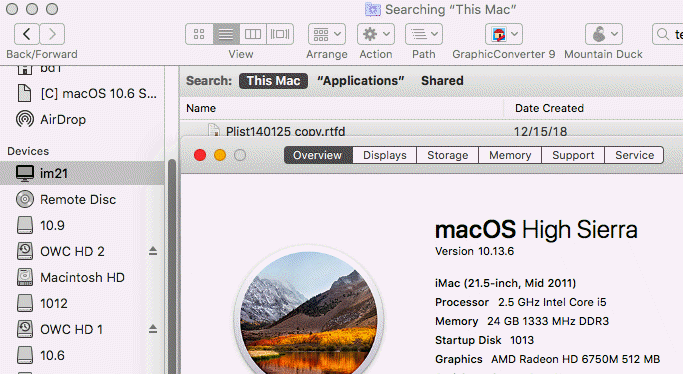

How to rebuild the Spotlight index on your Mac

If searching your Mac doesn’t return expected results, rebuilding the Spotlight index might help.


  1. Choose Apple menu () > System Preferences, then click Spotlight.
  2. Click the Privacy tab.
  3. Drag the folder or disk that you want to index again to the list of locations that Spotlight is prevented from searching. Or click the Add (+) button and select the folder or disk to add.
  4. To add an item to the Privacy tab, you must have ownership permissions for that item. To learn about permissions, choose Help from the Finder menu bar, then search for “permissions.”
  5. From the same list of locations, select the folder or disk that you just added. Then click the Remove (–) button to remove it from the list.
  6. Quit System Preferences. Spotlight will reindex the contents of the folder or disk.


Manually Rebuilding Spotlight via Terminal

If the aforementioned Spotlight control panel approach doesn’t spur a reindexation of the drive, you may need to initiate it manually through the command line. Open Terminal and use the following command string to do so:


sudo mdutil -E /

This basically asks for temporary super user status, which is why Terminal may ask you for your password (it may not if you’ve used a sudo command recently or are already logged in as a super user or root. The command asks the unix tool mdutil to reindex the spotlight database for everything on the computer, including external drives, mounted disk images, etc. To re-index only for a specific drive, use the /Volumes path. For example, for an external drive named “MiniMe,” the command would look like this:


sudo mdutil -i on /


Rebuilding a drive index can take a long time, so be prepared to wait whether you do it through the System Preference panel or the command line.

35 replies

Mar 11, 2020 6:30 AM in response to VikingOSX

Thanks Thor! 😉


Unfortunately, something is else is wrong. I changed my Finder preferences as you suggested (they both made sense to me). But "Shared" still showed up. Here's two screenshots (after implementing the Finder preference changes) that might explain it.


(1) Finder window of my HDD before any search criteria are entered, and (2) entering the word "resume" in the search box (I have tons of files with the word "resume" in it on the HDD, so it should yield some hits).


Final screenshot is of a Spotlight search for "resume". No results on local HDD... weird.

Mar 11, 2020 6:59 AM in response to VikingOSX

All of what you say made sense (and I put my "username" in my Sidebar Favorites). Once I was there, I noticed that all the shared resources were selected so I even deselected all of them (although I don't suspect that affects searching but only which are considered Favorites in the Sidebar).


Still no luck. Not even when I click on "This Mac" or "Macintosh HD" or "ian". The "Shared" option is still there, following each of these other choices. And the search result for "resume" reveals nothing.


There must be somewhere that the OS has been set to look for all searches ONLY in shared resources. I don't know where that would be...

Mar 11, 2020 12:41 PM in response to riandavis

Unless you never had Spotlight enabled for the Documents category, the following search in Finder would have matched files and folders containing the case-insensitive name string "resume".


Show every file or folder whose name contains the string "resume".

name:resume


Show all Word documents that are not templates, and have the string "resume" in their name.

kind:Word +.doc -(.dotx) and name:resume

Mar 11, 2020 12:53 PM in response to riandavis

You probably needed to perform a first Spotlight indexing of your drive. I don't believe this is done as a result of just upgrading the operating system, or checking every Spotlight category item. I usually drag and drop Macintosh HD onto the open Spotlight Privacy panel, wait 10 seconds, and then remove it from there. This triggers Spotliight to get off its arse, and index the drive. This does the same thing that you did in the Terminal.

Mar 11, 2020 1:01 PM in response to riandavis

Finder & Mail both depend on Spotlight.


I have the terrible felling this is going to require a silly Reinstall of the OS to fix, but that should leave your data intact.


One more test...


To find out if it's system wide or user specific, try this...

Open System Preferences>Users & Groups, unlock the lock, click on the little plus icon, make a new admin account, log out & into the new account.

Does it work in the new account?


Setup Spotlight in that account

Mar 11, 2020 4:35 PM in response to riandavis

You can save us asking dozens of questions by submitting a report...

EtreCheck is a simple little app to display the important details of your system configuration and allow you to copy that information to the Clipboard. It is meant to be used with Apple Support Communities to help people help you with your Mac.

http://www.etresoft.com/etrecheck


Pastebin is a good place to paste the whole report...

https://pastebin.com/


Or use the paperclip at the bottom of a Reply to attach the full report here. :)


Workable but harder for me to work with...the Note tool on the bottom of this editor's toolbar, as shown in the image, to copy and paste the output from EtreCheck.

This thread has been closed by the system or the community team. You may vote for any posts you find helpful, or search the Community for additional answers.

All Finder searches yield zero results. I suspect it's because "Shared" is in every search criteria.

Welcome to Apple Support Community
A forum where Apple customers help each other with their products. Get started with your Apple Account.